🎯 Why Agentic Workflows Beat Zero-Shot
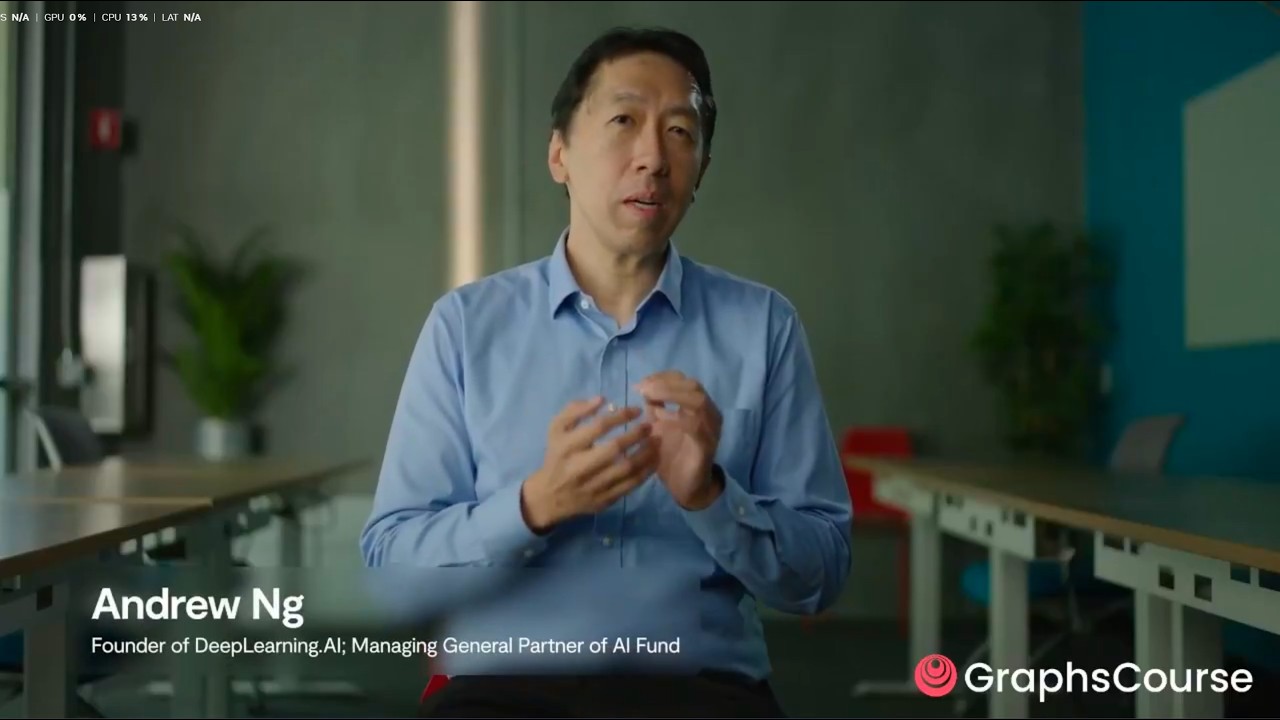
Andrew Ng opens with the foundational insight: "When most people use a large language model, we type a prompt and ask it to write an output — a bit like asking someone to type an essay from the first word to the last in one go, without ever using backspace." In contrast, an agentic workflow takes an iterative approach: draft an outline, do web research, write a first draft, critique it, revise. "I've seen in many applications this iterative agentic workflow does much better than forcing AI to write from start to finish." 0:00
A key connection: agentic workflows are now contributing to training data. "If you insert an agentic workflow in the middle to generate high-quality data, that actually becomes useful for training the next generation of models." Harrison Chase (LangChain CEO) notes two key improvements over the last year: function-calling LLMs making tool use more predictable, and agentic search — search tools adapted to return structured, referenceable answers rather than links. 0:58
🧩 The Four Design Patterns of Agents
Andrew Ng identifies four key patterns that make up agentic workflows: 6:00
| Pattern | What it is | Example |
|---|---|---|
| Planning | Thinking through steps before acting | Writing an outline before the essay |
| Tool use | Knowing what tools are available and how to invoke them | Function calling, search APIs |
| Reflection | Iteratively improving results with critique cycles | Multiple LLMs critiquing and editing |
| Multi-agent communication | Each agent plays a role with a unique prompt | One plans, one researches, one writes, one critiques |
Plus memory — tracking progress across multiple steps. Critically, some of these capabilities are LLM-native (function calling for tool use), but many are implemented outside the LLM by the framework. LangChain has supported memory and tool execution for some time; the new extension is LangGraph, specifically aimed at agent and multi-agent flows with controlled, cyclical graphs. 6:54
🏗️ Module 1: Building an Agent from Scratch (React Pattern)
The React pattern — reasoning + acting
The agent built from scratch uses the React pattern (REAsoning + ACTing): an LLM thinks about what to do, decides an action, the action is executed, an observation is returned, and the LLM repeats until it decides it's done. Based on Simon Willison's blog post implementing React in Python. 43:42
The system prompt that drives it
The prompt asks the LLM to run through a loop: Thought → Action → Pause → Observation. It provides available actions (calculate, average_dog_weight) and crucially includes an example trace — an incoming question, a thought, an action, pause, observation, final answer. "This example is really helpful for helping the language model understand in more specific detail how exactly it should be doing things." 47:00
Manual execution → automated loop
The course first shows manual execution: call the agent, parse the response for "Action:", execute the tool, format the observation back as a prompt, repeat. Then automates it into a query function with a max_turns parameter. The loop: increment counter → call agent → regex-parse for actions → if actions, look up the function, call it, format observation, loop back → if "Answer:", return. 51:42
🔀 Module 2: LangGraph — Nodes, Edges, State
Why graphs?
LangGraph is an extension of LangChain specifically for agent and multi-agent flows. "All these diagrams of agents from academic papers — React, Self-Refine, AlphaCodium — are all represented as graphs. That realization led us to create LangGraph. Crucially, it allows for really controlled flows with specific arrows from one box to the next. This controllability is crucial for agents that perform well." 12:50
Three core concepts
Nodes are agents or functions. Edges connect nodes. Conditional edges decide which node to go to next based on output. The entry point defines where the graph starts; the end node terminates execution. 13:10
Agent state
State is tracked over time and accessible at every node and edge. It's local to the graph and can be stored in a persistence layer. Two types of state updates: annotated with operator.add (appends, doesn't overwrite) — ideal for intermediate steps, messages — and unannotated (overwrites on update) — for single values. "This makes sense because intermediate steps is what is tracked as the agent action and observation throughout the graph as it executes. We want to continuously add to that." 13:50
Building the graph
The implementation: 17:55
StateGraph(AgentState)— initialize with state schemagraph.add_node("llm", self.call_openai)— the LLM nodegraph.add_node("action", self.take_action)— tool execution nodegraph.add_conditional_edges("llm", self.exists_action, {True: "action", False: END})— decide nextgraph.add_edge("action", "llm")— loop backgraph.set_entry_point("llm")— start heregraph.compile()— returns a LangChain Runnable
The model binding: model.bind_tools(tools) lets the model know which tools are available. The action node supports parallel tool calling — modern models can return multiple tool calls at once, and the node loops over them. 23:03
🔍 Module 3: Agentic Search vs Regular Search
Doren Vice (Tavily CEO) demonstrates why agents need different search: a regular search returns links; an agent needs structured, referenceable answers. The difference: 56:05
| Regular search | Agentic search (Tavily) |
|---|---|
| Returns links → must scrape, parse, extract | Returns structured JSON with answer + sources |
| Raw HTML → BeautifulSoup → headers → strip → join | Single API call → clean, concise result |
| Output: messy text blob for humans to read | Output: structured data agents can consume directly |
Internally, agentic search: understands the question → divides into sub-queries → finds best source (weather API for weather, not web search) → extracts only relevant info via chunking + vector search → scores and filters results. "This is not the answer I would want to see as a human. But this is the exact answer an agent would want — structured data." 57:02
👤 Module 4: Human-in-the-Loop
LangGraph makes human-in-the-loop straightforward. Adding interrupt_before="action" to graph.compile() pauses execution before every tool call. The graph stops at the action node, waiting for human approval. 29:47
From the paused state, you can: 31:35
- Get the current state — inspect messages, see what action is about to be taken
- Check
next— which node is queued ("action" means tool call pending) - Continue with
graph.stream(None, config)— approve and proceed - Interrupt only specific tools — covered in docs, not the course
The course also builds an interactive loop: a Jupyter input box asks "Proceed? (yes/no)" before each action. "This is useful when you want to make sure that tools are executed correctly." 32:22
💾 Module 5: Persistence, Checkpoints & Streaming
Checkpoints
LangGraph uses a checkpointer that snapshots state after and between every node. The course uses SqliteSaver (in-memory for demos, but connects to external DBs, Redis, or Postgres for production). Simply pass checkpointer=memory to graph.compile(). 1:01:48
Thread IDs — multi-conversation support
Each conversation gets a thread_id passed as config. "This allows us to have multiple conversations going on at the same time. This is really needed for production applications where you generally have many users." Follow-up questions on the same thread ID maintain context: "What about in LA?" → the agent knows you're asking about weather because it has persistence from the checkpointer. Switch thread IDs and the agent loses all history. 1:04:28
Streaming — messages and tokens
Two streaming modes: message streaming (graph.stream()) emits state updates — AI messages, tool messages, final responses — giving visibility into what the agent is doing. Token streaming (graph.astream_events(), async) watches for on_chat_model_stream events and streams tokens one at a time. "For long-running applications, you know exactly what the agent is doing at that exact moment." 1:06:08
⏮️ Module 6: State Modification & Time Travel
Modifying current state
To correct an agent mid-execution: get the current state → access the last AI message's tool calls → modify the arguments (e.g., "Los Angeles" → "Louisiana") → graph.update_state(config, new_values). The agent continues with the corrected search term. "We're actually keeping a running list of all these states. When we modify the state, we create a new state." 35:18
Time travel
graph.get_state_history(config) returns all state snapshots. Pick any past state → graph.stream(None, replay_config) resumes from that point. "This is effectively time travel." You can also branch from history: go back in time, edit the state from that point, and continue on a new branch. 37:58
Mocking tool responses
Instead of actually calling a tool, manually inject a tool response: create a ToolMessage with a fake result, append it to the state, call update_state with as_node="action" — telling the graph "act as if the action node already ran." "We're pretending that an action has taken place." The model then continues from the injected response, never actually calling the tool. Powerful for testing and human corrections. 40:50
✅ Key Takeaways
- Agentic workflows outperform zero-shot prompting. Iterative: outline → research → draft → critique → revise. "I've seen in many applications this does much better than forcing AI to write from start to finish." The React pattern (Reasoning + Acting) is the foundation.
- Agents are graphs. Academic papers — React, Self-Refine, AlphaCodium — all represent agents as cyclical graphs. LangGraph formalizes this: nodes (LLM calls, tool executions), edges (fixed transitions), conditional edges (decisions), state (persists across the graph).
- State persistence enables production agents. Annotated state with
operator.addaccumulates (messages, intermediate steps). Unannotated state overwrites. SQLite/Reds/Postgres checkpointers snap state after every node. Thread IDs enable multi-user, multi-conversation apps. - Agentic search is fundamentally different from human search. Regular search returns links → scrape → parse → extract. Agentic search (Tavily) returns structured JSON with answers and sources. Inside: query decomposition, source selection (weather API for weather), chunking + vector search, scoring.
- Human-in-the-loop is one parameter.
interrupt_before="action"pauses before every tool call. Inspect state, check next node, approve or deny. Can also interrupt before specific tools only. Builds the foundation for approval workflows. - Streaming gives visibility into long-running agents. Message streaming emits state updates (AI message → tool message → final response). Token streaming via
astream_eventsstreams tokens one at a time for real-time UX. - Time travel and state editing are core, not add-ons.
get_state_historyreturns all snapshots. Resume from any point. Edit past state and branch off. Mock tool responses by injecting ToolMessages withas_node="action". These are debugging and correction primitives built into the framework. - LangGraph separates the model from the control flow. The same graph works with any LangChain-supported model.
bind_tools()tells the model what's available. The runtime — nodes, edges, state, checkpoints — is independent of the LLM provider. - From 1 prompt to 100 agents. The course builds from a single manual agent → automated loop → LangGraph node/edge graph → persistent multi-user agent. The progression shows that complex agent systems are composed from simple, controllable primitives.
- This is a 2-hour course that compresses months of learning. Ng, Chase, and Vice cover: agentic theory, from-scratch implementation, LangGraph architecture, agentic search, human-in-the-loop, persistence, streaming, state editing, and time travel — all with running code, not just diagrams.
🔗 Resources & Links
- 📺 Original video — full 1h50m course by Andrew Ng, Harrison Chase, Doren Vice
- 🔗 LangGraph — the graph framework for building agent and multi-agent applications
- 🔍 Tavily — agentic search API used throughout the course
- 📄 Graph Engineering Playbook — reference material synthesizing the course concepts
- 📝 Simon Willison's blog — the React-in-Python implementation the course builds on