📄 What DeepSeek published 0:03
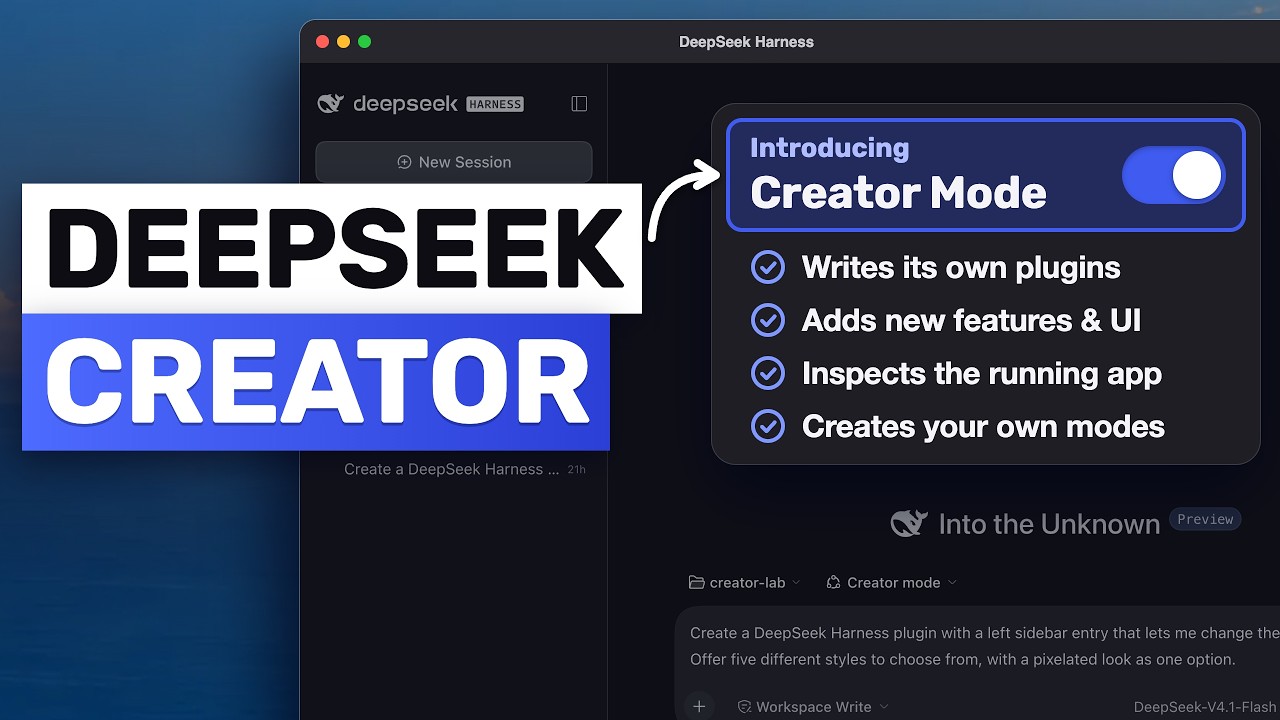
DeepSeek had already shown what Creator Mode can do in a short demo — an app that writes its own plugins while you talk to it — with a 3D landmark gallery, a Transformer visualiser, a pixel-art skin for the whole app, and more. Everybody wanted the prompts. DeepSeek then published all of them: one page, seven prompts, in English and Chinese, with a copy button on each.
| Fact about the release | Detail |
|---|---|
| Demos shown | Seven plugins, including a 3D landmark gallery, a Transformer visualiser, a pixel-art interface skin, a poster workbench, a video editor, a paper reader and a conversation-statistics dashboard |
| Prompts published | All seven, in English and Chinese, each with a copy button |
| How to use them | Copy a prompt, paste into DeepSeek Harness, select Creator Mode |
| Harness itself | Open source, MIT, "everything is a plugin"; ~272,000 GitHub stars as of this writing |
🧩 Creator Mode in ninety seconds 0:48
DeepSeek Harness ships several modes. Standard is the normal coding agent. Creator is the one that builds plugins, and the mechanism matters for understanding the prompts:
| Step | What Creator Mode does |
|---|---|
| 1. Inspect | Adds two read-only tools so the agent can look inside the running app before writing anything — list what is loaded, and check the exact methods and types available |
| 2. Write | Authors the plugin against that real surface, not against an imagined API |
| 3. Package and install | Packages it as a bundle and installs it through the plugin manager |
| 4. Persist | The plugin belongs to your profile, so it survives a restart |
The current build at the time of the video was a release candidate from 30 October (v0.2.1-rc.5); releases have continued since, with v0.2.2-rc.1 landing on 4 November. That cadence is itself a caveat, and the video treats it as one.
⚠️ The caveat they volunteered 1:31
On the page, next to the prompts, DeepSeek says plainly that some of these plugins were refined over several rounds of conversation — so a single prompt may not reproduce exactly what you saw in the demo video.
That one sentence is the most honest thing in the release, and it is also the thing that makes the rest of the video expensive: every artefact you saw in a demo is the endpoint of a conversation, not the output of a copy-paste.
🔍 The seven prompts, and what each teaches 1:45
| # | Plugin | What the prompt specifies | Lesson |
|---|---|---|---|
| 1 | 3D landmark gallery | A left-sidebar entry that renders 3D models of the Eiffel Tower, the Great Wall, the Forbidden City, and "one more famous building of the model's choice" | Say where it lives — and leave a little room for taste |
| 2 | Transformer 3D visualiser | An interactive 3D demonstration of the computation inside a Transformer — plus: keep the panel title and toolbar clear of the native macOS window buttons | When something looks broken, name the exact problem instead of starting over |
| 3 | Pixel-art interface skin | A plugin that restyles the whole app, with five styles to choose from, pixelated among them | Give it a count: five styles, not "some styles" |
| 4 | Poster design workbench | Opens from the conversation; use the shader background pattern and English font from the DeepSeek Harness website; customisable title, text and shader colours; default page minimal with no unnecessary subheadings; default title "everything is a plugin" | Say what you don't want, and give the defaults |
| 5 | Video editing workbench | Dark interface, familiar editor interactions, multiple uploads, editing and export, large preview on top with a timeline below — and the ability to import and edit via natural language in the chat | Describe layout like a wireframe, and connect the plugin back to the conversation |
| 6 | Paper reader | Right sidebar; upload papers; preserve original layout, fonts and images without loss; selecting text opens a floating menu with three options — highlight, add note, ask in conversation; the default question must match the interface language | Spell out the interaction step by step |
| 7 | Conversation statistics | Built on your actual conversation data: total token usage, conversation count, estimated cost, a budget based on that usage, a token timeline, usage and cost per conversation, CPU activity and utilisation | Say "real data", or you get a beautiful dashboard full of fake numbers |
One structural detail is easy to miss: six of the seven prompts say where the plugin lives — three in the left sidebar, two opened from the conversation, one in the right sidebar. The seventh, conversation statistics, does not, and the model has to guess. That is the natural first lesson, because placement is the one thing a plugin-building agent cannot infer from what the plugin does.
🧭 The five parts of a good prompt 5:19
| Part | Example from the seven | What it prevents |
|---|---|---|
| Where it lives | "A left sidebar entry" | The agent picking a random surface and calling it done |
| What it does | "Renders 3D models of…" / "estimates cost from usage" | A vague tool that looks right and does nothing |
| The numbers and defaults | "Five styles", default title "everything is a plugin", budget derived from real usage | Placeholder values and "some" instead of a countable thing |
| What to leave out | "Minimal, with no unnecessary subheadings" | Filler — models add structure when they are unsure |
| How it connects back | "Import and edit videos with natural-language requests in the conversation" | A static panel instead of something the agent can drive |
This is a good checklist for any tool-building prompt, not just DeepSeek's: the five parts correspond to the five questions that decide whether an artefact is usable — where do I find it, what does it do, what are its exact values, what is it not, and how do I operate it.
🔬 Why this grammar works 5:30
Three of the five parts are counter-intuitive, and each maps onto a specific failure mode of generation:
- Counts beat adjectives. "Five styles" is checkable; "some styles" is a vibe. A requirement you can count is a requirement the agent can finish.
- Defaults are requirements. Specifying the default title or the default page state is how you stop the model from optimising the first impression and leaving the steady state empty.
- Negative space is design. "No unnecessary subheadings" works because models are trained on a world where thorough-looking output is rewarded. Telling it what to omit is the only way to spend its thoroughness where you want it.
💸 The token bill 5:31
Here the video turns commercial, and the underlying problem is real: Creator Mode reads the runtime, writes the plugin, installs it, and then you iterate on details — which is a lot of tokens per plugin, and it multiplies with every round of conversation.
| Approach | Trade-off |
|---|---|
| Pay per token on a frontier model | Honest cost, highest quality; the multi-round caveat makes this the expensive path |
| Use a subscription that fronts several open models | Smooths the iteration cost; quality varies per model |
| Route big plugins to a strong model, small fixes to a fast one | The right default regardless of who you buy from |
The technically useful part of that segment is a capability of the harness, not a product: DeepSeek Harness accepts a custom model provider over the OpenAI Chat Completions protocol (Settings → Models → add a provider → custom base URL → paste key → fetch available models). Any OpenAI-compatible endpoint therefore works, including a local server.
🔀 Running it in parallel 7:19
The last idea is the most interesting architecturally: a separate workspace tool can launch DeepSeek Harness as one of its harnesses — installing the DSH package from npm, launching it over ACP, listing its models and setting reasoning effort.
| Layer | Role |
|---|---|
| Orchestrator | Holds the whole task and the context |
| Worker A | DeepSeek Harness, on its own model, doing Creator Mode work |
| Worker B | A second harness on a different model, doing something else |
Practically: all seven plugin ideas could be handed out in parallel to different workers and reviewed in one place. That is only possible because DSH exposes itself over a protocol rather than only as a GUI — the same property that made MCP and AG-UI useful elsewhere.
NOASSERTION). That means source-available, not open source in the OSI sense — worth knowing before you build a workflow on it.
🚧 What can go wrong 7:46
| Limitation | What it means in practice |
|---|---|
| Developer preview | Release candidates ship often; behaviour can change between builds |
| Single prompts are starting points | DeepSeek says it themselves — expect to iterate, budget for the rounds |
| Whole-app plugins can break the look | A pixel skin that restyles everything can also make the app unusable; there is nowhere to turn it off except the plugin manager |
| Subscriptions are finite | Running Creator Mode all day on the best model hits limits |
| Beta tooling | The desktop app and orchestration layer are early; expect rough edges |
🧠 What it says about harnesses 8:30
Strip away the sponsor and the demo list, and DeepSeek has shipped three things that together are a small thesis about where harnesses are going:
- The interface is part of the harness. Because everything is a plugin — including the chrome — the agent is not limited to adding tools; it can add surfaces. The pixel skin prompt is the proof: "this is the app changing itself".
- The agent needs read access to its own runtime. The two read-only introspection tools are what make plugin generation reliable rather than hopeful, and they are the pattern worth copying in any agent that writes code against its own platform.
- Prompts become specifications you can publish. Seven copyable prompts that reproduce seven artefacts is a new kind of documentation — closer to a recipe book than an API reference, and honest about needing a cook.
Whether this "redefines harnesses" is a claim that only usage will settle. What is already true: a harness whose extension mechanism is a conversation has to get two things right — introspection, so the agent writes against reality, and recovery, so a bad extension can be undone. DeepSeek built the first; the second is currently one plugin manager page deep.
✅ Claims checked
| Claim | Verdict | Evidence |
|---|---|---|
| DeepSeek published seven Creator Mode prompts, in English and Chinese, with copy buttons | Correct | Corroborated by TechNode, Mashable, Dataconomy (Nov 3) and DeepSeek's own site describing Creator Mode; the prompts page itself was not reachable from the sitemap, so the per-prompt detail below is the video's reading of it |
| Creator Mode adds two read-only tools to inspect the running app | Consistent | Matches DeepSeek's description of plugins extending "tools, skills, and the interface"; specific tool count is the video's |
| Plugins are packaged as a bundle, installed via the plugin manager, and persist per profile | Consistent | Matches the plugin-manager model shown on DeepSeek's harness page |
| Harness is MIT, open source, "everything is a plugin" | Correct | deepseek-ai/deepseek-harness: MIT, ~272,400 stars at time of writing |
| Current build: release candidate from 30 October (v0.2.1-rc.5) | Correct | GitHub releases: dsh-v0.2.1-rc.5 published 2026-10-30; dsh-v0.2.2-rc.1 followed on 2026-11-04, after the video |
| Six of seven prompts specify where the plugin lives (3 left, 2 in conversation, 1 right) | Video's count | Not independently checkable without the prompts page; internally consistent with the descriptions |
| DeepSeek says some plugins took several rounds of conversation | Correct — and quoted by press | Mashable quotes it verbatim: "some plugins were refined through several rounds of conversation" |
| Harness accepts a custom model provider over an OpenAI-compatible protocol | Consistent | Standard for DSH ("not locked to DeepSeek models"; OpenAI-compatible endpoints) |
| PandaCode can launch DSH over ACP with its own models | Plausible; licence caveat | aicodeking/pandacode exists (~1,060★) but carries NOASSERTION — source-available, not OSI open source |
| Sponsor's price, model lineup and bundled usage | Commercial claims | Sponsor segment; excluded from this article and not repeated as fact |
| The seven demo plugins listed in the video | Partly divergent from press coverage | Coverage also mentions a sticky-note wall, a sandbox game and a Pomodoro timer; the video enumerates a different set of seven. The official page could not be fetched to arbitrate |
Basis note. Built from the full 9:11 transcript. The release facts (licence, stars, release-candidate dates, the "several rounds" caveat) were checked against GitHub and the outlets that covered the launch; the per-prompt contents are the video's reading, because DeepSeek's prompts page was not reachable from the documented site paths when this was written. That gap is stated rather than papered over. Sponsor material is excluded, and one correction was made: the workspace tool is PandaCode, and it is not licensed as open source.
🔑 Key takeaways
- The prompts are the documentation. Seven copyable specs that reproduce seven artefacts is a new documentation format — a recipe book, not an API reference.
- Say where it lives. Placement is the one thing a plugin-building agent cannot infer from what the plugin does; six of seven published prompts specify it.
- Counts beat adjectives. "Five styles" is checkable; "some styles" is a mood. If you can count a requirement, the agent can finish it.
- Defaults are requirements. Specifying the default title and page state is how you control the steady state, not just the first impression.
- Say what to leave out. Models add filler when unsure; the negative instruction is the only way to spend their thoroughness where you want it.
- Say "real data" out loud. Fake numbers produce a more convincing dashboard than real ones, because they have no gaps.
- Connect the plugin back to the conversation. A panel the agent can drive is worth more than a panel you can click.
- The two read-only introspection tools are the real engineering. Read the live runtime before writing code and you stop hallucinating an API that does not exist.
- The published prompts carry their scars. A line about clearing the macOS window buttons is a bug report from the previous attempt — keep those lines in your prompts.
- Iterations, not generation, dominate cost. Route the big build to the strongest model and the small fixes to a fast one; DeepSeek says a single prompt rarely reproduces the demo.
- The interface is now part of the extension surface — which is powerful and dangerous: a plugin that restyles everything needs a recovery path that does not depend on the restyled chrome.
- Check licences before building a workflow on a tool. The promoted orchestration app is source-available (
NOASSERTION), not OSI open source.
🔗 Resources
- The source video — AICodeKing, "Deepseek is Actually Redefining Harnesses!", 9:11, 4 November 2026
- DeepSeek Harness — the product page: everything is a plugin, Creator Mode, modes
- deepseek-ai/deepseek-harness — MIT, the harness itself (release candidates ship frequently)
- dsh-plugin topic — community plugins on GitHub
- aicodeking/pandacode — the orchestration workspace the video promotes (no SPDX licence declared)
- TechNode: DeepSeek showcases Creator Mode — independent report on the seven prompts
- Mashable: Creator Mode creates plugins from prompts — source of the "several rounds" quote