Overview
Chris Ashby from Build Great Products walks through his complete workflow for creating professional design systems using Claude Fable 5 (claude-sonnet-4) and his open-source Builder OS framework. The core insight: everybody can build with AI, but not everyone can build products that look and feel professional. The solution is a two-file design system (design.md + design.html) generated from an image reference in minutes, paired with claude.md rules to prevent design drift throughout development.
1 The Design Problem with AI-Built Products
Chris identifies the biggest problem in AI-assisted development right now: while AI makes building easy, it doesn't automatically make products look professional. "Everybody can build something with AI, but not everyone can build something that looks and feels incredible to use and will actually get real customers."
The gap between functional and polished is where most AI-built products fall into "AI slop" territory — inconsistent UI, generic styling, and design that drifts as the codebase grows. Chris's solution is a structured design system workflow that works before you write any application code.
2 Builder OS — The Open-Source Framework
Builder OS is Chris's open-source system for building with AI. It's a collection of skills (structured prompts) that integrate with Claude Code and other AI coding agents.
- Installation:
npx skills addfrom builder-os.dev, or clone from GitHub - Completely free and open source — installable in any project
- Multiple skills — the design system skill is one of many in the Builder OS collection
- Agent-agnostic — works with Claude Code, Codex, or Cursor
The key skill demonstrated in this video is the design system skill, which takes any design reference (image, website URL, or Figma file) and translates it into a structured, machine-readable design system.
3 The Design System Skill — Two Output Files
The design system skill produces two paired files that form the foundation of your project's visual identity:
1. design.md — The Canonical Spec
- Follows Google's open-source design system format (DESIGN.md spec)
- Markdown file outlining all styles, tokens, and definitions
- Machine-readable — your coding agent references this file when building any UI
- Includes typography, colors, spacing scales, radius, elevation, components, and anti-pattern rules
- This is the source of truth — when the two files disagree, design.md wins
2. design.html — The Visual Reference
- A visual, browsable representation of the design system
- Shows all components, hover states, typography samples, color swatches
- Human-readable — lets you see what your design.md describes
- Editable — make visual changes here, then sync back to design.md
design.md is for the AI agent (machine-readable tokens), design.html is for the human designer (visual preview). Both must stay in sync.4 Fable 5 Setup & Effort Levels
Chris demonstrates using Claude Code with Fable 5 (the claude-sonnet-4 model) and shares his recommended configuration:
- "High" effort level is the sweet spot — better results than "Extra" based on community feedback
- "Max" burns through tokens — insane token usage without proportional quality gains
- "High" + detailed spec documents = the optimal combination for getting quality results from Fable 5
The key insight: Fable 5's reasoning capabilities shine most when given structured context (spec documents, plans, design references) rather than raw token-heavy computation. This is why the design system skill approach works so well — it provides that structured context automatically.
5 Image Reference Prompting
Chris is building an app called iDropper — a dashboard with an MCP server where teams store their design system so any team member's coding agent can access it via MCP. For the design direction, he wants:
- Minimal and clean — an "invisible UI layer" that users can put their own design system on top of
- Editorial feeling — strong typographic rules, strong layout and structure
- Hard edges — no rounded corners, no softness
- Black and white color palette — pure monochrome
- Swiss design influence — structured, grid-based, typography-forward
The prompt is simple: "Let's use the design system skill inside of this project with this image reference" — then paste an image of a design that captures the visual direction you want. Chris selects a reference image with clear menu structure and visible typography.
6 Clarifying Questions — The Interactive Design Interview
After receiving the image reference, Fable 5 doesn't just generate blindly — it asks targeted follow-up questions to refine the design system. This is where the skill's structured prompt engineering shines:
Question 1: Light/Dark Mode
"Should the design system be light mode, dark mode, or both?" Chris chooses light only to match the reference.
Question 2: Color Strategy
Three options presented:
- Pure monochrome — black as accent, white scale for hierarchy, muted semantic states (error/success/warning). "The boldest and most on-reference choice"
- Monochrome + one signal color — like acid yellow or signal orange for branding
- Monochrome + restrained accent — a subtle accent color
Chris picks pure monochrome because iDropper should be an invisible layer — the user's own design system should "shine and take precedent."
Question 3: Anti-Patterns ("Don't" Rules)
The skill asks which anti-patterns the design must never drift into. These become enforceable rules in design.md:
- ❌ Generic SaaS softness — checked
- ✅ Decorative shadows/depth — allowed sparingly
- ❌ Color as decoration — checked
- ✅ Lowercase text — allowed (deviation from reference, which was all-caps)
7 Font Selection — A Design Deep Dive
The font selection process reveals Chris's designer thinking and his opinionated approach to typography:
Typeface Options Presented
- Archivo + JetBrains Mono — Archivo for UI text, JetBrains Mono for code/data
- Oswald + Inter + Mono — immediately rejected: "We definitely don't want to use Inter, because that is very kind of design sloppy"
The Archivo Assessment
Chris tests Archivo at various weights on Google Fonts, typing "eye dropper" to see it in context. His verdict: "It doesn't have a ton of character" and isn't close enough to the Swiss design reference. Works better as body copy than display text.
Adding Panchang from Fontshare
Chris goes to Fontshare (his go-to for free, well-designed fonts) and finds Panchang — a display font with more character. The final type stack:
- Panchang — very sparingly, large headings in caps, heavy weight (logo + hero text)
- Archivo — primary UI font, body copy, labels, navigation
- JetBrains Mono — code, data, technical content
8 Generated Design System Review
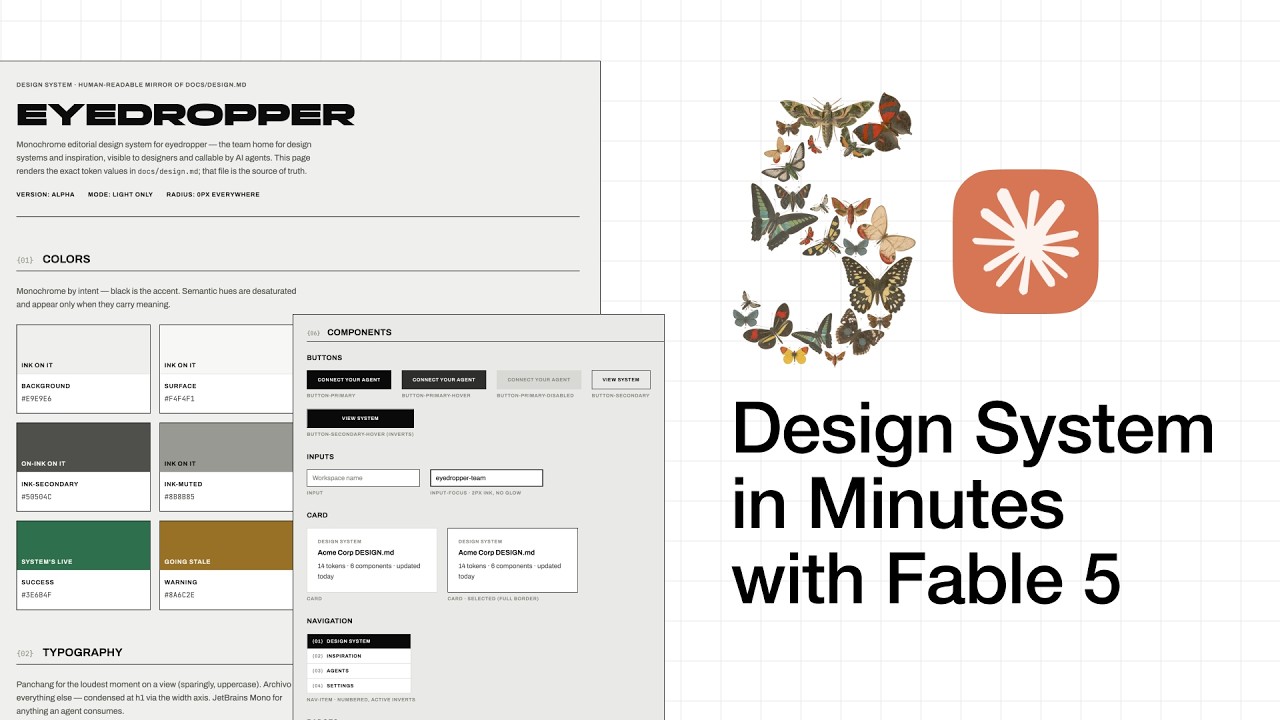
Fable 5 generates the complete design system, and Chris reviews the output in the design.html file:
- Typography choices — all three fonts correctly integrated with appropriate use cases
- Logo treatment — "EYEDROPPER" in Panchang at the top level
- Monochrome color palette — pure black/white with muted semantic states (error, success, warning)
- Spacing scales — consistent spacing tokens throughout
- Border radius: none — matching the hard-edge Swiss design direction
- Elevation and depth — minimal, as specified
- Components — buttons with hover states, inputs, all styled consistently
- Do's and Don'ts — the anti-pattern rules pulled from the interactive interview
Chris's assessment: "Pretty much spot-on for exactly what we wanted." The entire design system was created in just minutes from a single image reference and a few clarifying answers.
9 Claude.md — Enforcing Design Rules in Your Agent
The final piece of the puzzle is a claude.md rules file that ensures your AI coding agent always follows the design system. Chris uses a modified version of Car Party's four-rule claude.md (170k+ GitHub stars) with an added design system section.
The Design System Rules Block
Added at the bottom of claude.md, this section establishes five enforceable rules:
- design.md is canonical, design.html mirrors it — if they disagree, design.md wins but design.html must be brought back in line
- Follow design.md for any front-end work — before writing or changing any UI, read the file first
- Reuse documented tokens — use existing components and patterns instead of inventing new ones or hard-coding values
- Review front-end changes against design.md — propose new patterns if needed rather than going off-spec
- Keep both files consistent — whenever you change one, update the other in the same commit so they never drift
10 Complete Workflow Recap
Chris summarizes the end-to-end workflow in four steps:
- Install Builder OS —
npx skills addfrom builder-os.dev or clone from GitHub - Run the design system skill — provide an image reference, Figma file, or website URL. Answer the clarifying questions about mode, color, typography, and anti-patterns
- Review design.html — visually inspect the generated design system. Make any tweaks directly to design.html and have the agent reflect changes back to design.md
- Add claude.md rules — drop in the design system enforcement rules so every future prompt respects the spec
The two files work together as a bidirectional system: you can edit design.html visually, have those changes reflected in design.md, or update design.md directly and regenerate design.html. The claude.md rules ensure the agent keeps them in sync automatically.
🎯 Key Takeaways
🔑 Key Takeaways
- Design is the differentiator — everyone can build with AI, but professional-looking products that don't drift are what get real customers
- Two-file design system —
design.md(machine-readable spec) +design.html(visual reference) keep both humans and AI agents aligned - Image-to-design-system pipeline — paste an image reference, answer a few questions, get a complete design system in minutes
- Fable 5 on "High" effort — the optimal balance of quality vs. token usage, especially paired with structured spec documents
- Google's DESIGN.md format — the design.md follows an established, open-source standard for design system documentation
- Builder OS is free and open source — installable via
npx skills addor directly from GitHub - Anti-pattern rules are enforceable — "don't" rules baked into design.md prevent generic SaaS softness, color decoration, and other drift patterns
- Font selection matters — Inter is "design sloppy"; intentional font stacks (display + UI + mono) create visual character
- claude.md prevents design drift — five rules ensure every coding session reads and follows the design system
- Design before code — establishing the design system before building the app saves massive refactoring effort later
- Bidirectional editing — edit design.html visually, sync to design.md, or vice versa — full control in both directions
- Fontshare — a free font resource for well-designed typefaces beyond the usual Google Fonts defaults
🔗 Resources & Links
- Builder OS — open-source skill framework for building with AI coding agents
- Fontshare — free, well-designed fonts (source for Panchang display font)