◆ Overview
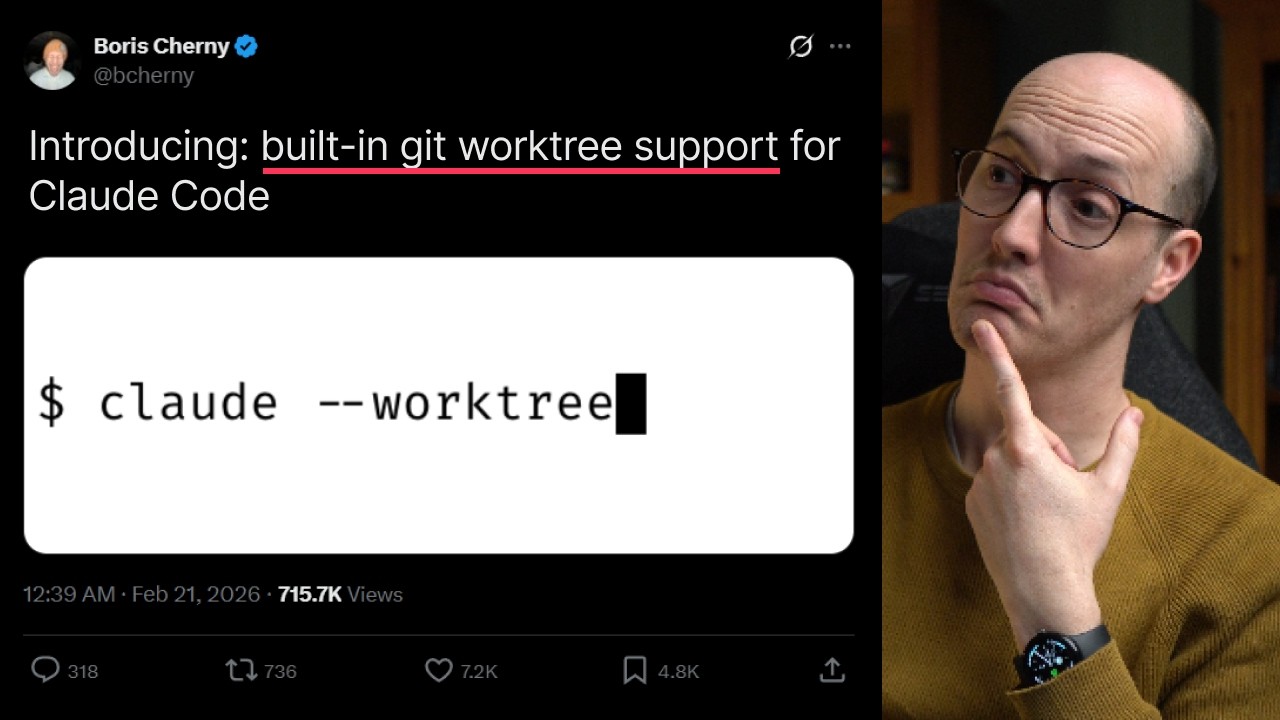
Matt Pocock explores Claude Code's newly built-in --worktree flag — a feature that leverages Git worktrees to let multiple AI agents run in parallel without stepping on each other's work. He walks through Git worktrees from scratch, demonstrates the Claude integration, uncovers a key pitfall with branch management, and shares his vision for how this changes parallel AI-assisted development workflows.
1 What Are Git Worktrees?
Matt starts by introducing the concept of Git worktrees — a feature he's known about for years but rarely used. Git worktrees allow you to have multiple branches checked out simultaneously in separate directories, all sharing the same underlying Git repository.
- Core concept — instead of switching branches back and forth, each worktree is a separate folder with its own checked-out branch
- Shared repository — all worktrees share the same
.gitdatabase, so commits, refs, and history are unified - Independent state — each worktree has its own working directory and index, so changes don't conflict
2 Manual Worktree Demo
Matt demonstrates the manual Git worktree workflow using his "course video manager" project. He starts on the main branch and creates a new worktree to show the full lifecycle:
git worktree add UI-updates— creates a new folder calledUI-updatesat the repo root, automatically on a new branch calledUI-updatescd UI-updates— navigating into the folder and runninggit statusconfirms it's on theUI-updatesbranch- Creating files — he runs
touch foobar.mdinside the worktree to create a test file, demonstrating that changes are isolated to this worktree - Commit & push — he stages, commits, publishes the branch, and even creates a PR, all from within the worktree directory
After merging the PR, he pulls changes back into main with git pull and verifies the file now exists on the main branch.
Cleanup
Two ways to remove a worktree:
rm -rf UI-updates— simple filesystem removalgit worktree remove UI-updates— Git-managed cleanup (preferred, as it updates Git's internal tracking)
3 IDE Integration
A significant benefit Matt highlights is how VS Code (and likely Cursor) automatically detects worktrees:
- Source Control panel — VS Code shows both the main repo and the worktree as separate entries in the Source Control view
- Independent staging — you can stage, commit, and push changes in the worktree directly from the IDE's GUI
- Branch visibility — each worktree's branch is clearly labeled, making it obvious which branch you're working on
4 Claude --worktree in Action
Matt runs claude --worktree for the first time. Instead of the manual git worktree add workflow, Claude automates everything:
- Automatic creation — Claude creates the worktree at
.claude/worktrees/with a randomly generated, human-friendly name (e.g., "cheerful-coalescing-worth") - Standard git worktree under the hood — it's the same
git worktreemechanism, just managed by Claude - Task execution — Matt tells Claude to delete
foobar.md, and it searches for the file, removes it, commits, and pushes — all within the isolated worktree - Lifecycle management — when you exit Claude (Ctrl+C), you're prompted to either keep or remove the worktree
5 The Branch Pitfall
Matt's first "paper cut" — after running claude --worktree and having Claude commit changes, he discovers the commit landed on main, not on a separate branch:
- The problem — running
git statusandgit login the main directory shows the worktree's commit was made against main - Why this happens —
claude --worktreecreates the worktree from main, so the worktree's branch tracks main by default - The danger — if your main branch is not protected, you could accidentally push commits directly to main when you intended them for a feature branch
claude --worktree may push commits directly to main instead of a separate feature branch. Always ensure branch protection is enabled.6 Fixing the Push Behavior
Matt experiments further and finds the solution. In a new session, he tells Claude to "add a new file, commit it, and push it to the branch":
- Worktree branch name — Claude names the worktree branch something like
worktree/delightful-dazzling-sketch. Runninggit statusshows this branch is "up to date with origin/main" even though it's a separate worktree - Safety hook — Matt has a git hook that blocks pushes. Claude attempts
git push, hits the hook, and suggests the explicit command:git push origin worktree/delightful-dazzling-sketch - Explicit branch push — running the push with the specific branch name creates a new remote branch with the worktree's name
The key takeaway: your agent needs to push with a specific branch name to avoid accidentally pushing to main. This is something you can configure via prompting or CLAUDE.md rules.
7 Why Use Worktrees Every Time
Matt makes a strong argument that you should use claude --worktree for every single Claude Code session:
- Instant parallelization — spin up multiple worktrees simultaneously, each working on a separate task or feature
- Zero interference — agents can't step on each other's work because each has its own directory and branch
- PR-based workflow — every worktree's output naturally maps to a pull request back to main
- Low cost — worktrees share the Git database, so they're essentially free to create and destroy
- Idea capture — whenever you have an idea or want to try something, you can instantly spin up a worktree and get things working without disrupting your current branch
8 Sub-agent Worktree Support
Matt highlights a detail from the official announcement: sub-agents now support worktrees too. This unlocks orchestrated parallelism:
- Orchestration pattern — a parent agent can spin up sub-agents, each in their own worktree, and have them make PRs back to main
- Opt-in behavior — sub-agent worktrees are not automatic; you need to explicitly tell Claude to use worktrees for its sub-agents
- Free parallelization — Matt describes this as offering "so many free parallelization opportunities" — the complexity of Git branching is absorbed by the tool itself
Matt ties this into his broader philosophy: AI coding isn't that different from human coding — it's about reintroducing fundamentals (TDD, parallelization, planning) into the AI era. Worktrees are the Git foundation that makes parallel agent work practical.
🎯 Key Takeaways
🔑 Key Takeaways
- Git worktrees enable parallel branches — multiple branches checked out simultaneously in separate directories, sharing the same Git database
claude --worktreeautomates the lifecycle — creates, names, and manages worktrees automatically, with cleanup on exit- Worktrees live at
.claude/worktrees/— Claude gives them random human-friendly names like "cheerful-coalescing-worth" - Branch protection is critical — without it, worktree commits may accidentally push to main instead of a feature branch
- Explicit push required — agents should push with
git push origin <worktree-branch-name>to create proper feature branches - IDE support is seamless — VS Code detects worktrees in the Source Control panel with no configuration
- Use worktrees for every session — Matt argues there's no reason not to, as they provide free parallelization
- Sub-agents support worktrees too — enabling orchestrated multi-agent parallel workflows via PRs
- The tool absorbs complexity — Claude managing worktree lifecycle means developers don't need to learn Git worktree internals
- AI coding fundamentals matter — worktrees complement TDD, planning, and effective parallelization in AI-assisted development