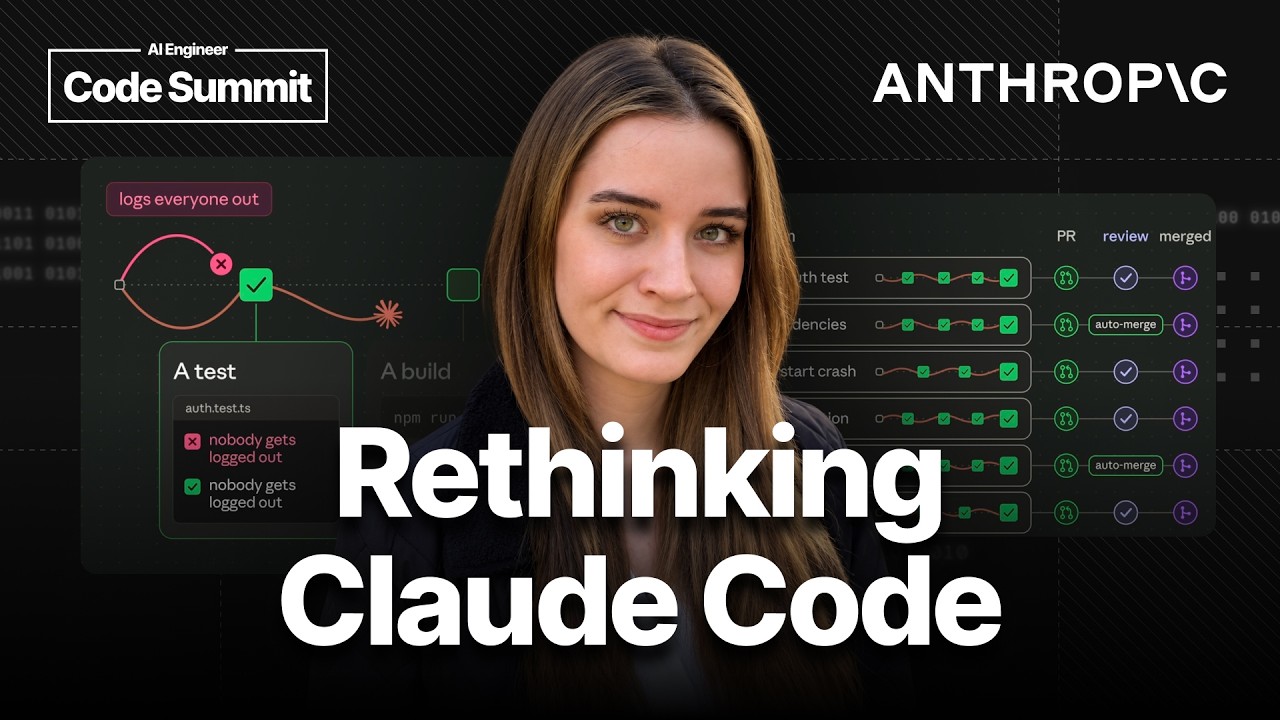
🎯 The argument 0:00
Lydia Hallie works on the Claude Code team at Anthropic. Her claim is blunt and slightly against her own employer's past advice: the models got good, and a year of accumulated setup now holds them back.
"Everywhere that we now step out of that loop, something else has to take over. And this is either the model, the harness, or the environment that it's running in."
That sentence is the whole talk, and it is a better mental model than any checklist. Every practice from early 2026 existed to compensate for something the model could not do. If the model now does it, the practice is not neutral — it is friction, and worse, it can actively misdirect. The question is never "is this advice good" but "which of the three layers is doing this work now".
Note the provenance: this is a talk by an employee about her employer's product, delivered at a conference, and recorded at home because of technical difficulties in the room. The claims below were therefore checked against Anthropic's documentation, which agrees with her on almost everything and is more precise on two points — both noted where they arise.
🕰 Two eras of a session 0:36
| Earlier in 2026 | Now, at Anthropic |
|---|
| One or two sessions at a time | Dozens at once |
| Sessions ran for minutes and stopped early | Sessions run for hours |
| You corrected it constantly | It steers itself |
| You approved every command | Auto mode approves, deny rules forbid |
| You were in the loop for every step | You are a manager of sessions |
The scale claim is real, and it comes from Anthropic's own engineering post: about 2,500 code changes merged per day in May, over 30,000 per day by September.
The manager framing is the honest one, and it has a cost she names later: managing dozens of parallel sessions is a context-switching job, and being bad at context switching is exactly why the orchestrator session exists. The human does not become unnecessary; the human becomes a reviewer with a queue.
🗺 Where the control moved 2:12
| Old practice | What does it now |
|---|
| You steer mid-session | The model, because it understands intent and the codebase |
| You approve commands | Auto mode's classifier |
| You restrict what is possible | The harness: deny rules, hooks |
| You decide what is safe to touch | The environment: sandbox, cloud session |
| You check the work | Verification points, then CI |
| You start each session | An orchestrator session |
The framework has a diagnostic use. When a session goes wrong, ask which layer was supposed to handle it: if it was the model's job, the prompt or the config file is the lever; if the harness's, you need a rule or a hook; if the environment's, the machine is misconfigured. Most of the confusion in this space comes from fixing at the wrong layer — writing an instruction for something that needed a rule.
📝 What still belongs in CLAUDE.md 3:20
| Remove | Keep |
|---|
| "IMPORTANT", exclamation marks, emphasis | Things Claude cannot see from the code |
| Which stack you are on | A legacy service used somewhere but not referenced in the code |
| Where to look for things | A deploy process that lives in someone's head |
"With today's models, you really don't need that, and it can actually make the model go off track. You end up with more tool calls and overall worse results."
Her version is stronger than the documentation's. The docs say adding IMPORTANT "probably won't fix it" and that piling on emphasis "mostly makes Claude over-apply the rule" — which is the same direction as her "worse results" but stated as an over-application rather than a general degradation. Both agree the fix is structural: a rule that cannot bend belongs in a deny rule or a hook, and a line that gets lost belongs in a shorter file.
🧹 The audit command 3:56
She mentions a command that lets you check your setup against a specific model. It exists, and the exact form matters if you are going to type it.
| Command | What it does |
|---|
/doctor | Suggests cuts for anything Claude can already work out from the code |
/doctor prompt-audit | Flags instructions written for older models, pointers to files that no longer exist, and instructions that contradict each other |
The third check is the one nobody thinks to run. Contradictory instructions accumulate silently — one line says always write tests, another says keep changes minimal, and the model resolves the conflict differently every session. That is indistinguishable from flakiness, and no amount of prompting fixes it.
🚦 What auto mode is 4:11
A separate classifier examines everything that is not just reading or editing files in your project. It allows what it recognises as safe — running tests, installing dependencies — and blocks what it is unsure about.
| Property | Detail |
|---|
| Default since | 14 August 2026, for new terminal and VS Code sessions on Pro, Max and Team; Enterprise and API opt in |
| Default trust boundary | This folder and this repo — a push to a separate deploy repo gets blocked, and you are back in the loop |
| Configuration | Plain English in settings: which repos, buckets and domains you trust, what to always allow or never do |
| Order of operations | Deny rules, ask rules and PreToolUse hooks apply before the classifier sees anything |
The deploy-repo example is the useful one, because it shows the failure mode of a good default: the classifier's notion of "safe" is anchored to the directory you are working in, so legitimate cross-repo operations look like escapes. The fix is not to approve them one at a time forever, but to describe your trusted infrastructure once — in prose, not patterns — so the classifier stops learning the same lesson every session.
📊 The August study 5:46
Her central empirical claim, and it checks out with more detail than she gives.
| Measure | Value |
|---|
| Testers | 1,053 paid users; partway through a normal session, a routine prompt was quietly swapped for a clearly dangerous command |
| Humans who refused | 13.6% — she says "about 14%" |
| Auto mode blocked | 89% — 937 of 1,053 |
| Human vigilance later in a session | Falls to roughly 5% after about fifty prompts |
| Residual risk | About one in ten dangerous commands still got through |
Two things she leaves out, both material. First, Anthropic's own engineering results report the classifier missing 17% of 52 real cases where Claude acted beyond what the user had authorised — a different and less flattering number than 89% on planted commands. Second, auto mode gives up: after three blocks in a row, or twenty in a session, it pauses and goes back to asking you. That is a safety feature and an operational surprise — a long unattended run can end up waiting on a prompt nobody is there to answer.
The most important number is the 5%. The argument for auto mode is not that classifiers are wonderful; it is that approval fatigue is real and measurable, and a human clicking allow for the four hundredth time is not performing a security function. Any workflow that depends on human vigilance holding steady across hundreds of prompts is depending on something that does not exist.
🐤 The .env canary 6:58
"If Claude gets this wrong once, can I take it back?"
| Reversible | Not reversible |
|---|
| Wrong code — you can revert it, so leave it to the model | Uncommitted changes thrown away |
| A bad refactor in a branch | A key read into the transcript, where it now lives |
That single question is the best decision rule in the talk, and it is better than "is this dangerous", because it produces an answer. A deny rule on Read(./.env) is worth more than any instruction, and it holds in every permission mode including bypassPermissions. By default auto mode is fine with reading that file — you have to say otherwise.
And the rule reliably covers less than people assume: a deny rule on the file stops Read and stops cat, but a WebFetch deny rule for a domain does nothing about curl to that domain unless the sandbox is on. Rules sit at the level of the tool call, not the level of what the tool can reach.
🧪 Why npm test is the real problem 7:19
The subtlest part of the talk, and the part most people miss.
| Observation | Consequence |
|---|
| Running tests is exactly what you want the agent to do | You cannot block it |
| But the test script runs code you did not write — dependencies — plus scripts the agent wrote | A compromised dependency can read .env or your SSH keys and send them anywhere |
| And a human approving would just click allow | There is nothing to say no to: it is part of the script |
| Permissions decide whether a call runs, not what it can reach once running | The rule is the wrong instrument |
This is the argument that makes the sandbox non-optional rather than nice-to-have. "Approve every command" was never a security model for build scripts, because the dangerous part happens inside a command that is individually harmless. Once the unit of approval is a command and the unit of risk is a process tree, you need the operating system to enforce the boundary.
🧱 What the sandbox does not cover 8:18
| Sandbox behaviour | Detail |
|---|
| What it confines | Shell commands and the processes they start, including child processes |
| What it enforces | Which files can be read, which directories written, which hosts reached — by the OS |
| Default read access | Most of the machine, including ~/.ssh and ~/.aws/credentials |
| Default network | No direct route; connections go through a proxy with an empty allowlist |
| What runs outside | MCP servers, hooks, Claude's own files, mods — the rest of the session is on your machine |
| Is it on by default? | No — you enable it with /sandbox |
Three corrections to the mental model the talk implies. The sandbox is off until you turn it on; it reads most of your home directory by default, so if SSH keys matter you need filesystem.denyRead or the credential protection setting; and if the platform does not support sandboxing, Claude Code runs commands unsandboxed unless you set sandbox.failIfUnavailable. A security control you believe is on is worse than one you know is off.
☁️ Cloud sessions 9:24
Her preferred answer to "what runs outside the sandbox": don't run it on a machine that has anything.
| Property | Why it matters |
|---|
| Fresh VM with a fresh copy of the repo | The .env is not there because it is not in git; neither are your SSH keys |
| Runs with your laptop closed | The only way hours-long sessions make sense |
| Limited network by default | The default environment allows package registries and GitHub; other hosts must be added |
| Network secrets stay outside the VM | Keys are attached to matching requests after they leave the session, so the agent never sees them |
| Git credentials stay encrypted server-side | A GitHub proxy attaches the credential, so it never enters the session's VM |
"This machine is disposable, but the things that leave it aren't."
She still runs auto mode with deny rules inside the cloud session, and the reason is the sentence above: a commit pushed or a message sent through a connector is an action that outlives the machine. The disposable environment removes the credentials problem; it does not remove the exfiltration problem, so the controls that catch a forced push or a secret in a commit stay.
✅ Verification instead of reading 10:47
The second half of the talk, and the harder problem: you were in the loop, so you knew the work was right because you had seen every change. Now you will not read every file either.
| Prompt | Run A | Run B | Run C |
|---|
| "Move auth to the new API" | moves it but leaves the old API in | moves it only for new logins | moves it and logs everyone out |
All three look reasonable in a diff, which is why the fix is to make the differences observable. A verification point is anything that returns pass or fail — a test, a build, a screenshot — placed along the way rather than at the end. The third run cannot get past a check that asserts existing sessions survive, so it has to find another route. And reviewing five small pass/fail points is cheaper than reviewing one large change you cannot fully hold in your head.
🪝 The exit-code detail 12:36
The most useful thirty seconds in the talk, because it is a silent failure mode.
| Hook exit code | What happens |
|---|
| 1 | The task is marked completed anyway — most tools exit with 1 on failure, so your check silently does nothing |
| 2 | Blocks the stop, sends stderr back to Claude as the reason it cannot finish |
This is the kind of detail that separates a working verification setup from a decorative one. A linter wired to exit code 1 looks configured, runs on every edit, and never blocks anything. The documented pattern is a Stop hook that exits 2 with the compiler output on stderr — which is also why she says to ask the model to show the actual output: you were not there to see it, and the exit code is not a report.
And remember that hooks are deterministic by design: they run every time, regardless of what the model decided — which is exactly why anything that must always happen belongs there rather than in a config file. Claude is allowed to decide a guideline does not apply; it is not allowed to skip a hook.
🏗 CI as the universal check 13:53
| Layer | What it guarantees |
|---|
| Verification points in the session | The agent notices its own mismatch early |
| CI on every PR | The same checks regardless of how the session was set up or what it decided along the way |
| CI auto-fix | Claude sees a failing check and goes back to fix it, so you do not spend review on what a check could have caught |
| Merge when ready | GitHub merges once checks pass — off by default, and it should depend on risk |
| A separate reviewer | Every PR reviewed by Claude first — not by the session that wrote it, with a fresh context and a separate group of agents to verify each bug it finds |
The last row is the mature version of "AI code review". A fresh reviewer is not the same as a bigger author: the reviewing session has not seen the reasoning that produced the change, which is the whole reason independent review works for humans. Her team then scales human attention to risk — docs and copy merge on green checks, ordinary product changes get one reviewer, risky changes get two.
🎛 Orchestrator and threads 15:10
The end state she describes: you stop starting sessions yourself.
| Role | Model | Why |
|---|
| Main session / orchestrator | Something good at deciding and judging — she names Fable | It splits the work, starts threads, and sends back anything that is not actually done |
| Threads | Something good at doing the work — she names Opus 5.5 | They write the code and run the checks |
Separate models for managing and doing is a genuinely new configuration, and it echoes what the multi-agent experiments found from the other direction: an orchestrator that never writes code cannot quietly do the task itself. The claim that context management stops being your problem — no compacting, no clearing — is the part to verify on your own workload, since it is the newest and least tested in her own words ("still in beta").
🗑 What you can stop doing 16:36
The documentation contains the same table she is talking around, and it is more specific in places.
| Old advice | Why it is gone |
|---|
| Manage the context window aggressively | Compaction happens automatically; clearing between tasks is still worth it for focus and cost |
| Add IMPORTANT or ALL CAPS | Current models follow plainly worded lines; piling on emphasis mostly makes Claude over-apply the rule |
| Use subagents to protect context | Running out is rare; subagents are for parallelism, noisy output and independent review — each costs extra tokens |
| Delegate to a subagent for a better answer | A fresh reviewer helps because it has not seen your reasoning; handing over the same task does not |
think hard, be thorough | Effort is the control; those are ordinary prompt text. ultrathink still works for a single turn |
| "keep going, don't be lazy" | More likely to cause over-work than to fix a stall; use continue, a goal, or a Stop hook |
Describe your architecture in CLAUDE.md | Claude reads the repo; only write what is not in there |
If you take one thing from this article, take the shape of that table: every row was good advice that compensated for a model limitation, and every row is now either unnecessary or actively harmful. The discipline is to re-read your own setup the same way after each release — and to notice which of your rules are load-bearing (deny rules, hooks) versus which are spells.
🕳 What the talk leaves out 17:05
| Omission | Why it matters |
|---|
| The sandbox is off by default | Her safety story depends on a control most people have not enabled |
| The sandbox reads most of your home directory | SSH keys and cloud credentials are in scope unless you add a rule |
| Auto mode falls back to asking | Three blocks in a row or twenty in a session pauses it — unattended runs can stall |
| The 17% figure on real overreaches | A less flattering number than 89% on planted commands, from Anthropic's own engineering results |
| "Prompting is not a guarantee" | She says it once and then spends most of the talk on prompt-shaped advice; the deterministic layer is the one that holds |
None of this contradicts her argument; it completes it. The framework "model, harness, environment" is right, and the practical corollary is that the safety claims live entirely in the second and third layers. A setup where the model has been asked to be careful, auto mode is on, and the sandbox is off is not a safe configuration — it is a well-prompted one.
✅ Claims checked
| Claim | Verdict | Evidence |
|---|
| Auto mode became the default in August | Correct | 14 August 2026, for new terminal and VS Code sessions on Pro, Max and Team |
| Auto mode's classifier allows safe commands and blocks what it is unsure about | Correct | Documented classifier behaviour, including a fixed evaluation order |
| Deny rules are checked before the classifier | Correct, and stronger than she says | Deny and ask rules and PreToolUse hooks apply before the classifier sees anything; deny holds in every mode |
| Humans caught about 14% of planted dangerous commands | 13.6% of 1,053 testers | Same study also shows vigilance falling to about 5% after fifty prompts |
| Auto mode blocked 89% | 937 of 1,053 | About one in ten still got through, as she says |
| Auto mode has no failure mode worth knowing | It falls back to asking | Three consecutive blocks or twenty total pause it |
| IMPORTANT and exclamation marks can make results worse | Her framing is stronger than the docs | Docs: emphasis mostly makes Claude over-apply the rule; make it a hook or shorten the file |
| A command exists to audit prompts for a model | Correct — /doctor prompt-audit | Flags stale instructions, dead file references and contradictions |
| Permissions cannot limit what a running command can reach | Correct | Which is why the sandbox passes the rules to the OS |
| Sandbox confines shell commands and child processes | Correct | Applies to Bash, PowerShell and Monitor commands and the processes they start |
| Sandbox is on by default | It is off; /sandbox enables it | Also runs unsandboxed if the platform is unsupported, unless configured to fail closed |
| MCP servers, hooks and Claude's own files run outside the sandbox | Correct | Mods too |
| Cloud sessions have a fresh repo, no secrets, limited network | Correct | Default environment is limited access; git credentials and network secrets stay outside the VM |
| Hooks: exit 2 blocks, exit 1 does not | Correct | Exit 2 blocks the stop and returns stderr to Claude |
| Anthropic went from ~2,500 to 30,000 changes a day | Correct | Engineering post: 2,500/day in May, over 30,000/day in September |
| Claude Code projects exists and is in beta | Correct | Orchestrator session plus parallel cloud sessions sharing repos, instructions and memory |
Basis note. Built from the full 17:31 recording and checked against Anthropic's Claude Code documentation: best practices (including the "what you can stop doing" table), permission modes and auto mode, sandboxing, cloud sessions and the auto-mode configuration reference. Her numbers were confirmed against coverage of the August study. Where her phrasing is stronger than the documentation — the IMPORTANT claim, and the implication that the sandbox is simply on — the documentation's version is given.
🔑 Key takeaways
- Every old practice was a workaround for a model limitation. When the limitation goes, the workaround becomes friction — and sometimes active misdirection.
- Ask which layer owns the problem: model, harness or environment. Most bad setups are fixing at the wrong layer.
- CLAUDE.md should contain only what the code cannot tell you — not your stack, not where to look, and not emphasis.
- Run
/doctor prompt-audit: stale instructions, dead file references and contradictions are indistinguishable from flakiness.
- Deny rules and
PreToolUse hooks run before the classifier, and deny holds in every mode including bypass — that is your real "never" list.
- The question that decides a rule: if it gets this wrong once, can I take it back? Reversible work belongs to the model; irreversible effects belong to the harness.
- Auto mode beats human approval, and the reason is fatigue: 13.6% caught by humans versus 89% by the classifier — falling to about 5% vigilance after fifty prompts.
- One in ten still gets through, the classifier misses 17% of real overreaches, and it gives up after three consecutive blocks.
- Build scripts are the real hazard:
npm test is legitimate, runs code you did not write, and can reach anything the process can reach.
- Permissions control whether a call runs, not what it touches. Only the OS-level sandbox constrains the process tree.
- Check that your sandbox is actually on, and that it does not read the parts of your home directory you care about.
- A cloud session solves the credentials problem by construction: a fresh VM with a repo and nothing else, network limited, secrets attached outside it.
- The machine is disposable; what leaves it is not — so keep deny rules and review enabled inside cloud sessions too.
- Replace final review with verification points: pass/fail checks along the way are cheaper and more readable than one large change at the end.
- Exit code 2 or your hook does nothing. Exit 1 lets the task be marked complete, which is the classic silent failure.
- CI is the only check that runs identically no matter what the session decided, and a reviewer with fresh context beats the session that wrote the code.
- Scale human attention to risk: docs merge on green checks, ordinary changes get one reviewer, risky ones get two.
- Separate the model that decides from the model that does the work, and keep the orchestrator from writing code.
🔗 Resources
Basis note. This is a first-party talk about a first-party product, so the article leans on the documentation to test it — and the documentation wins on precision in three places: the sandbox is off by default, auto mode falls back to asking, and the emphasis advice is about over-application rather than general degradation. The framework she offers is sound regardless of who is selling what.
⏱ Timestamp index
0:00The models got really good
0:36What sessions used to look like
1:15What sessions look like now
1:432,500 to 30,000 changes a day
2:00Old best practices: steering and approving
2:12Model, harness, or environment
2:46Starting from today's defaults
3:20What belongs in CLAUDE.md
3:56The prompt audit command
4:11What auto mode's classifier does
4:29Blocked because it only trusts this repo
4:50Configuring trust in plain English
5:46The study: 14% of humans, 89% auto mode
6:00One in ten still gets through
7:19npm test and its side effects
7:56Permissions cannot limit reach
8:18The sandbox and child processes
8:59It reads most of your machine
9:10What the sandbox does not cover
9:51API keys as network secrets
10:06Network access limited by default
10:26Disposable machine, non-disposable effects
10:47Verification replaces being in the loop
11:12Three plausible auth migrations
12:00Verification points a reviewer can read
12:27Hooks for what must always run
13:24One session you can leave alone
13:53CI as the universal check
14:40Claude reviews every PR first, with fresh context
15:10One orchestrator session
15:33Projects, still in beta
15:55The main session does not write code
16:10A judging model and a doing model
16:36The old practices moved rather than vanished
17:05How to try it on your own setup