Overview
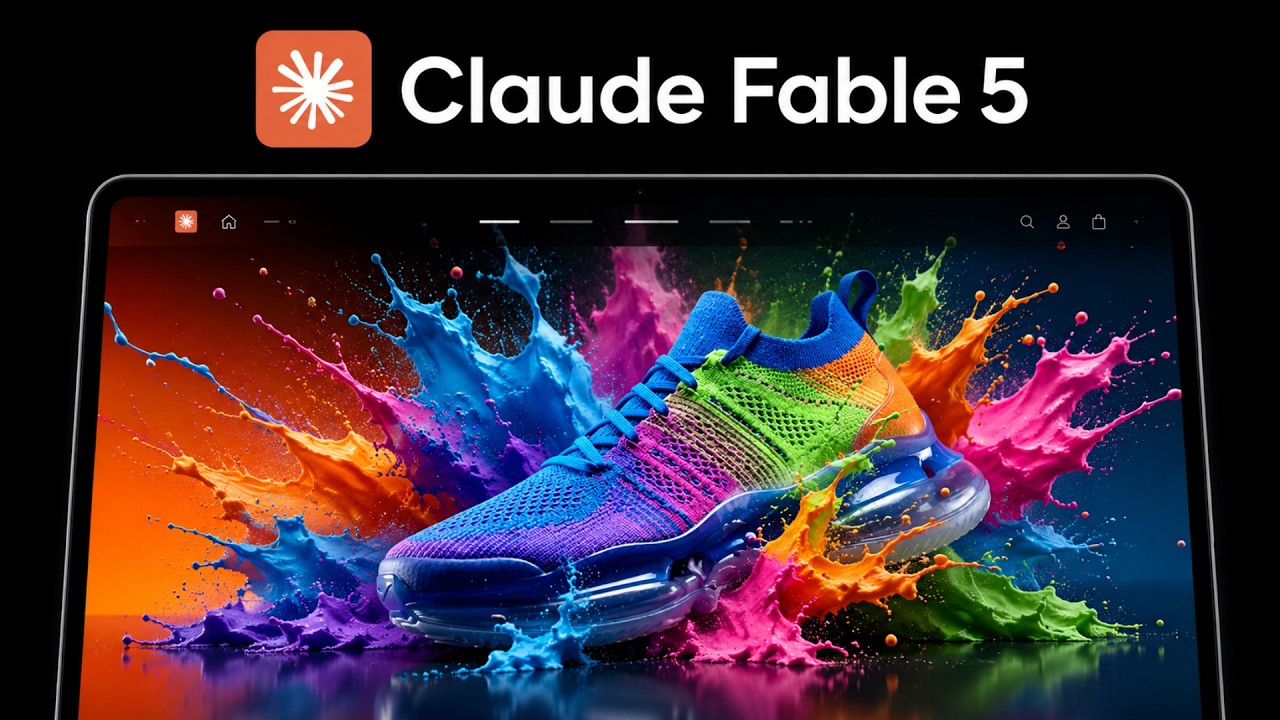
Zubair Trabzada demonstrates how combining Claude Fable 5 (Anthropic's latest model inside Claude Code) with the Higgsfield MCP (a media-generation connector) can produce agency-quality, cinematic 3D-scroll websites from a single prompt — at a cost of roughly $1–$2 per iteration. The video walks through setup, prompt engineering, cloning award-winning designs, and iterating on sections, positioning this workflow as a viable path for AI-powered web agencies.
1 Mind-Blowing Website Demos
Zubair opens with a rapid-fire showcase of websites he generated using the Claude Fable 5 + Higgsfield MCP workflow. Each example was created with a single prompt and demonstrates effects that would typically require a professional design agency:
- Water effect website — a fluid, animated water simulation layered onto the page as a background element
- 3D sphere scroll site — a clone of phantom.land, featuring a rotating 3D sphere that responds to scroll position
- Blowing/particle effect — cinematic particle dispersal animation triggered on scroll
- Side-by-side comparison — the AI-generated localhost vs. the original award-winning website, showing near-identical results
The demos establish the core thesis: AI-generated websites have reached a quality threshold where they are visually indistinguishable from — and sometimes surpass — hand-crafted, award-winning designs.
2 The Two-Tool Workflow
The entire workflow relies on just two tools working in tandem:
- Claude Fable 5 — Anthropic's latest model (available inside Claude Code on the paid plan), with a 1 million token context window. It excels at understanding design screenshots, reading layout structures, and generating multi-section HTML/CSS/JS. Zubair notes that Opus 4.8 also works well as a fallback.
- Higgsfield MCP — a Model Context Protocol connector that gives Claude Code direct access to AI image and video generation models: Seedance 2.0, Nano Banana Pro, and Kling AI. This eliminates the need to manually generate assets in separate tools.
The combination means you can go from a text prompt (or a screenshot of an existing site) to a fully functional website with cinematic 3D scroll effects, AI-generated imagery, and video-based animations — all hands-off.
Zubair emphasizes that the only limitation is your imagination. You can clone existing websites, create original designs, or combine elements from multiple sources.
3 Setting Up Claude Code
Prerequisites for the workflow:
- Claude Code must be installed (the terminal-based coding agent from Anthropic)
- Paid plan is required to access the Fable 5 model (or Opus 4.8 as an alternative)
- Select the Fable 5 model with the 1 million token context — Zubair notes this model is significantly better at reading screenshots and understanding design intent compared to smaller models
The setup is straightforward: open Claude Code, ensure you're on the right model, and proceed to add the Higgsfield MCP connector.
4 Installing the Higgsfield MCP
Step-by-step Higgsfield MCP installation inside Claude Code:
- Click the plus (+) button at the bottom right of Claude Code
- Navigate to Connectors → Manage Connectors
- Click the plus button again → Add Custom Connector
- Name it "Higgsfield" (or any name you prefer)
- For the Remote MCP Server URL, visit the Higgsfield link (provided in the video description), select MCP → Cloud, and copy the URL
- Paste the URL back in Claude Code and click Add
- Authenticate with your Higgsfield account when redirected
- Verify the connection shows "Connected" status
Tool Permissions
After connection, Higgsfield exposes multiple tool permissions in Claude Code. Zubair recommends selecting "Always Allow" for all permissions so Claude doesn't repeatedly ask for approval during generation — which would interrupt the automated flow.
Verification
Go back to the plus button → hover over Connectors → confirm the Higgsfield MCP is toggled on. The connector should appear in the list with a green "Connected" indicator.
5 The Scroll-Cinematic Skills Pack
Zubair provides a free skills folder (ZIP download) that contains design instructions for Claude Code. This is the secret sauce that enables the 3D scroll effects:
- What it contains — a
skill.mdfile with detailed instructions for scroll-based 3D website layouts, including how to break Higgsfield-generated videos into individual scroll frames - How the scroll effect works — Higgsfield generates a video (using Seedance 2.0 or Kling), then the instructions tell Claude Code to decompose the video into sequential frames. As the user scrolls, frames advance, creating a cinematic "scroll-driven animation" effect
- Optional but recommended — you can technically prompt Claude directly, but the skills pack produces significantly better 3D scroll effects
Installation
- Visit Zubair's free Skool community → Classroom → YouTube Resources → Claude Code
- Download the "Award-Winning Websites with Claude" ZIP file (
scroll-cinematic.zip) - Extract and place the folder inside your Claude Code project directory
- Reference it in your prompt:
Use the scroll cinematic skills to build...
6 The Prompt Template
Zubair reveals the core prompt structure that drives the entire generation pipeline:
Key elements of the prompt:
- Reference the skills pack — "Use the scroll cinematic skills" activates the frame-decomposition instructions
- Specify the subject — can be a brand concept, a product, or even "clone this website" with a screenshot
- Request Higgsfield integration — explicitly mention the MCP and resolution (1080p)
- Request scroll frames — "Slice them into scroll frames" triggers the video-to-frames pipeline
- Request localhost launch — Claude automatically sets up a local dev server to preview the result
Zubair notes this is a starting template — you can customize heavily. For cloning existing sites, swap the brand concept for a screenshot + URL and add: "Generate something similar to this website with these effects using the Higgsfield MCP to generate the images and videos."
7 Cloning Award-Winning Websites
One of the most powerful use cases: replicating award-winning website designs using AI. Zubair walks through the discovery-to-clone pipeline:
- Source of inspiration — awwwards.com (specifically
/websites) curates award-winning sites organized by industry/niche - Browse by niche — filter by categories like architecture, fashion, automotive, etc. to find relevant designs for your client's industry
- Screenshot method — take a full-page screenshot of the award-winning site, then feed it to Claude Fable 5 with the prompt: "Generate this particular website or something similar to it with these effects using the Higgsfield MCP"
- URL method — alternatively, provide the direct URL of the website for Claude to analyze
Zubair demonstrates browsing the architecture category on awwwards.com, showing how agencies charge thousands of dollars for these designs — designs that can now be replicated (and potentially improved upon) through a single AI prompt.
8 Building a 3D Car Brand Website
Zubair runs a live demo, building a website for a fictional new car brand "with incredible colors." The process unfolds entirely hands-off:
- Prompt submitted — Claude reads the scroll-cinematic skill instructions and begins planning the site layout
- Image generation — Claude calls the Higgsfield MCP, which uses Nano Banana Pro to generate the hero car image
- Video generation — Higgsfield MCP triggers Seedance 2.0 (described as "the best video model on the market") to generate a cinematic 3D car rotation video
- Frame slicing — the video is decomposed into individual frames per the skill instructions
- Site assembly — Claude builds the full HTML/CSS/JS with scroll-driven frame animation and launches on
localhost:8094
The Result
The generated site features:
- A cinematic landing page with a hero section
- A 3D car spin animation that plays as you scroll — the car rotates smoothly through the frame sequence
- Text overlays with brand messaging ("Every other car was painted once at a factory forever. Chroma Show gives you different models")
- Multiple sections with consistent branding and typography
9 Iterating — Adding a Color Explosion Section
After the initial generation, Zubair demonstrates the iterative refinement process — one of the key advantages of this workflow. He asks Claude to add a new section with a specific visual effect:
What happens behind the scenes:
- Claude interprets the request and writes a creative brief: "A color explosion scrap section right after hero, generating a new keyframe first — the car frozen inside a burst of liquid iridescent paint"
- Higgsfield MCP generates a new image (via Nano Banana Pro) of the car mid-explosion
- Higgsfield MCP generates a new video of the color explosion effect
- The video is decomposed into scroll frames and inserted as a new section between the hero and the existing content
- After refreshing the localhost page, the new section appears seamlessly integrated
The result: a vibrant "Color Unleashed" section with iridescent paint colors exploding from the car, all driven by scroll position. Zubair is visibly impressed: "Look at how well done that is. I like the colors kind of coming out of the car."
10 Cost, Monetization & Final Tips
Cost Breakdown
- $1–$2 per iteration — this covers both the Claude Fable 5 usage and the Higgsfield MCP generation tokens (images + videos)
- Full website cost — with 3–5 iterations to refine, you're looking at roughly $5–$10 total for a production-ready website
- Compare this to $5,000–$10,000+ that agencies charge for similar award-winning, cinematic websites
Monetization Path
Zubair frames this as an AI agency opportunity: learn to build these websites, then sell them to businesses. He mentions running his own agency for 2+ years and emphasizes that the selling/client acquisition side is as important as the building side.
Key Tips
- Start simple, iterate up — give a basic prompt first, then layer on effects section by section
- Use "always allow" for Higgsfield permissions — prevents interruptions during generation
- Fable 5 is best for screenshots — its image understanding is notably better than previous models for replicating designs
- No manual asset work needed — the Higgsfield MCP eliminates the need to use Google, Gemini, Seedance, or Kling separately
- Play with the prompt — if you don't like something, just tell Claude exactly what to change and it will regenerate the specific section
🎯 Key Takeaways
🔑 Key Takeaways
- Two tools, one workflow — Claude Fable 5 (code/layout) + Higgsfield MCP (media generation) replaces an entire web agency's design and development pipeline
- Single-prompt websites — a well-crafted prompt plus the scroll-cinematic skills pack can generate a complete cinematic 3D-scroll website in one shot
- Screenshot cloning — Fable 5's image understanding allows near-perfect replication of award-winning websites from a single screenshot
- Scroll-driven video frames — the key technical trick is decomposing Higgsfield-generated videos into individual frames that advance on scroll, creating cinematic parallax effects
- $1–$2 per iteration — total generation cost for a full website with AI-generated images and videos, compared to $5K–$10K+ agency pricing
- Iterative refinement — you can add, modify, or replace individual sections by prompting Claude, keeping the rest of the site intact
- Seedance 2.0 & Nano Banana Pro — these are the primary AI models accessed through the Higgsfield MCP for video and image generation respectively
- awwwards.com as a design library — browse award-winning websites by niche, screenshot them, and clone their aesthetics with AI
- Skills pack is the differentiator — the scroll-cinematic skills file teaches Claude how to properly structure frame-based scroll animations, without it you get simpler sites
- AI web agency viability — the low cost and high visual quality make this workflow commercially viable for building and selling websites to small businesses
🔗 Resources & Links
- Higgsfield AI — the MCP connector that provides AI image and video generation models (Seedance 2.0, Nano Banana Pro, Kling AI) directly inside Claude Code
- Awwwards — curated directory of award-winning websites, organized by niche — use as design inspiration and screenshot sources for cloning
- phantom.land — the 3D sphere website used as a cloning demo in the video