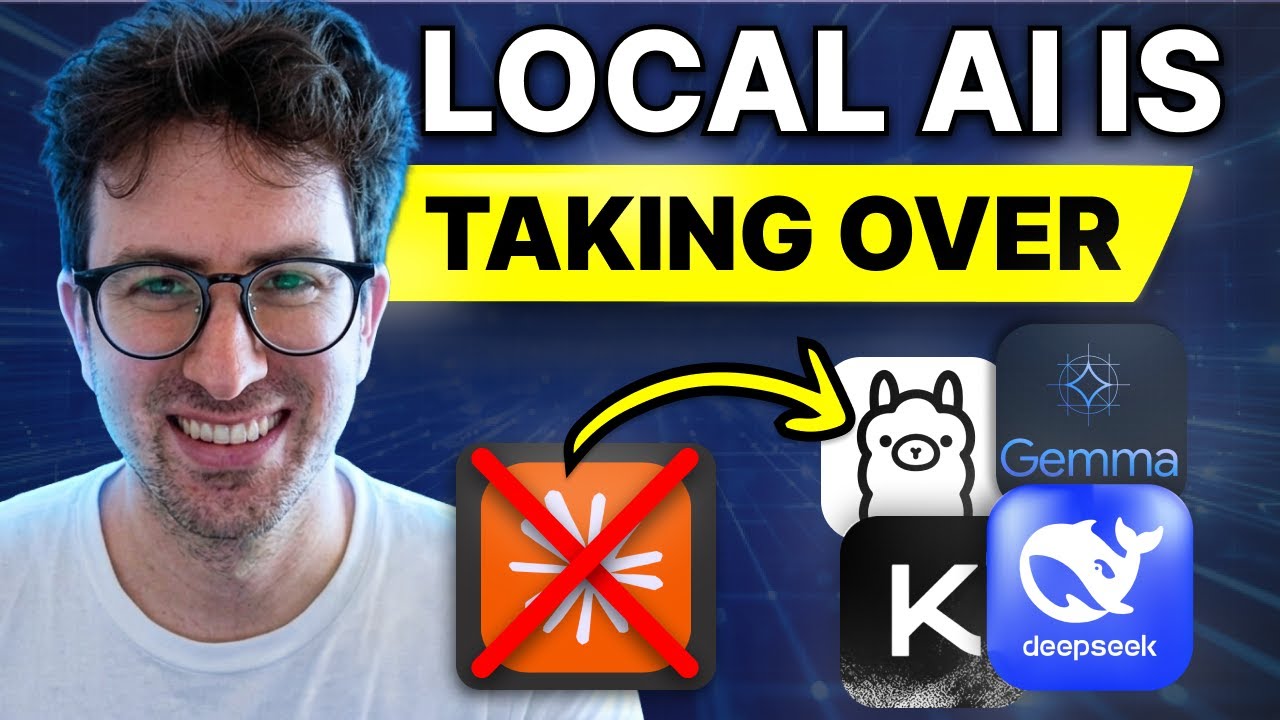
1 The Fable 5 Ban
Greg had his entire weekend planned — he was going to lock in and build a major idea using Fable 5, described as the most powerful AI model on the planet. Then on Friday at 5:21 PM, the US government sent Anthropic a letter. By Friday night, the model was gone — disabled for everyone. No warning, no appeal.
This single event crystallized something Greg had been feeling: we've all been building our businesses, workflows, and entire creative processes on top of models that live on someone else's servers, controlled by someone else's terms, one government letter away from disappearing.
2 Renting Access vs Owning Intelligence
Greg is explicit that he's not anti-cloud. He uses cloud models every day and acknowledges they're the smartest tools available. But frontier models all share the same weakness: you don't own them. You rent access, and that access can be revoked by:
- A government — as just happened with Fable 5
- A policy change — terms of service updates
- A pricing change — making it prohibitively expensive
- Use case violations — your use case breaching a term you didn't read
His analogy: it's like electricity. Most of the time you're happy being on the grid — it's cheaper, easier, someone else maintains it. But truly resilient people have a generator in the garage. When a hurricane comes and lights go out, they keep running.
3 What Local Models Actually Are
Greg strips the concept to its simplest form: a local model is an AI model that runs entirely on your own computer. No internet needed, no API key, no per-token cost. You download the model file once and from that point on it's yours — the same way a video game or photo editor runs on your machine.
Three core benefits over cloud models:
- Privacy — your data never leaves your machine. This isn't just personally nice; it's an entire business unlock for regulated industries like healthcare, legal, and finance that legally cannot send data to a third-party API
- Zero marginal cost — after the hardware investment, every query is free. Run a model 24 hours a day for a month and your bill is just electricity. This fundamentally changes the math on entire product categories
- Nobody can turn it off — the model on your drive works whether the company that made it exists, whether a government likes it, whether your internet is up. It works on an airplane, in a bunker — it just works
4 The Trade-offs
Greg is transparent about the cons. Local models are generally not as smart as absolute frontier models. The biggest open models can match the cloud, but they need serious hardware — people spending $5,000–$20,000 on machines. The ones that run on a normal laptop are a notch below the best cloud models.
But the reframe is critical: you don't need frontier intelligence for most tasks. You need good-enough intelligence that's private, free, and always on. Then you match the right model to the right job — and that's becoming a whole new skill set.
Greg pushes back on the "local models aren't good" narrative. He says the switch probably happened about 6 months ago. Two years ago, running a model on your laptop was garbage. Today, a model on a gaming GPU or decent Mac handles about 80% of what most people use ChatGPT or Claude for.
5 The Local Model Stack — Start with Runtime
Greg's learning order for getting good at local models — runtime first. Everyone gets this backwards by hunting for the perfect model before they can even run one. The first thing to download is the runtime — the program that actually runs models on your machine.
Two main options:
- Ollama — favorite of developers, runs from the command line. One command and it runs the model
- LM Studio — recommended for non-technical users. Has a real interface with a model browser — click and it runs, no terminal needed
Greg emphasizes: don't overcomplicate this. Download one of these, whichever resonates, and you'll have a model running in 10–20 minutes.
6 Match Model to Machine
The single most useful thing in the entire episode according to Greg — understanding the rough mapping of model size to hardware. Model size is measured in billions of parameters:
- 4B model — runs on basically anything: an 8 GB laptop, even many phones
- 12B model — the sweet spot for a machine with 16 GB of RAM. "This is where most people should live"
- 27–35B model — needs a good Mac with 30+ GB or a dedicated GPU. Starts feeling genuinely capable
- 70B+ model — serious hardware: a maxed-out Mac Studio or a dedicated box like the NVIDIA DGX Spark with 128 GB unified memory
Greg notes the DGX Spark is interesting because it's purpose-built for exactly this — 128 GB of memory, designed to stay on 24/7, runs Linux, and is becoming the default "AI box on your desk" for serious users. Your desk becomes a mini data center.
7 Pick Your Model — The Big Four
Greg walks through the four model families you need to know:
- Qwen 3 (and 3.6 series) — Alibaba's open model. Best all-around choice for most people. Strong at coding, strong at multilingual, clean commercial license. The 27B and 35B versions punch above their weight — outperforming previous-generation models four times their size. "If you only learn one, this is probably the one"
- DeepSeek — excellent at hard thinking and coding problems. Heads up: reasoning models take 10–30 seconds to think before answering. That's normal, not a bug
- Gemma — Google's open model. Runs remarkably small — there's a version that fits in 16 GB of RAM and even on phones. Beautiful, clean writing. Greg thinks Google should be aggressively promoting this right now
- Llama — Meta's model. Huge community, tons of fine-tunes, loads of tutorials. Runs almost anywhere. "When in doubt, there's probably a Llama for your situation"
8 Quantization Explained
Nobody really talks about quantization, but Greg calls it a really important trick for local models. It's the concept of shrinking a model so it runs on weaker hardware with barely any loss in quality.
The analogy: a raw model is like an uncompressed photo. Quantization is like saving a high-quality JPEG — it's a lot smaller and your eye really can't tell the difference.
When downloading models, you'll see labels like Q4 or Q5 — that's the compression level. Q4 roughly halves the memory a model needs with pretty minimal quality loss. This is how a model that supposedly needs a server ends up running smoothly on your laptop.
9 The Local Agent Loop
Running a model and chatting with it is cool, but the real unlock is pointing an agent at your local model. Greg specifically names Hermes as his go-to — calling it the most used agent in the world right now.
Hermes is built specifically to run locally and never stop. You point a Hermes profile at your local model and now you have an agent that:
- Runs free — zero API costs
- Runs offline — no internet required
- Remembers everything — persistent memory across sessions
- Writes its own skills — self-improving
- Accessible via messaging apps — message it over Telegram while the heavy work runs on the box at your desk
10 Model Routing — The Real Skill
Greg shares several "pro vs tourist" insights for working with local models:
- Context window is your real constraint — cloud models give you a giant context window for free. Local models make you pay for it in RAM. Keep sessions tight — don't dump your entire life into one thread or your machine will choke
- Give your model tools — a small local model with web search, file access, and code execution beats a giant model with none. "The model is the engine and the tools are the wheels"
- Local models sometimes forget their tools — a known quirk as of June 2026 that Greg is still learning to work around
- Run local and cloud side by side for a week — this is the fastest way to build the instinct of knowing what to run where. "You'll be shocked with how often the free local model is good enough"
11 Five Startup Ideas for the Local-AI Era
Greg presents five startup ideas that only exist because intelligence now runs locally:
1. On-Device AI for Regulated Industries
Healthcare, legal, and finance have money and problems AI can solve, but they legally cannot send data to a cloud API. A product where the model runs entirely on the customer's device — data never leaves the building — opens a market that cloud-based competitors simply can't enter.
2. "Your Data Never Leaves" Versions of Existing Tools
Take any popular cloud AI product — meeting notetakers, document analyzers, summarizers — and build a local version. Same product, but the pitch is "nothing you give us touches the internet." Sell to lawyers, doctors, therapists, and anyone handling sensitive documents.
3. Air-Gapped Agent for Sensitive Operations
Some businesses can't be online at all — defense contractors, certain financial operations, anyone paranoid about leaks. An agent setup that runs fully offline on local hardware. Not just a regulated industry play; this targets any organization with sensitive operations.
4. Offline AI for Places with No Internet
Ships, planes, rural clinics, field operations, disaster zones — useful AI with zero internet is a product the entire cloud industry simply can't serve. This is a wide-open market.
5. Resilience as a Service
After the Fable 5 ban, every serious company is asking "what happens to our AI workflows if our provider gets cut off?" Sell the answer: a fallback layer that kicks in when cloud models disappear. You're selling insurance against exactly what just happened.
12 Closing Thoughts
Greg's closing message: the lesson isn't that cloud is bad and local is good. The lesson is don't build your entire life on something that can disappear with a single letter. Own a part of your stack. Have the generator in the garage.
His practical call to action: download Ollama or LM Studio, pull Qwen 3, run it, point Hermes at it, pick a real task, and force yourself to do it entirely local. That's how it all clicks.
In the best case scenario: cloud models doing what they do best, and local models handling the rest. For 60–80% of routine tasks, local models are already quite good.
🎯 Key Takeaways
🔑 Key Takeaways
- One government letter took Fable 5 offline overnight — proving how fragile an AI-dependent workflow built entirely on cloud models really is
- Local models are your generator in the garage — not a replacement for the grid, but a resilience layer nobody can take away
- The quality gap has closed dramatically — local models now handle ~80% of routine ChatGPT/Claude tasks, a shift that happened in the last 6 months
- Start with runtime, not the model — download Ollama (developers) or LM Studio (visual interface) before hunting for the perfect model
- 12B parameters on 16 GB RAM is the sweet spot — where most people should live for local AI
- Qwen 3 is the default recommendation — best all-around local model with strong coding, multilingual, and commercial license
- Quantization (Q4/Q5) halves memory needs — like saving a high-quality JPEG instead of a raw photo, with minimal quality loss
- Agents unlock local models' true potential — a small model with tools (web search, file access, code execution) beats a giant model with none
- Context window is the real constraint — keep sessions tight locally; RAM is finite unlike cloud's virtually unlimited context
- Privacy is a business unlock — healthcare, legal, and finance can't legally use cloud APIs, creating a market only local AI can serve
- Run local and cloud side-by-side for a week — the fastest way to build the instinct of knowing what to run where
- Five startup opportunities emerged — on-device regulated AI, "data never leaves" tools, air-gapped agents, offline AI, and resilience-as-a-service
🔗 Resources & Links
- Ollama — local model runtime for developers (CLI-based)
- LM Studio — local model runtime with a visual interface
- Hermes Agent — autonomous agent framework designed to run locally
- Qwen 3 Models — Alibaba's open model family on Hugging Face
- DeepSeek Models — reasoning-focused open models
- Google Gemma — Google's compact open model
- Meta Llama — Meta's open model family