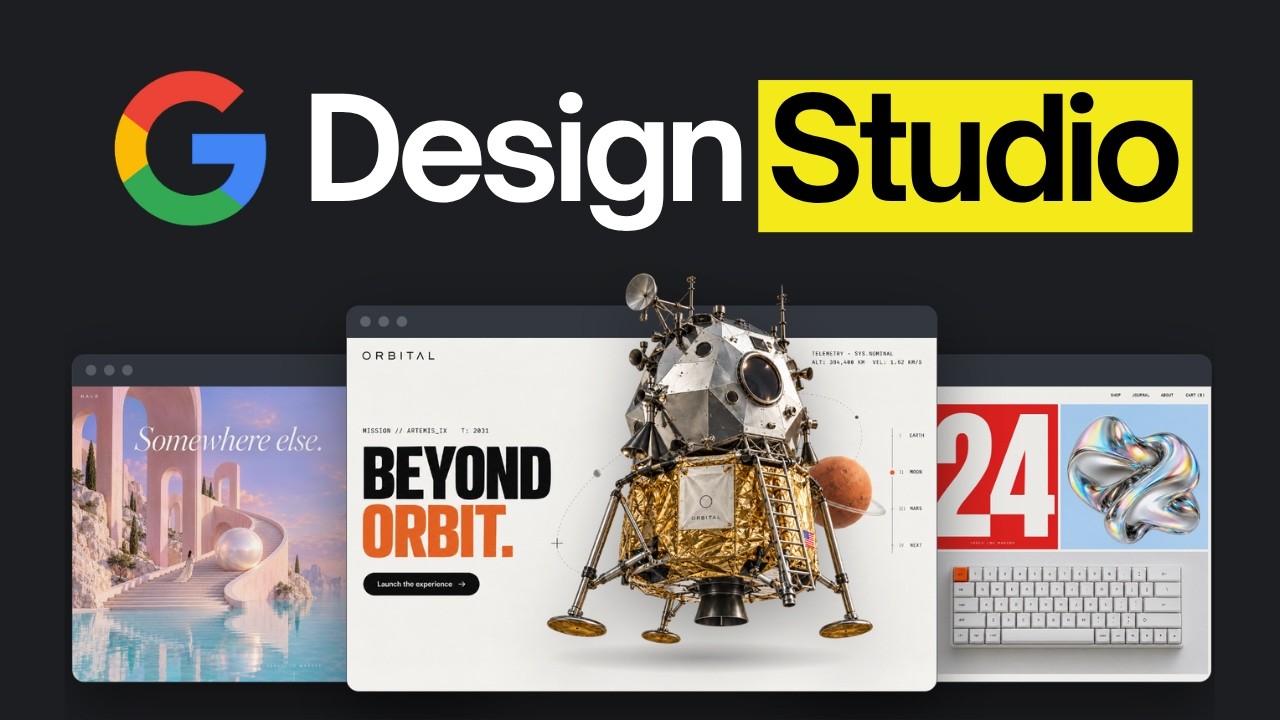
0:00"Google Stitch now runs in your terminal, so Claude Code can design with AI for you." AI LABS walks a complete agentic design workflow: Claude Code, armed with Stitch's CLI and a couple of skills, takes a website from a written brief to a live, animated, story-driven page. This deep dive follows that workflow step by step.
What is Stitch
1:00Stitch is Google's AI design app. It uses Gemini models to create mobile and web UI, and ships Google's image-generation model inside it — so it can produce the artwork for a design, not just the layout. The video's key framing: Stitch's output is "much more refined than what those models make on their own." The catch, historically: Stitch was only a design app. You prompted it yourself, then exported the result to your coding agent. It released an MCP server, but setup involved "a lot of steps on Google Cloud." 2:44The new Stitch CLI (released Oct 1, 2026) changes that — Claude Code can prompt Stitch directly, setup is much easier, and it uses fewer tokens because Claude only reads the Stitch skill when it needs it. The insight driving the whole workflow: "Claude can use skills, and Stitch can't" — so when Claude Code is the one prompting Stitch, you can build an entire agentic AI system around design.
Setup
Step one is preparation: install the Stitch CLI (npm install -g @google/stitch), log in with a Google account, and add the Stitch skill to the .claude folder so Claude can actually load it. Then add a second skill — the Scrollytelling skill — for scroll-driven stories and animation. stitch agent-skills add --user installs the /stitch skill for Claude Code (and Cursor, Codex, Gemini CLI, and Antigravity) in one command. Once installed, /stitch covers three jobs: generating screens, extracting a DESIGN.md, and converting Stitch prototypes into React components.
Writing the brief
5:00Step two: Claude interviews you about the site and writes everything into brief.md. Every Stitch prompt from then on comes from that same brief — "so your designs stay consistent." This is the anchor that keeps a multi-step agentic workflow from drifting, and it's the same pattern the Stitch docs recommend (a four-beat prompt: constraints, principles, artwork, playback).
Generating designs
6:17Step three: Claude prompts Stitch for several versions, checks each one, and asks for a better version whenever it finds a problem. In their run it went through eight designs before settling. That iteration loop — generate, inspect, critique, re-generate — is exactly what an agent in the loop adds that a human pasting prompts into a browser can't do at the same pace. (At 7:43 the video cuts to its sponsor, Wispr Flow, a voice-dictation tool.)
Building the site
8:34Step four: Stitch hands each design to Claude as a web page plus a picture of it, and Claude builds the real site from them. Stitch outputs real HTML, CSS, and JavaScript, so the handoff is code, not a static mockup — the site runs on localhost (stitch serve), and Claude builds the actual project on top of it.
Stitch review
9:25Step five: a Stitch Review skill compares the built site against the original design and takes screenshots at computer, tablet, and phone sizes — so the site doesn't break on smaller screens. This mirrors Stitch's own "local design review" capability (a design linter that compares the running app against DESIGN.md, with checks on color tokens, typography, spacing rhythm, and visual restraint).
Scroll animations
10:58Step six: the Scrollytelling skill turns the still site into a motion-graphic experience — a shake when a rocket launches, stars streaking past as you scroll, a chapter marker, a timeline that moves sideways, and numbers that scramble at each new chapter. This is the "Claude motion design" the video promises in its title: animation work driven by a skill, not hand-authored keyframes.
Story review
12:05Step seven: a Story Review skill judges the site the way the best Awwwards sites are judged — checking the story, the animations, the pacing, and the writing. After its fixes, the animations were smoother and there were fewer stars, "so the site was easier on the eyes." Two review skills — one for layout fidelity, one for narrative and motion — close the loop.
The bigger picture
The video's pitch is that this is a template for "agentic AI system design" applied to web design. The pieces that make it work: a CLI that puts a design tool inside the terminal (so an agent can drive it), a skill layer (/stitch, Scrollytelling, Stitch Review, Story Review) that gives Claude reusable procedures, and a single source of truth (brief.md, DESIGN.md) that keeps every generated screen consistent. The result, in their framing: web design AI "no longer has to look like everyone else's," and AI website design goes past a still mockup into real motion design. All the skills used in the video are available through the channel's AI Labs Pro community.
Claims checked
Google Stitch is real — a Google Labs AI design tool ("vibe design") built on Gemini, with an image-generation model included. Confirmed by Google's announcement and stitch.withgoogle.com.
The Stitch CLI is real — @google/stitch, released Oct 1, 2026, bringing UI generation to the terminal and coding agents. stitch agent-skills add installs the /stitch skill for Claude Code, Cursor, Codex, Gemini CLI, and Antigravity; stitch serve serves local previews. The bundled DESIGN.md format is a machine-readable design system (YAML tokens + rationale).
Stitch Skills exist — google-labs-code/stitch-skills on GitHub (2.4k★ per Google), with design/build/utilities plugins built on the Agent Skills standard.
This deep dive is built from the video's own description (which includes its full 7-step workflow and chapter timestamps) plus verified Stitch documentation. YouTube rate-limited transcript retrieval at publish time (a "Sign in to confirm you're not a bot" block), so the full spoken transcript could not be captured — the article reflects the video's stated workflow without verbatim demo quotes.
Sponsored by Wispr Flow (voice dictation). The channel also promotes its own community (AI Labs Pro), newsletter (The Roundup), and agency (Autometa). These are affiliate/self-promotional, not editorial sources.