Overview
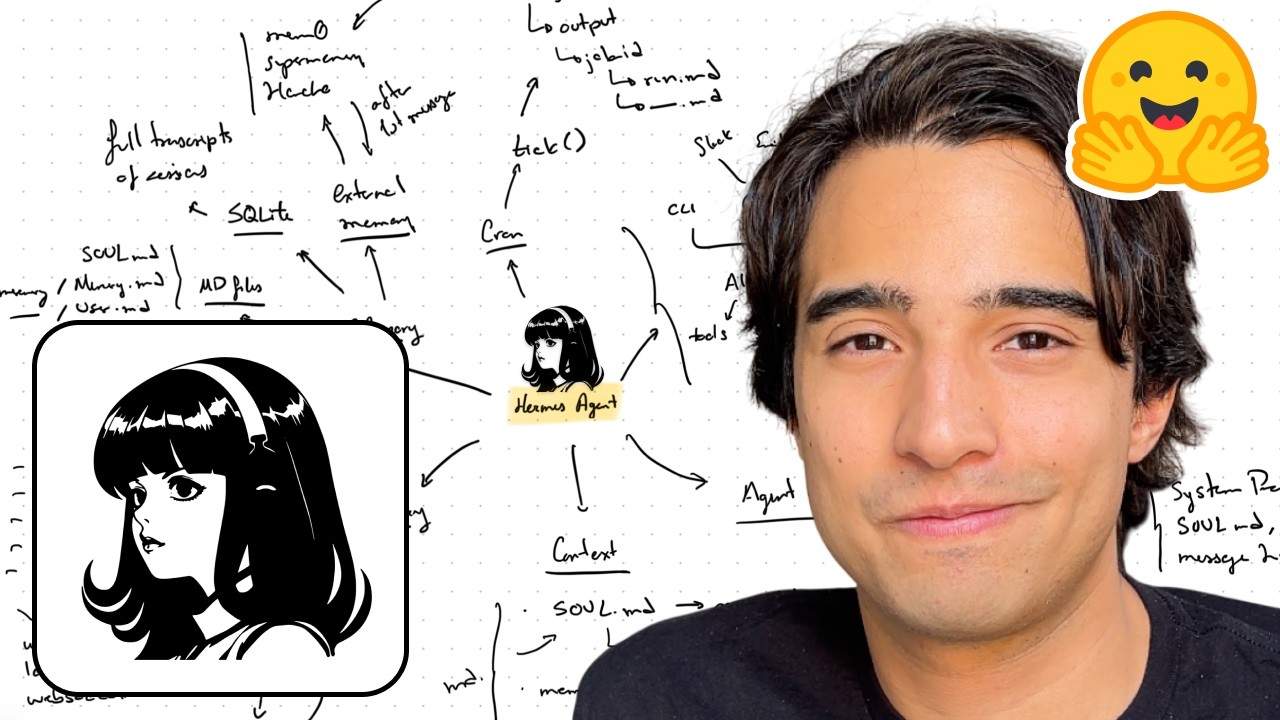
Alejandro AO walks through the full architecture of the Hermes Agent — the always-on AI assistant built by Nous Research. The video covers every core subsystem: the agentic loop that processes messages and calls tools, the context-building pipeline (soul.md, user.md, memory.md, session transcripts), the compression strategy that keeps long conversations within context limits, the gateway system that bridges Telegram, Slack, Discord and email, the three-tiered memory model (markdown files, SQLite sessions, external providers like Mem0 and SuperMemory), and the cron scheduler that runs autonomous tasks on a per-minute tick.
1 Bird's-Eye View of the Architecture
Hermes has a deliberately simple, modular design composed of a small number of well-defined components. At the center is the AI Agent Core — the agentic loop that receives user messages, builds context, calls an LLM, executes tool calls, and returns responses.
There are three ways to connect to the agent core:
- CLI — typing
hermeson the command line opens a direct interactive session - Gateway — the always-running system that bridges external messaging services (Telegram, Slack, Discord, email, SMS, WhatsApp)
- API — a programmatic interface for integration with other systems
The agent core itself connects to several supporting services that ship out of the box:
- Tools — a pre-installed set of tools the agent can invoke (web search, file read/write, terminal, etc.)
- Skills — reusable procedural knowledge loaded on demand
- Memory (dual-layer) — internal memory in the form of session transcripts stored in SQLite, and external memory via providers like Mem0, SuperMemory, and Honcho
- Personality files —
soul.md(agent personality) anduser.md(information about the user), both modifiable by the agent or the user
2 The Agent Loop
The agent loop is the heartbeat of Hermes and runs on every single user message. It follows a straightforward cycle similar to minimalist agents like Pi Agent and OpenCode:
- User sends a message — the loop begins
- Build context — Hermes assembles the full context window from soul.md, user.md, memory.md, the message history, skill descriptions, and tool descriptions
- Send to LLM — the complete context (system prompt + message history) is sent to the configured language model
- Tool calls (loop) — if the LLM decides to call a tool (web search, file write, terminal command, etc.), Hermes executes it and feeds the result back to the LLM. This continues as many times as the model needs
- Final response — once the LLM is satisfied, it produces a final text response for the user
- Memory update — after responding, Hermes analyzes the conversation to identify anything worth remembering. If new information about the user, environment, or workflows was mentioned, it writes to the appropriate memory file
The loop is symmetrical for CLI and gateway — the same build-context → LLM → tools → respond → memory-update cycle runs regardless of whether the message came from the terminal or Telegram.
3 Context Construction
The context is everything the LLM receives on each turn. Hermes keeps it minimalist and markdown-driven, built from a few well-defined sources:
Markdown personality files
soul.md— defines the agent's personality, tone, goals, and behavior. Ships empty by default; if not customized, Hermes uses a built-in system prompt that says "I am Hermes, a virtual assistant…". Alejandro compares it to the beautifully written system prompts that Claude uses — this is the place to write yoursuser.md(inside the memory directory) — stores information about the user. Unlike soul.md, this is automatically updated by Hermes. When you mention your role ("I'm a software engineer"), your preferences, or your projects, the agent writes it herememory.md(inside the memory directory) — stores arbitrary facts the agent has learned: tool quirks, workflow patterns, interesting findings. Also automatically updated, but focused on general knowledge rather than personal user info
Beyond markdown
- Past session summaries — if external memory is configured, a summary of relevant past conversations is injected. This doesn't appear by default without external memory
- Skill and tool descriptions — short descriptions of available skills and tools, so the LLM knows what it can use
- Message history — the latest messages from the current conversation. If the conversation is long, it may already be compressed (see next section)
4 Context Compression
As conversations grow, they can exceed the LLM's context window (typically 250K to 1M tokens). Hermes handles this with a compression function that summarizes the message history when a configurable threshold is crossed.
Threshold configuration
- Default trigger: 50% of the context window. When half the available tokens are consumed, compression kicks in
- Customizable during setup — you can set it to 70% or 80% for models with smaller windows
- The threshold is a trade-off: lower = more frequent but lighter summaries; higher = less frequent but the model runs closer to the limit
When compression checks happen
- Before each turn — after you send a message but before the LLM is called, Hermes checks whether the context exceeds the threshold
- On error — if the LLM returns a context-window-exceeded error, compression triggers immediately
How token counting works
Hermes uses two different strategies depending on the stage of the conversation:
- First message — before any LLM response, there's no accurate token count available. Hermes uses the characters ÷ 4 approximation (a well-known heuristic that works across most tokenizers). Cheap and fast, good enough for the first check
- After first message — the LLM's response includes a
usagefield with actual input/output token counts. From this point on, Hermes uses the real token count from the model's own tokenizer for accurate tracking
When compression triggers, all previous messages are summarized and replaced with a structured summary that gets appended to the context. The original messages are still stored in SQLite — they're just no longer in the active context window.
5 The Compression Prompt
The actual compression is done by asking the LLM to summarize the conversation history using a carefully structured prompt. This prompt lives in the context_compressor.py file (around line 1400, though this changes with refactors).
The compression prompt requests a multi-section structured summary covering:
- Full goal — the overarching objective of the conversation
- Constraints — any limitations or requirements mentioned
- Completed actions — what has been done so far
- Active state — what's currently being worked on
- Historical progress — milestones and progression
- Current blockers — what the agent is stuck on
- Key decisions — important choices that were made
- Resolved questions — previously open items that got answered
- Relevant files — files that have been read, written, or referenced
- Critical context — essential information that must survive compression
- Previous summaries — summaries from earlier compressions (nested compression)
- Next turns to incorporate — upcoming actions or follow-ups
- Turns to summarize — the actual messages being compressed
6 The Gateway
The Gateway is what made Hermes as popular as it became. It's the always-running system that lets you talk to your agent via Telegram, Discord, Slack, email, SMS, WhatsApp, and other messaging platforms.
How the gateway works
- Starts an asyncio event loop that runs continuously, monitoring all configured messaging platforms
- Each platform integration has its own connection mechanism — some use webhooks, some use polling loops (e.g., Telegram's getUpdates polling every second), some use WebSockets
- Every integration must be configured independently via
hermes setup gateway— you create bot tokens, set allowed user IDs, etc.
Context construction in the gateway
This is where context building becomes especially important. When a Telegram message arrives, the gateway receives only that single message — not the conversation history. The gateway must:
- Identify the session — using a composite key like
telegram:{session_id}:{additional_ids} - Query SQLite — pull all previous messages for that session from the local database
- Build the full context — assemble soul.md, user.md, memory.md, the reconstructed message history, and everything else
- Send to the agent core — which then follows the normal agent loop
Session manager
The gateway also includes a session manager that handles message timing and concurrency:
- Queue — if you send a message while the agent is still processing the previous one, the new message is queued
- Interrupt — using
/interruptin Telegram stops the current processing and starts on the new message - Steer — using
/steersends an out-of-band instruction to redirect the agent mid-turn without killing the current operation
Alejandro mentions he built his own Pi gateway that works similarly, allowing him to communicate with his Pi agent instance via Telegram from a VPS.
7 Memory System
Memory in Hermes is a three-tier system, each layer serving a different purpose and operating at a different timescale:
Tier 1: Markdown files
soul.md— personality and behavior (user-defined, rarely changes)memory.md— arbitrary facts, tool quirks, workflow patterns (agent-updated)user.md— information about the user (agent-updated from conversations)
These files are always appended to the context window right after the system prompt — they're the agent's "always-on" knowledge base.
Tier 2: SQLite session transcripts
- Every single message of every interaction is stored in a local SQLite database
- Multiple tables and data models, but all represent the same thing: full transcripts of all sessions
- Each session has a unique ID and a gateway identifier (e.g., "telegram" prefix for Telegram-originated sessions)
- A separate bare-text table contains only the raw text of all conversations — optimized for similarity search and recall
- This is what the gateway queries to reconstruct conversation history
Tier 3: External memory providers
Not configured by default, but highly recommended. Hermes supports several external memory providers:
- Mem0 — uses similarity search to find relevant past interactions
- SuperMemory — requires sending the full conversation history after every turn; uses an LLM to extract and index memories
- Honcho — different approach to memory extraction and retrieval
- Many of these providers are free to use
External memory query timing
External memory is not queried on the first message. It's queried after the first message — once the agent already knows what the conversation is about. This mimics human behavior: you hear a question, respond, and then start recalling related past conversations.
8 Cron Jobs
Cron jobs are what turn Hermes from a reactive chatbot into a proactive autonomous agent. They allow scheduling tasks like "every morning send me the latest AI news" or "every Friday email my boss a status update."
How the cron system works
- Hermes runs its own internal cron loop — it is NOT tied to the OS-level cron process
- The loop runs a
tick()function every minute - Each tick checks the list of scheduled jobs and executes any that are due
Where jobs are stored
Despite what the documentation may say, Alejandro found through code analysis that cron jobs are NOT stored in SQLite. They live in a plain JSON file:
~/.hermes/cron/jobs.json— all scheduled jobs with their prompts, schedules, and configuration~/.hermes/cron/output/{job_id}/— each job gets a directory containing markdown files for each execution run
On every tick, Hermes reads jobs.json, determines which jobs need to run at this minute, executes them, and writes the results to the corresponding run markdown file.
Delivery mechanism
A key detail: cron jobs do NOT use the agent's send_message tool to deliver results. Instead, the result is delivered as a system-level notification to the user's configured "home" messaging platform.
When setting up a gateway (e.g., Telegram), Hermes asks if you want your user ID to be the "home" for that gateway. Cron job outputs are then automatically delivered to that home destination — Telegram DM, Discord channel, Slack workspace, etc.
🎯 Key Takeaways
🔑 Key Takeaways
- Simple architecture, powerful results — Hermes is built from a handful of markdown files, a SQLite database, and a JSON config — no complex infrastructure required
- Three connection methods — CLI for direct interaction, Gateway for messaging platforms, and API for programmatic access all feed into the same agent core
- The agent loop is a tight cycle — message → build context → LLM → tool calls (loop) → response → memory update, running identically for CLI and gateway sessions
- Memory update happens automatically — after every response, Hermes evaluates whether anything is worth remembering, enabling continuous learning without explicit instructions
- Context is rebuilt from scratch every turn — soul.md, user.md, memory.md, session transcripts, skill/tool descriptions are assembled fresh from source files and SQLite
- Compression uses a two-stage strategy — chars ÷ 4 heuristic for the first message, then real token counts from the LLM's usage response for subsequent turns
- The compression prompt is richly structured — requesting 13+ distinct sections (goals, constraints, active state, blockers, key decisions, relevant files, etc.) to preserve maximum operational context
- Gateway reconstructs full state from SQLite — when a Telegram message arrives, the gateway queries the database, rebuilds the conversation history, and assembles the complete context before calling the agent
- Session manager handles concurrency — queue, interrupt, and steer mechanisms manage overlapping messages so the agent doesn't lose track
- Memory is three-tiered — markdown files (always-on), SQLite transcripts (full history + similarity search), and optional external providers (Mem0, SuperMemory, Honcho) for enriched recall
- External memory queries after the first turn — mimicking human recall, the agent learns the topic first, then searches past conversations for relevant context
- Cron jobs use their own internal loop — ticking every minute, stored in JSON (not SQLite), with results delivered as system notifications to the user's home messaging platform
🔗 Resources & Links
- Written version of this walkthrough — Alejandro's companion article with diagrams and additional detail
- Hermes Agent GitHub Repository — the open-source codebase discussed in this video
- Hermes Agent Documentation — official docs covering setup, configuration, and usage