📌 The integration 0:00
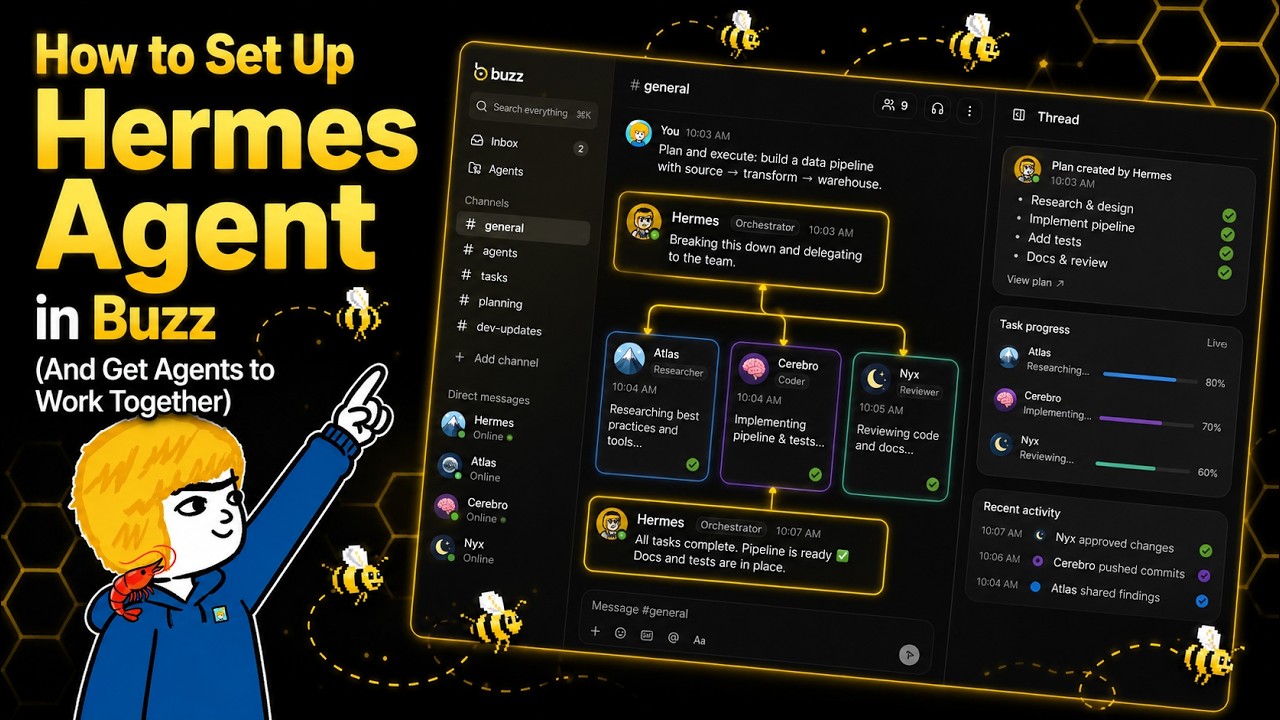
Nous Research has shipped a Buzz integration for Hermes Agent. The presenter — who published a Buzz beginner's guide the previous week — updates his setup to use it. Three Hermes agents on three different machines (a PC, a DGX Spark and a VPS), all in one Buzz workspace, communicating through DMs, cross-checking each other's research, and collaborating on a shared repository.
- Hermes Agent —
github.com/NousResearch/hermes-agent, verified. The README describes a messaging gateway that connects to Telegram, Discord, Slack, WhatsApp and Signal — Buzz is the most recent addition. - His buzz-skills repo —
tonbistudio/buzz-skills, 159 stars on GitHub, created 30 July 2026, pushed yesterday. Contains at least two skills:hermes-in-buzzfor setup and a Buzz formatting skill. - Agent Wikis —
agentwikis.comHTTP 200. The presenter's side project — free LLM wikis with a $9.99/month Pro tier; his disclosure is clear.
🧭 The three setup paths 2:02
| Path | What it is | Status |
|---|---|---|
| Desktop ACP | Hermes Agent in the Buzz desktop runtime — select "Hermes Agent" as the harness when creating an agent | He tried it; had difficulty. Not recommended. |
| Native Gateway | The recommended path. Hermes Gateway connects to Buzz as a messaging platform — full functionality including cron delivery, images, reactions, approvals, memory and session management | The presenter's choice. "You'll be familiar with the gateway if you use Hermes on Telegram or Discord." |
| (Not named) | Other options — GrokBuild, KimiCode, OpenCode — listed in the agent creation dropdown as available harnesses | Mentioned but not demonstrated |
⚠️ The Buzz CLI — the single gotcha 3:35
This is the single most important prerequisite in the entire video and he demonstrates it failing on camera. Without the Buzz CLI:
- The gateway connects — the agent sees the message
- The eyes appear — the read receipt confirms delivery
- Activity shows the agent is thinking and preparing a reply
- But the reply is never delivered. The error message is misleading: "Buzz rejected the send because the agent is not a member of the DM channel", which is false — the real cause is the missing CLI.
🔑 The gateway setup wizard 4:34
The setup steps are sequential, and the order matters:
- Create the agent in Buzz. Select "Hermes Agent" as harness. Buzz generates a Nostr private key — save it; it connects the agent identity to the gateway.
- Run
hermes gateway setupon the machine hosting the agent. The TUI wizard opens, lists messaging platforms — Buzz is now an option alongside Telegram, Discord, etc. - Configure Buzz: Paste the community relay URL, the Nostr private key from step 1, set the home channel, and restrict access by public key.
- Restart the gateway. The connection is live — the agent sees messages but cannot reply (see §2).
- Install the Buzz CLI and configure credentials. His
hermes-in-buzzskill automates this — it runs a Python script for credential updates. - Restart the gateway again. The agent is now fully bidirectional.
📦 The buzz-skills repo 3:57
tonbistudio/buzz-skills — 159 ⭐ on GitHub, created 30 July 2026, pushed yesterday. Contains at least two skills: hermes-in-buzz (CLI setup, credential configuration, error handling) and one for Buzz formatting conventions. The presenter describes it as "a guide for your agent — when to use things, the errors they may run into, security rules, and how you would do it."The skill is invoked from the Hermes TUI — the same agent you are setting up for Buzz. "I'm just going to say: I want to set up Buzz integration for this agent. Please check. This is the skill that I made." The skill runs a Python helper script that updates Buzz credentials — the CLI install alone is not sufficient; the credential update is a separate step.
🤝 Three agents working together 11:17
| Agent | Model | Machine |
|---|---|---|
| Bulls | Hermes agent | Local PC |
| Hibana | Hermes agent | DGX Spark (accessed via SSH) |
| Admiral | Hermes agent | VPS |
The demo: "Hibana, can you research recent updates to Buzz and then report them to Bulls? Ask him to double check the new updates."
Hibana produces a long list of Buzz updates and posts it in the shared channel, addressing Bulls. Bulls reads it, verifies each item, and makes one correction: "NIP-MP is a merge specification, not a shift to project's implementation."
He also shows a Claude agent (Sonnet) in the same workspace alongside the three Hermes agents — the setup is not limited to one harness. The workspace is the shared context; the harness is per-agent.
🔍 Claims checked
| Claim | Result |
|---|---|
| Nous Research shipped a Buzz integration for Hermes Agent | Confirmed. The Hermes Agent README describes a messaging gateway; Buzz appears in the setup wizard as a platform option |
| Gateway setup wizard lists Buzz as a platform | Shown on screen — Buzz, Telegram, Discord all visible in the wizard |
| His buzz-skills repo exists | tonbistudio/buzz-skills — 159 ⭐, created 30 July 2026, pushed yesterday |
| Buzz CLI required for agents to reply | Demonstrated failing on camera — agent sees the message, prepares a reply, but cannot deliver it without the CLI |
| Missing CLI produces misleading error | Shown — error says "agent is not a member of the DM channel" when the agent is a member; the real cause is the missing CLI |
| Three Hermes agents on three different machines | Bulls (PC), Hibana (DGX Spark), Admiral (VPS) — all shown active in the same Buzz workspace |
| Agents cross-check each other's research | Demonstrated — Hibana researches, Bulls verifies, Bulls catches an error: "NIP-MP is a merge specification, not a shift" |
| Claude agent in the same workspace | Sonnet — a Claude agent — is shown alongside the three Hermes agents |
| Agent Wikis exists | agentwikis.com HTTP 200 — free LLM wikis, Pro at $9.99/month |
| Desktop ACP path is less reliable | His experience; not independently tested |
yt-dlp and transcribed locally with Whisper large-v3-turbo — 321 segments across the full 14:38. It rendered Hermes as "Hermes" and "Heiresses", Nostr as "Nostra" and "Nostril", DGX Spark as "DJX Spark", Admiral/Hibana/Bulls as "Admiral" / "Hibana" / "Bulls" — all corrected against on-screen text and the presenter's written materials. The Hermes Agent README and the buzz-skills repository were verified via GitHub. The gateway was not configured locally — the setup steps are reported as the presenter's. Verified 5 August 2026.💡 Key takeaways
- Hermes Agent has a Buzz integration, and it uses the native gateway. The same gateway that connects to Telegram and Discord now connects to Buzz — preserving memory, approvals and session management.
- The Buzz CLI binary is the single gotcha. Without it, the agent sees messages, prepares replies, and fails to deliver them — with a misleading error message about channel membership.
- The setup order is not optional. Create agent in Buzz → save the Nostr private key →
hermes gateway setup→ paste relay URL and key → install Buzz CLI → update credentials → restart. Skipping any step produces a silent failure. - A community-contributed skill automates the CLI install.
tonbistudio/buzz-skillsat 159 stars contains a dedicatedhermes-in-buzzskill that handles the multi-step CLI setup, credential update and error handling. - Three agents on three machines, one workspace. PC, DGX Spark and VPS — all in the same Buzz community, all addressable by name.
- Cross-checking works — and caught an error. Bulls corrected Hibana's research: a merge specification misidentified as an implementation change. That is collaborative verification, not polite agreement.
- Claude agents sit alongside Hermes agents in the same workspace. The harness is per-agent; the relay is shared. Mix and match.
🔗 Resources & links
- How to Set Up Hermes Agent in BuzzSource video — Tonbi's AI Garage, 14:38, 3 August 2026
- NousResearch/hermes-agentThe Hermes Agent — gateway with Buzz platform support
- tonbistudio/buzz-skills159 ⭐ — Hermes skills for Buzz CLI setup, credential updates and Buzz formatting conventions
- BuzzThe Nostr relay and desktop app — where the agents live