🧩 Why herdr Stuck 0:00
Tonbi opens by separating the tools that stick from the ones that don't — and names Hermes Agent as the canonical example of a tool he "just tested originally and obviously it stuck." herdr 🔗 is the newest entry on that list, and it's now his daily driver, completely replacing his previous terminal platforms.
Two features won him over. The first is the tmux-style persistence: detach from a session, shut the machine down, and the next morning "herdr" brings every window back exactly where the conversation left off — no hunting for directories or the right conversation. The second is multi-agent panes: he runs several agents at once — "these are all Hermes agents, but I have Claude agents as well, Codex right here" — and they can observe and prompt one another. The appeal is the contrast with other multi-agent interfaces: clean and minimal rather than "laggy and overdone," but extensible through plugins.
🏪 The Plugin Marketplace 2:29
The extensibility lives at herdr.dev/plugins 🔗, which was at 939 plugins and approaching 1,000 at recording time. There are categories for everything, but this video focuses on the one "most of us live in" — project management and git — since most people use herdr for coding projects. Install is uniform across the ecosystem: herdr plugin install <repo>, then invoke with herdr plugin action invoke ….
📝 herdr reviewr: Sidebar + Changes 4:07
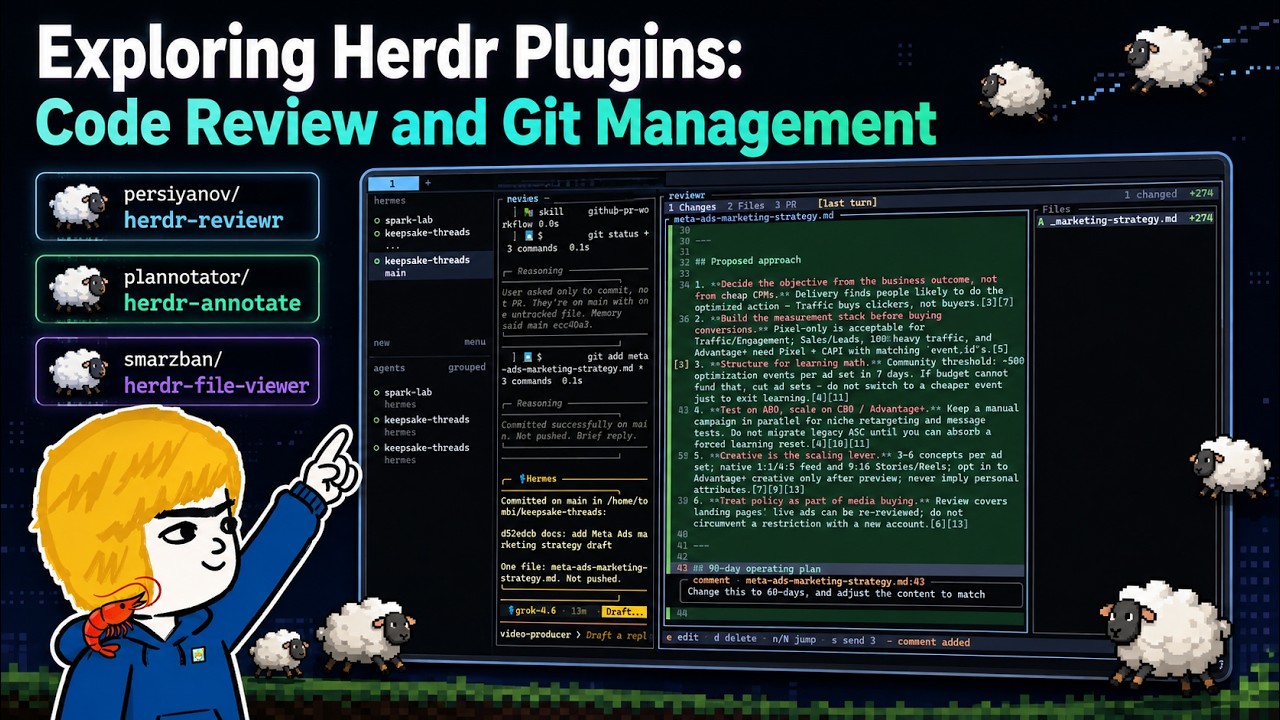
The first plugin is herdr reviewr 🔗 by Dmitry Persiyanov — "a code review and file viewer sidebar for herdr." Once installed and invoked, it opens as a right-hand pane with a Changes list, a Files tree, and a PR tab for GitHub/GitLab. It's fully mouse-operable — "you don't need to know a key binding."
The demo runs against a real repo (the Keepsake Threads marketing project): he asks the agent to "review the meta ads wiki and create a draft plan for marketing strategy," watches the new file appear as a change, then commits it. The scope selector is the subtle part — Uncommitted / Branch / Last Turn let you isolate what changed at each granularity, so "last turn, what the agent did on the previous turn" is one glance away.
persiyanov/herdr-reviewr — spelled "reviewr," not "reviewer." It's MIT and now at 716 stars, up from the 592 shown in the video.
💬 Inline Comments the Agent Acts On 7:42
The feature that separates reviewr from a passive viewer is the feedback loop. You select a line (or block) in a file and add an inline comment — "double check this," "Meta ads is only one option," "change this to 60 days" — then press S to send. The comments get pasted into the agent's context, and the agent acts on them: you watch its reasoning reference each comment, then see the edits land in the Uncommitted scope for you to review and commit.
Beyond comments, reviewr covers the rest of the git workflow: branches (create a branch, compare branch-vs-main to see file diffs) and a fuzzy file search via the / command — type a partial name and get a live preview of the matching file. "Very useful for general git management and code review."
✍️ herdr annotate: Marking Up Responses 10:53
reviewr handles diffs and files; but "half of what an agent produces is actual prose — plans, explanations, replies." herdr annotate 🔗 (from Plannotator) is the complement, built for annotating the agent's responses themselves. You select text in the terminal with your prefix + A, add a note ("dive deeper on this", "find three good MCP servers to demo"), save with Ctrl-S, and manage everything (delete / clear / copy / archive) from a popup.
The payoff is sending annotations back as context: prefix + Shift-A copies all your annotations as markdown — "the selected text and what the comments were" — which you paste back and the agent responds point-by-point. It's the same feedback loop as reviewr, but for prose instead of code. The one real caveat: the full version works on macOS and Linux; Windows is limited to the light version, and there are issues with SSH remote sessions — Tonbi (on Windows, SSHing into Linux boxes) had to use the light build and hopes for full Windows support down the line.
📄 herdr file viewer 15:23
The third plugin, herdr file viewer 🔗 (from S. Marzban), overlaps with reviewr but has features unique to it. Its headline trick is rendered markdown — a README's charts, headings, and formatting render properly instead of showing as raw text — plus pinned files (press P to keep a doc visible while you keep browsing).
The killer feature is the V key, which cycles through three views of a file: rendered markdown, the diff (what changed before/after), and plain code. Add a filter for changed-files-only, open-in-editor (E), and a help popup (?), and it's the fastest way to review markdown-heavy repos and see exactly what moved. Two setup notes: it needs glow, delta, and bat as dependencies, and you bind the keys in your herdr config, then herdr config check + herdr server reload config.
⚖️ Verdict 19:02
Tonbi's verdict, mapped to the three plugins:
| Plugin | Role | Stars (video → now) | License |
|---|---|---|---|
| herdr reviewr | Daily driver for code review + diffs, deepest scope, PR tab | 592 → 716 | MIT ✅ |
| herdr annotate | Complement — annotate agent responses (prose, not code) | — → 489 | MIT ✅ |
| herdr file viewer | Rendered markdown, pinned files, diff toggling | 523 → 580 | MIT ✅ |
His takeaway: reviewr is the daily driver (deepest scope, best PR support if you work with real GitHub repos); annotate is the complement for when you need to correct the agent's thinking rather than its code; and file viewer earns its place if you spend a lot of time reviewing markdown and seeing what changed between files. All three install with one command and are worth it for anyone using herdr as their coding-agent runtime.
💡 Key Takeaways
- herdr is a tmux-style runtime for agents, not a chatbot. Sessions persist across detach/reboot, and multi-agent panes let agents observe and prompt each other.
- The plugin marketplace is almost at 1,000 entries. Everything installs with
herdr plugin install <repo>and a uniform invoke command. - reviewr closes the review loop. Inline comments on diffs get sent back to the agent, which acts on them; scopes (uncommitted / branch / last turn) isolate each granularity.
- annotate reviews the prose, not just the code. Select text in an agent's reply, annotate, and copy it back as markdown context.
- file viewer renders markdown and toggles diffs. The V key cycles rendered → diff → raw, plus pinned files and a changed-files filter.
- All three are MIT and actively maintained — verified star counts have moved since the video (reviewr 592→716, file viewer 523→580).
- Mind the Windows caveat. annotate's full version is macOS/Linux only; Windows gets the light build, and SSH remote sessions are still rough.
🔗 Resources & Links
- 🧩 herdr.dev/plugins — the plugin marketplace
- 📝 github.com/persiyanov/herdr-reviewr — code review + file viewer sidebar
- ✍️ github.com/plannotator/herdr-annotate — annotate terminal text & agent replies
- 📄 github.com/smarzban/herdr-file-viewer — git-aware file viewer
- 🖥️ herdr.dev — the runtime itself
Source video: youtube.com/watch?v=z9d4ePp8BzE