🔄 Inverting the workflow 0:00
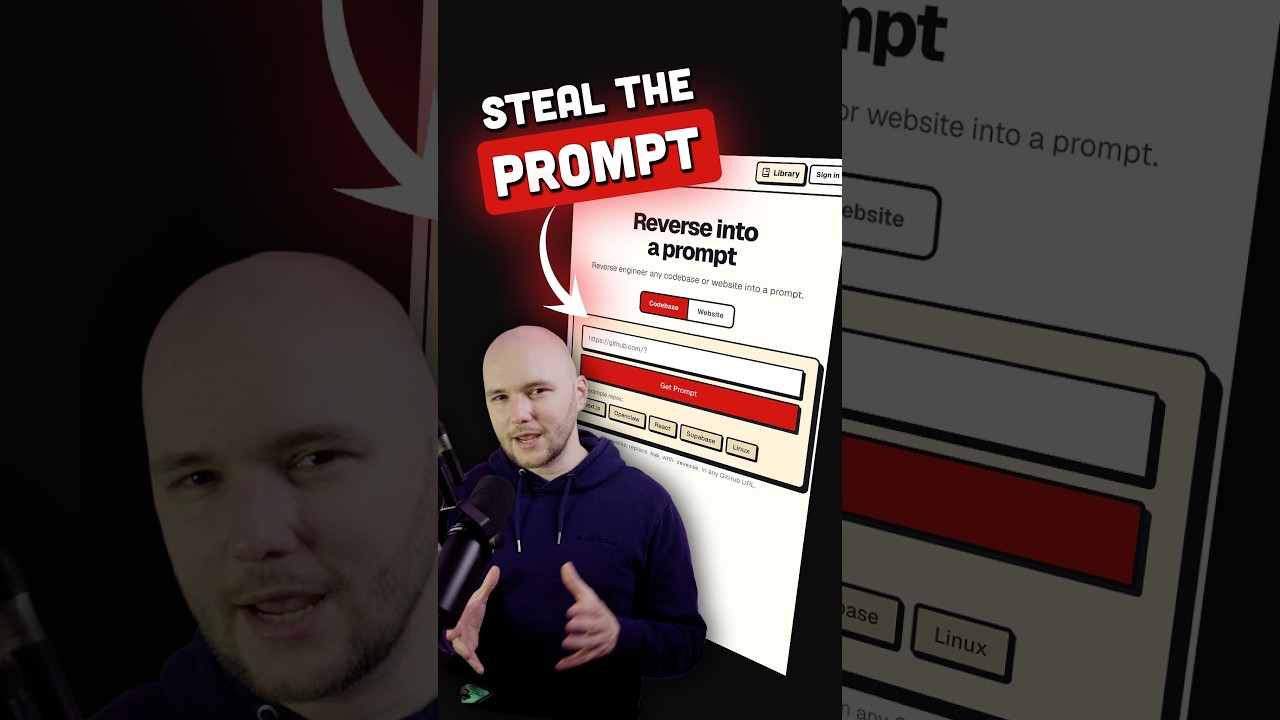
The premise is a clean inversion of something most people now do daily. Normally you write a prompt and Cursor, Claude Code or Codex turns it into a project. GitReverse runs that backwards: you paste a GitHub URL or a website URL, and it hands you one short conversational prompt that would produce that project.
The tool is open source and, at the time of the video, had passed a thousand GitHub stars.
📥 Three pieces of context 0:31
This is the most important technical detail in the video, and it is easy to skim past. GitReverse does not read your codebase. It pulls exactly three things:
- The repository's metadata
- The root file tree, at depth one — top-level entries only
- The README
That is the entire input. No source files, no directory recursion, no commit history.
Read charitably, this is a sensible engineering trade — it keeps the token cost low and makes the tool fast enough to run as a web page. Read critically, "reverse engineer any repo" is doing some work that "summarise a README and file listing" would not.
⚙️ Running it yourself 0:37
Two paths: use the hosted site, or clone the repository and run it locally. The self-hosted route supports four LLM providers through the quick-reverse endpoint:
| Provider | API key env var | Default model |
|---|---|---|
| Grok (xAI) | XAI_API_KEY | grok-3 |
| OpenRouter | OPENROUTER_API_KEY | google/gemini-2.5-pro |
| Azure OpenAI | AZURE_OPENAI_API_KEY + base URL | gpt-5.4 |
| Google AI Studio | GOOGLE_GENERATIVE_AI_API_KEY | — |
Selection is controlled by a single variable:
# pin one provider explicitly
GITREVERSE_QUICK_LLM=openrouter

# or leave it unset / on auto — the first key it finds wins
The auto behaviour is convenient and worth being deliberate about: if you have several provider keys in your environment, whichever is discovered first decides where your data goes and which bill it lands on.
🎨 What it produced 0:54
The presenter ran it against the Better Stack website — the website mode rather than the repository mode — and reported a genuinely good result: a detailed prompt that correctly identified their core product offering and the style of their brand.
The part he singles out as unexpected is that it also produced a full design file, with descriptions of which colours to use and which characteristics to emphasise.
🔗 The URL trick 1:13
The presenter's favourite detail, and the one that genuinely is neat. Take any GitHub link and replace hub with reverse:
https://github.com/owner/repo
                ↓  hub → reverse
https://gitreverse.com/owner/repo
No sign-up, no paste step, no form. The URL structure does the routing.
gitreverse.com/filiksyos/gitreverse returns a generated prompt, not a landing page. The trick is real rather than aspirational.🎯 What it is good for 1:20
The video's own framing is modest, and that modesty is the right call. Two use cases are offered:
- Inspiration for a starter prompt — you like the shape of an existing project and want a scaffold to begin from
- Seeing how an LLM describes your own project — which is, quietly, a README quality check
That second one is more useful than it first appears. Since the tool reads little more than your README and top-level structure, the prompt it returns is effectively a mirror of how a language model perceives your project from its public documentation. If the result is vague or wrong, that is diagnostic information about your README, not about the tool.
🔍 Claims checked
The Short makes several checkable claims. Each was verified against the GitHub API, the project README, and the live site while writing this:
| Claim in the video | Result |
|---|---|
| Open source, more than 1,000 GitHub stars | 1,327 stars, 241 forks (filiksyos/gitreverse) |
| Pulls metadata, root file tree at depth 1, and README | Confirmed verbatim in the README |
| Four providers: Grok, OpenRouter, Azure OpenAI, Google AI Studio | All four documented with env vars |
Set GITREVERSE_QUICK_LLM to pin one, or auto | Confirmed |
Replace hub with reverse in any GitHub URL | Tested live — returns a real generated prompt |
| Accepts website URLs, not just repositories | Home route documented as "codebase or website" |
| Produces a design file with colours and brand characteristics | Not documented in the README. Shown in the demo for website mode only — could not confirm independently. |
Star and fork counts move; figures are as of 28 July 2026.
💡 Key takeaways
- The inversion is the idea. Vibe coding runs prompt → project; GitReverse runs project → prompt. That reframing is worth more than the implementation.
- It reads three things, and none of them are your code. Repository metadata, the root file tree at depth one, and the README. No source files, no recursion, no history.
- So the output quality tracks your README. A strong README reverses well; a stub produces a generic prompt no matter how good the code is.
- The most useful application is diagnostic. Run it on your own project and you learn how a language model reads your public documentation — a README quality check disguised as a toy.
- The URL trick is real. Swap
hubforreversein any GitHub URL and it works, no form and no sign-up. I confirmed it against the project's own repo. - Four providers, one switch. Grok, OpenRouter, Azure OpenAI and Google AI Studio, selected by
GITREVERSE_QUICK_LLM— or left on auto, in which case the first key found wins. - Be deliberate about auto mode. If several provider keys sit in your environment, discovery order decides where your data goes and who bills you.
- The demo is a demo. "It accurately captured our brand" was judged by the person who owns the brand, on one site. Illustration, not evidence.
- There is no licence. Public and self-described as open source, but no licence file — which by default means no rights are granted. Check before self-hosting or building on it.
- Match the tool to the claim. As "starter prompt generator" and "documentation mirror" it delivers. As "reverse engineer any codebase" it cannot, because it never opens the codebase.
🔗 Resources & links
- This Tool Reverses Any GitHub Repo Back Into a PromptSource video — Better Stack, 1:33 Short
- filiksyos/gitreverseThe repository — TypeScript, no licence file
- gitreverse.comThe hosted version
- The tool run against its own repositoryThe URL trick, demonstrated on the project itself
- READMEWhere the three context sources and four providers are documented
🕐 Section index
YouTube Shorts do not support timestamp deep-links, so every badge below opens the Short from the beginning.