1. The Review Bottleneck
▶ 0:00The biggest challenge for software engineers these days — assuming finding a job is off the list — is reviewing the huge piles of code going into production. It has always been hard, and it has quietly grown into one of the unsustainable things engineers keep getting asked to do, with changes that look increasingly like slop.
There are two ways this goes: either you accept everything without reading it anymore, or you look to how the best engineers handle it. Mitchell Hashimoto — who built a DevOps enterprise with his bare hands and is now building one of the best terminals in existence — faced the exact same problem and found a solution: Hunk. And while LazyGit is great, it was never built for code review, and it does not pack what Hunk does.
2. What Hunk Is and Who Built It
▶ 1:12Hunk is a TUI for diffs with a sidebar, syntax highlighting, and GitHub-like diff panels. It was built by Ben Vinegar — one of the previous founders of Sentry, who now runs a company aiming to become your "AI PM" — and it sits on a modern stack: Open TUI (the framework by Anomaly, the company behind Open Code) and PR diffs, an open-source diff-rendering library that is itself built on Shiki, the syntax highlighter.
It has been celebrated well beyond Mitchell: Dax, a founder of Open Code, has also pointed it out. Installation is one line — npm or brew install hunk — and the first two commands you meet are hunk diff (for uncommitted state changes) and hunk show (which takes your last commit by default). What Hunk gives you over the competition is an interactive TUI plus something the others lack: inline agent and AI annotation.
Live, the repo is healthy and active: 9,462 stars, MIT licensed, TypeScript, last pushed today. The homepage is hunk.dev.
3. The Diff Lineage: From GNU Diff to Hunk
▶ 2:54To place Hunk, the video walks the family tree of diff tools. It starts with GNU diff, released 51 years ago — "when Linus was five" — the tool that finds the difference between two input files. Its concept was absorbed into git diff, and then came the modern wave: diff-so-fancy (a Perl project), delta (a configurable Rust diff pager), diffnav (a TUI layered around delta), and lumen (a Rust TUI). Each gets you closer, but none reaches Hunk's killer features.
The point of the lineage is that the whole field has been climbing toward the same thing for decades — a readable, navigable diff — and Hunk is the one that finally adds the missing layer: review itself, not just viewing.
4. Navigation, Views, and Themes
▶ 3:46hunk show pops a stacked git diff with a top navbar and genuinely beautiful syntax highlighting, each file showing line numbers and its added/removed counts. The keybindings are Vim-native: Ctrl+D/Ctrl+U jump down and up, square brackets jump between hunks, gg/G scroll to top or bottom, and hjkl move as you would expect. E opens the current file in your editor, and you can quit back to the diff.
Views can be toggled between stacked and side-by-side splits (his personal preference), and there are themes — including the admission that Catppuccin is named in the docs but is not actually among the default themes at recording time. The S key toggles the sidebar, and ? surfaces every navigation option.
5. Notes and JJ Support
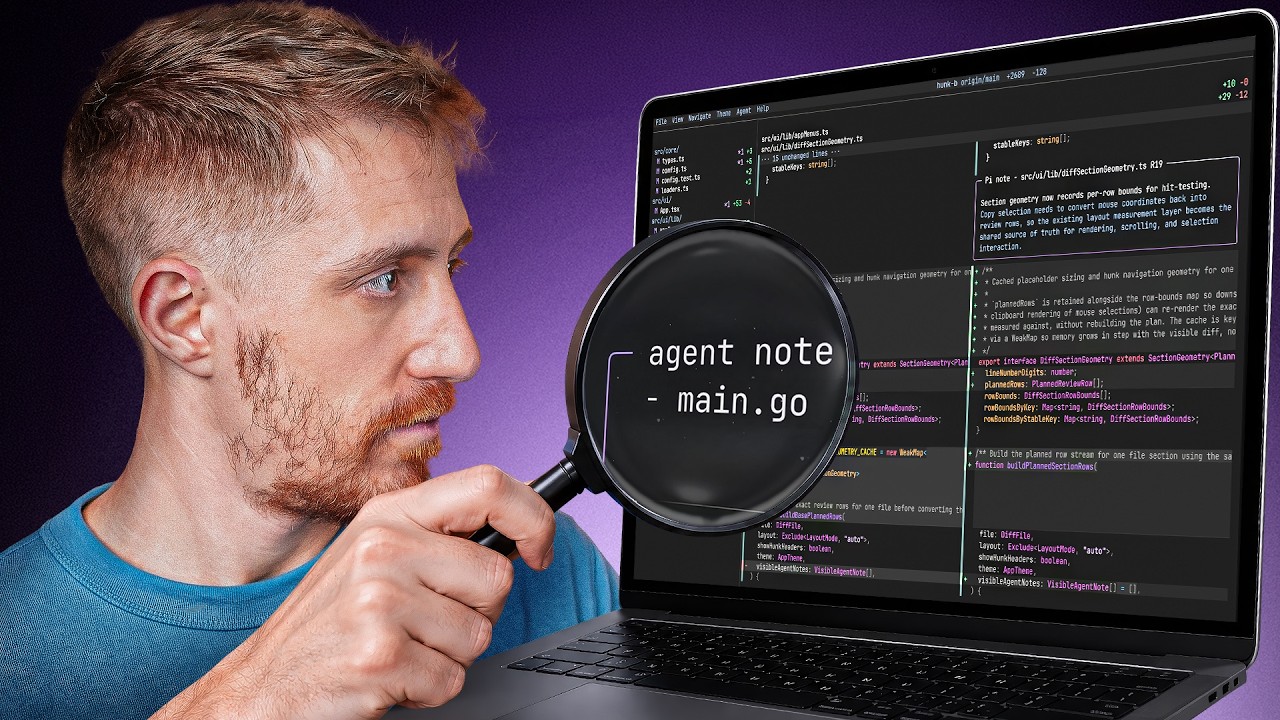
▶ 4:39The simplest feature is also the greatest, and the reason to pick Hunk over the others: notes. Much like GitHub comments, notes are line-based text bubbles you can leave on the diff — or have someone, or something, leave for you. Hit the plus icon next to a line, add a note, add as many as you like, and scroll between them with the curly-brace keys. They can be deleted, and it is worth knowing they are not git-tracked: they live only in the session and evaporate after.
hunk show reviews the last commit by default, but you can ask for an extended review from HEAD covering the last two or more. The second differentiator is Jujutsu (JJ) support as a first-class citizen — most other tools support Git or even just GitHub, while Hunk supports both. That JJ support, by the way, is the main reason Mitchell Hashimoto enjoys Hunk.
6. The Agent Workflow: Let Your Agent Review Its Own Code
▶ 6:56hunk diff is for local changes that are not yet committed, and this is where Hunk's real magic lives — its entire idea of notes is built around AI notes. Hunk ships with an agent-workflows document that helps your agent review the changes it made and leave comments in your code. There is a hunk ... session command that, in the background, runs a small server — and the review doc explains how to review, add context, navigate, and add comments. The workflow suggests a skill and a generic prompt to feed the agent first.
The demo: he fires up Pi, has it install the hunk skill for itself, gives it the generic prompt, and asks it to review the diff. The agent comes back with inline notes — flagging a non-structured response body in an API endpoint, and, on a bigger project, leaving its own comments sitting side by side with the human's. The loop then closes: a later session can load the hunk skill, list the comments left by a previous run, inspect the context, and fix them — with a "babysitter" pass recommended to maximize quality.
7. The Collaborative Gap
▶ 8:38The loudest criticism: as lovely as the TUI is, it is not very collaborative. You can pull a PR and have your local agent review and comment, but those comments are not synced with GitHub, you cannot share the session, and it is not the best method for team code reviews. There are open issues requesting exactly this, and the author hopes it lands.
For collaborative review that actually leaves comments others can see, he points back to gh-dash — a TUI that integrates Octo and Vim for GitHub code reviews. But for local reviews and their management, Hunk is still the best he has seen. The sidebar earns its place after a review, showing both the diff and the purple comment markers next to the relevant files.
8. Config, Stash, and the Git Pager
▶ 9:50Hunk reads a TOML config at ~/.config/hunk where you can set your version control of choice, stacked or split view, theme, line numbers, and whether notes are on by default — and, like any serious dotfiles setup, symlink it in with stow so changes persist across reloads.
Two more features round it out. First, a hunk stash subcommand: stash a change, then hunk stash show to review it without popping and re-stashing — useful for changes you are unsure about. Second, you can use Hunk as your default git pager, so git diff pops the familiar UI with your config and the sidebar, globally or per project, with aliases like h show when you do not want it everywhere.
The verdict: Hunk stays in his toolchain. It is not perfect, and LazyGit remains his favorite GitOps utility, but for local reviews and their management Hunk is the best he has used — a proper Unix tool that does one thing and does it well.
Key Takeaways
- Hunk is a review-first terminal diff viewer — a TUI with a sidebar, syntax highlighting, and GitHub-like diff panels, not just another pager.
- Notes are the killer feature. Line-based comment bubbles you or an AI agent can leave directly on the diff — but they are session-local and not git-tracked.
- The agent workflow is the magic: run
hunk … session, have your agent install the skill, and it reviews its own diff and leaves inline comments you can feed back to it. - JJ (Jujutsu) is a first-class citizen — the main reason Mitchell Hashimoto prefers it over tools that only speak Git or GitHub.
- It is not yet collaborative — notes do not sync with GitHub and sessions cannot be shared, so team review still wants gh-dash + Octo + Vim.
- Vim-native navigation throughout:
Ctrl+D/U, bracket hunks,gg/G,hjkl,Efor editor,Sfor sidebar. - Repo is healthy and active: 9,462 stars, MIT, TypeScript, pushed today.
- Extras: a
hunk stash showviewer and git-pager mode sogit diffopens the Hunk UI.