Overview
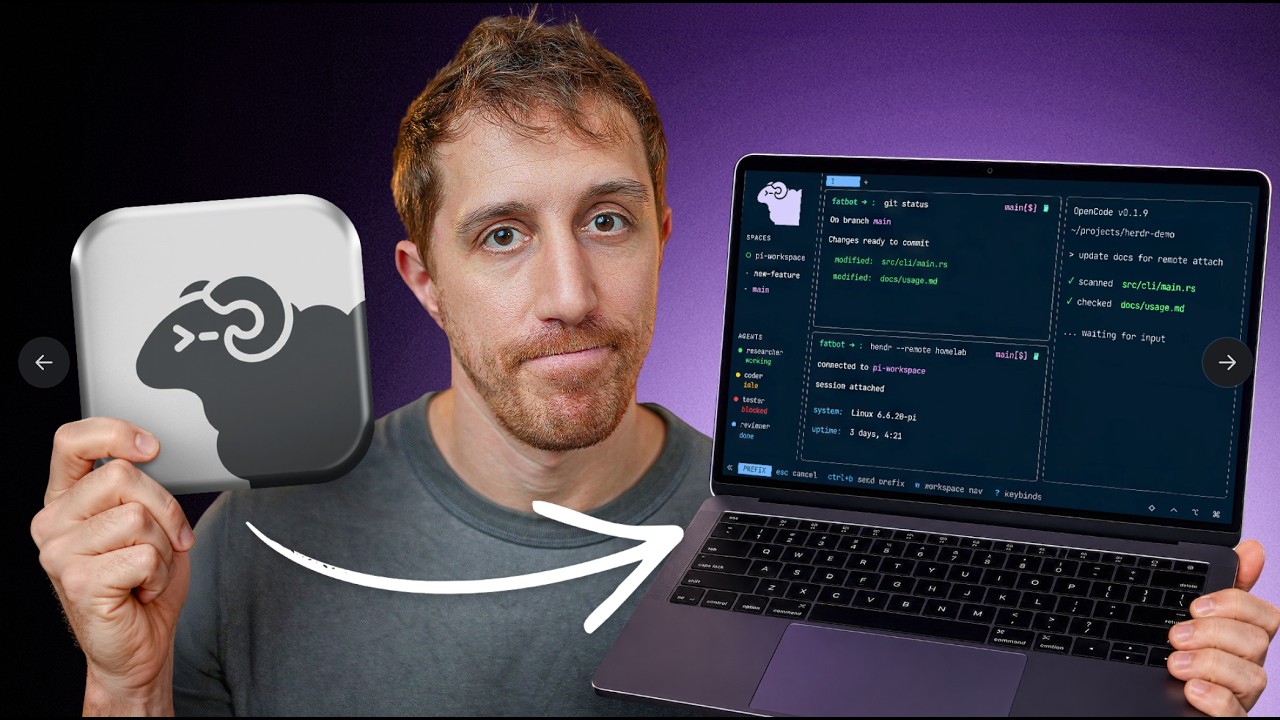
Omer from DevOps Toolbox reviews Herdr, a Rust-based terminal multiplexer designed for the AI agent era. Despite initial skepticism toward yet another "tmux killer," he finds that Herdr delivers a polished, mouse-friendly, agent-aware multiplexing experience with beautiful defaults and a powerful CLI/API layer. By the end, he decides to keep tmux locally but adopt Herdr as his daily driver on his home lab server — a strong endorsement from someone deeply embedded in the tmux ecosystem.
1 First Impressions & The Simplicity Philosophy
Omer opens with his core philosophy: simplicity doesn't mean bare-bones — it means sleek, fast, and fun. He calls out the current wave of GitHub projects that are "AI slop" — tools claiming to be tmux killers or "multiplexers for agents" that add no real value. He's tried tmux extensively and covered it in a dedicated video, concluding it's "not worth the hassle" for most users.
His initial reaction to Herdr was equally skeptical: "Sure, another TUI with notifications, oh wow." But something shifted as he spent time with it — the splits felt nicer, the mouse control was natural, and the side panel with notifications started making real sense.
The key selling point wasn't any single headline feature, but the overall package — it works seamlessly on desktop, home lab servers, and even mobile phones.
2 What Is Herdr?
Herdr describes itself as "one terminal, the whole herd" — an agent runtime that runs in your terminal. Its comparison table positions it against tmux, Zellij, and "Work Tree Orchestrators." The core feature set on paper:
- Runs inside your terminal — standard multiplexer behavior
- Persistent sessions — expected from any multiplexer
- Remote SSH attach — connect to remote instances seamlessly
- Agent state tracking — knows which AI agents are running and their status
- Direct agent attach — bypass the UI and speak directly to an agent
- Agent orchestration — agents can control the multiplexer
Herdr is fully open source, written in Rust, and growing in popularity. It was created by Can Selçik (ogulcancelik), a Turkish developer who also contributes to the Pi coding agent through extensions — which Omer sees as a positive signal of community involvement. The fact that Can appears 100% focused on Herdr is "always a great signal" for project longevity.
3 Installation & First Launch
"Everything starts with a curl" — Omer's favorite mantra. The installation is remarkably fast:
- Single curl command to download and install
- 11 MB binary — tiny footprint, auto-detects platform
- Less than 1 second to download and install — "So quick, I didn't think it would actually start"
On first launch, Herdr presents a nice settings pane for initial configuration — alerts, themes, and general preferences. The first thing that stands out: beautiful defaults. Unlike tmux's famously terrible default setup, Herdr is visually polished out of the box with a bar on top (matching Omer's own tmux configuration preference) that resembles the popular Catpuccin plugin for tmux.
4 UX & The Self-Explanatory Bar
This is where Herdr starts to differentiate itself from tmux and even Zellij. The self-explanatory keystroke bar at the bottom is something Omer has wanted to build for tmux for years but never got around to:
- Context-aware hints — the bottom bar always shows what keystrokes are available in the current context
- Prefix key suggestions — hit
Ctrl+Band immediately see options like "S = new space," "C = new tab" - Question mark help pane —
Prefix + ?opens a full keybind reference - Pop-up guide — all key bindings available when you feel lost
Omer draws a comparison to Zellij, which he found years ago and wanted to bring some of its UX ideas back to tmux. He even built tmux plugins (available on his GitHub) for session management and floating panes. But the self-explanatory bar was the feature he always wanted but never implemented — Herdr has it natively.
5 Workspaces, Tabs & Splits
Herdr introduces a layered organizational model that goes beyond what tmux and Zellij offer:
Workspaces — A New Organizational Layer
- Not sessions — workspaces are an in-between layer that lets you containerize groups of windows and splits
- No detach/attach dance — switch between workspaces without the friction of tmux session management
- Side panel navigation — the "Spaces + Agents" panel on the left provides visual workspace switching
Prefix + Wfor workspace listing, arrow keys to switch, Enter to attachPrefix + Screates a new space within a workspace
Tabs & Splits
Prefix + Ccreates a new tab — with a name popup (a "small yet genius" touch vs. tmux's unnamed tabs)Prefix + N/Pswitches between tabs (next/previous)- Splits look better by default than tmux — cleaner visual separation with highlighted borders
- Prefix + arrows or vim motions navigates between splits with visual border highlighting
- Prefix + Z zooms in/out of a split (same concept as tmux)
- Prefix + Q detaches (comparable to tmux detach), with full persistence on reattach
6 Agent Integration
The agent integration is Herdr's marquee feature and what sets it apart from traditional multiplexers. The lower part of the sidebar is dedicated to agent tracking:
- Automatic detection — when you launch an AI agent (Pi, OpenCode, Codex), Herdr automatically creates an entry in the agents section showing its status (idle, working, done)
- Color-coded status — the agents panel uses color coding to indicate agent state at a glance
- UI notifications — when an agent finishes a task, you get a visual notification on the bottom bar
- Sound alerts — configurable beep sounds through headphones when an agent is ready or waiting for input
- Collapsible panel — fold icons at the bottom let you collapse the agents pane for a cleaner canvas
- Configurable labels — small agent pane labels help with orientation when running multiple agents
Supported Agents
Most known coding agents work out of the box, including Pi (Omer's preferred agent), OpenCode (his "now ex"), and Codex. You can check agent compatibility via the CLI's integration status command.
Direct Attach Mode
herdr agent attach <name> lets you bypass the entire UI and speak directly to an agent in a full-window mode — no Herdr chrome visible. Useful when you want an uncluttered agent conversation.
7 Mouse-First Terminal
Herdr embraces mouse interaction as a first-class citizen, which Omer acknowledges is important for users who are "forced into their terminal rather than enjoying it":
- Right-click context menus — right-click a workspace to rename it ("What do you know? Workspace is now renamed")
- Click to switch tabs — standard mouse tab switching works everywhere
- Click to switch splits — mouse focus works naturally across panes
- Click to switch agents — click on agent entries in the sidebar to switch focus
- Text selection = clipboard — marking text immediately copies to clipboard (a sensible default)
Limitations
Not everything is mouse-enabled yet — you can't rename agents via mouse, and the agent IDs in JSON results are complicated to work with. Omer notes Herdr "has a little bit of way to still go and rough edges to work on" in this area.
8 CLI & API Automation
The CLI is something Omer "absolutely loved in tmux, possibly the only thing" — and Herdr delivers its own fully-fledged CLI that wraps an API:
- Session management — list sessions, see the current one, working directory, socket path
- Tab management — list, create, delete tabs from the command line
- Workspace listing — enumerate workspaces and panes
- Key sending — send keystrokes to specific panes programmatically
- JSON responses — every CLI operation returns structured JSON with success/error status and metadata
- Agent operations — list agents, rename them, check integration status
Notably, there's no "session new" command — the docs explain that workspaces handle what sessions traditionally do, and sessions are only needed for strict isolation. Omer finds this a reasonable simplification.
9 Cross-Platform & Remote SSH
While many projects claim cross-platform support, Herdr delivers it with the same effortless installation:
- Same curl command works on macOS and Linux
- Same 1-second install on remote boxes
- Smart SSH integration — Herdr reads your SSH config and can connect remotely with
herdr --remote <host> - Direct remote attach — no need to SSH first, then attach. Just
herdr --remote boxand you're in - Seamless detach — detach from the remote session and you're back in your local shell
The unified experience is the key differentiator: same theme, layout, keybindings, color coding, and agent support on every machine. "It's not the cross-platform support, the quick installation, and all that... It's the unified experience with awesome features and awesome defaults."
10 Mobile Experience
Herdr is advertised as mobile-friendly, and Omer tests this claim with an iOS SSH client (Termius):
- Responsive design — the UI adapts to small screens, recognizing mobile sessions
- Auto-completion works on mobile
- SSH into home lab → run Herdr → fully functional mobile terminal
Omer's Reality Check
While it technically works, Omer is honest: "If anyone can do any kind of work like that, be my guest. Maybe on a landscape iPad with 13 inches of screen." He maintains that Pi's Telegram gateway remains the better solution for mobile agent interaction — something he's been using for months and covered in his Pi Agent video.
11 Configuration & Keybindings
Configuration lives in .config/herdr/ with a terminal configuration file:
- Default config generation —
herdr --default-configoutputs a starter config file - Prefix key customization — change the prefix (default
Ctrl+B, same as tmux) to avoid conflicts - CLI-based validation — run config changes through the CLI for immediate approve/deny feedback
- Custom key-to-command bindings — map key combos to shell commands (e.g.,
Prefix + LG→ launch lazygit) - Standard settings — alerts, themes, layouts, all configurable
12 Live Handoff & Updates
Herdr's live handoff feature is compared to "tmux resurrect on steroids":
- In-place updates — update the Herdr server, create a new session, and hand off the current running process to the new version
- Preserves layout and terminal history — no loss of state during update
- Remote handoff — hand off a session to a different machine entirely with the
--remoteflag - Caveat — only works with Herdr's own updater. If you install via Homebrew, Nix, or other package managers, they handle updates and live handoff won't apply
13 Final Verdict — Am I Keeping It?
Omer delivers a nuanced verdict:
What's Missing
- No "jump to last tab" — a tmux feature Omer uses frequently
- No floating panes — Omer built a tmux plugin for this feature (
tmux-floats) - Rough edges in agent naming — complicated IDs, JSON-heavy responses
- Mouse gaps — can't rename agents via mouse despite being "mouse-first"
What Makes It Worth It
- Best out-of-the-box experience of any multiplexer, even without agent features
- User experience is a priority — not just functionality
- Amazing package for remote machines — consistent experience everywhere
The Decision
Omer will keep tmux locally (muscle memory + plugins he maintains) but run Herdr as his daily driver on his home lab box where he actually runs agents. He'll monitor whether he finds more reasons to make the full switch over time.
🎯 Key Takeaways
🔑 Key Takeaways
- Rust-based tmux alternative — Herdr is a modern terminal multiplexer written in Rust with agent-awareness baked in, not bolted on
- 11 MB, 1-second install — a single curl command with near-instant setup on any platform
- Beautiful defaults — unlike tmux's notoriously bad defaults, Herdr is polished and usable out of the box
- Workspaces add an organizational layer — an intermediate grouping between sessions and tabs that tmux lacks, making multi-project workflows smoother
- Self-explanatory keystroke bar — context-aware hints at the bottom eliminate the need to memorize keybindings
- Native agent tracking — automatic detection, status color coding, sound alerts, and direct attach mode for AI coding agents
- Mouse-first design — right-click menus, click-to-switch, and clipboard-on-select make it accessible to terminal newcomers
- Remote SSH built in —
herdr --remote <host>eliminates the SSH-then-attach dance - Full CLI + API — every operation returns structured JSON, enabling scriptable automation
- Live handoff — update the server in-place without losing layout or terminal history, described as "tmux resurrect on steroids"
- Still has rough edges — no floating panes, no jump-to-last-tab, complicated agent IDs, and some mouse gaps
- Best for remote/home lab use — even a tmux power user finds Herdr compelling enough to adopt for server-side workflows where agents are running
🔗 Resources & Links
- Herdr on GitHub — the Rust-based terminal multiplexer reviewed in this video