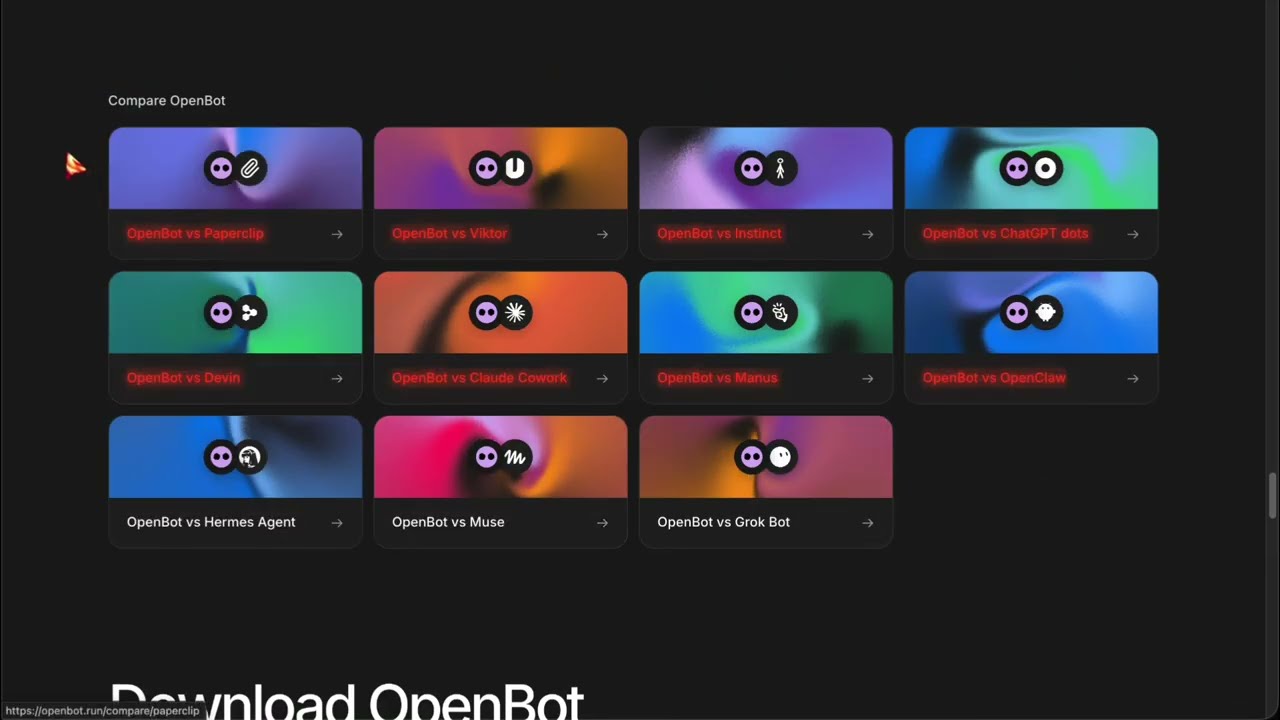
🎬 The pitch: three cloud bots, one local app 0:00
The framing of the video is a category comparison, and it is accurate about what shipped: xAI opened Grok Bot in August 2026, OpenAI launched ChatGPT Dots at DevDay on 29 September, and Meta launched Muse. All three are always-on agents that keep working after you close the laptop — and all three bill you for the privilege, on the company's own models' cloud computers.
OpenBot takes the opposite bet. It is a free desktop application from Synthetify Labs, a Polish company, that runs persistent agents on your own machine using the subscriptions you already have — ChatGPT through Codex, Claude through Claude Code, Gemini, Grok, OpenCode, Cursor, Cline and more — with everything stored locally.
| Grok Bot (xAI) | ChatGPT Dots (OpenAI) | Muse (Meta) | OpenBot | |
|---|---|---|---|---|
| Cost to start | No free tier; bundled with paid Cursor plans and Super Grok | ChatGPT Pro, from $100/month | Free tier with a weekly cap; $20–$100/month above it | €0 — the app is free |
| Availability | — | Pro tier excluded in the EEA, Switzerland and UK at launch | US and Canada only | macOS, Windows, Linux; iOS/Android as remotes |
| Models | Cursor picks; stops when your weekly usage runs out | GPT-6 Astra only | Meta's own model only | Codex, Claude, Gemini, Grok, OpenCode, Cursor, Cline, Muse Code, Pi, Mercury, any ACP agent, any OpenAI-compatible endpoint, Ollama/LM Studio |
| Where the work runs | The company's cloud computer | Its own cloud computer per dot | Meta's cloud | Your computer (or a server you rent) |
| Your data | Sits on a US cloud machine | OpenAI's cloud | Meta can train on chats by default | Workspaces, chats, files and browser data stay local |
| The catch | One vendor's plans | Pro isn't even sold in parts of Europe | One model, two countries | Your machine must stay on; agents run with full access |
Two asides the video makes that are worth keeping. First, the comparison pages on OpenBot's own site are written by OpenBot's team — he says so plainly and pulls only facts from them. Second, the hosted option: if you do not want a machine running at home, Synthetify sells hosted servers in Europe, which the pricing page lists at €20 (Starter), €50 (Standard) and €100 (Pro) per month, with the cheapest tier marked sold out when this was checked.
⚠️ The warning that matters most 1:47
The most important thing in the video is not a feature. It is the warning box at the top of the README, which the video reads out almost verbatim: OpenBot is a development preview, and its agents run with danger-full-access and approvalPolicy: never. After you consent once at first launch, an agent can read and modify files, run commands, use the network and drive the embedded browser without asking again.
It is worth naming why this design choice is coherent rather than careless: the entire value proposition is agents that keep working while you are not watching. An approval prompt defeats that. The cost of the trade is that the sandbox — an Electron app with a sandboxed browser and a single typed bridge to the backend, not a VM — is the only thing between an agent and your home directory.
🧑💻 Making an agent in one screen 2:24
Agent creation is a single form: pick a colour and avatar, give it a name, describe in plain English what it should help with, choose a model, save. Each agent then gets its own persistent session with whichever provider you picked, its own folder on disk, and its own chat history — the thing that makes it a teammate rather than a chat window.
The default model choice in the video's build is a free one: OpenCode with a free model selected, and the dropdown lists other free options (GLM 5.3 Flash, DeepSeek V4.1 Flash, Nemotron variants, MiMo, Big Pickle among them). That matters more than it sounds — it means you can evaluate the entire application without paying anyone, which none of the three cloud products allow in the same way.
🔁 The conversation belongs to OpenBot, not the provider 3:12
This is the architectural decision that produces most of the app's advantages. Because each agent is bound to a session that OpenBot owns — and the underlying harnesses (Codex app server, Claude Agent SDK, OpenCode, Gemini's ACP server) are driven as child processes — you can start an agent on Codex and later move it to Claude Code while keeping the same chat and the same workspace. The README confirms it: each agent keeps its workspace and conversation when the app restarts or the provider changes.
There is also a backup model setting. When a plan hits its limit or a provider goes down, the agent switches to another provider and leaves a note in the chat. That is a real operational difference from the cloud products, which are single-model by construction: Dots runs on GPT-6 Astra, Muse on Meta's model, and Grok Bot hands model choice to Cursor and then stops when the weekly allowance runs out.
Beyond the named providers, OpenBot accepts any OpenAI-compatible endpoint, detects local model servers such as Ollama and LM Studio if they are running on the machine, and can plug in anything that speaks the Agent Client Protocol — the site names Goose and Qwen Code as examples. The current provider page also lists Muse Code, Pi and Inception's Mercury models, which the video does not mention.
🧠 Queues, channels, and agent-to-agent work 4:25
The team features are what separate this from "several chat windows". Each agent monitors its own context and compacts the history before a long thread exhausts the model window, so a task does not simply break halfway through. Messages sent while an agent is busy go into a FIFO queue that you can pause, resume or cancel, and that survives a crash — so a plan of five tasks submitted before lunch is still a plan after a reboot.
Agents can message each other directly, reply, react and pass files. Channels are shared rooms where one agent owns the task and hands parts of it to others — the video's example is one agent writing a landing page, a second reviewing it and a third checking it in the browser. Stop, resume and reassign buttons exist so a human can step in when a decision is needed. The README describes the same mechanism as channel chats with explicit delegation, shared history and Archive/Restore.
🖥 Browser, computer use, and what "local-first" means 5:46
There is a persistent embedded browser: agents open pages, read them, click around, and the state survives between turns. Optional computer use on macOS, Windows and Linux ships as a cua-driver binary inside the release, which OpenBot starts as its own child process and gives to every provider; only macOS asks for screen-recording and accessibility permissions.
On privacy, the video is careful and the README is equally careful: local-first is not offline. Codex still talks to OpenAI, Claude to Anthropic, Grok to xAI, Gemini to Google — your prompts go to whichever provider you chose, and any page an agent opens goes over the network. What stays on your machine is the workspaces, the chat history, the files and the browser data. Compare that with Grok Bot, where all of it sits on a cloud computer in the US, and Muse, where Meta can train on your chats by default.
🛠 Install, headless, mobile 7:17
- macOS 13+ (Apple silicon or Intel), Windows 10+ x64 (installer signed by Synthetify Labs sp. z o.o.), Linux x64/arm64 as an AppImage that does not need libfuse2.
- Ubuntu/Debian caveat: on newer releases the AppImage will not start until you add the AppArmor profile shipped inside it — and they say explicitly not to use a no-sandbox flag to get around it.
- Headless: a one-line install script for an Ubuntu server, then
sudo openbot loginwith an email code; there is also a Docker image and a Nix flake. That is how you put it on a cheap VPS and talk to it from the desktop app, the phone app, or the web app at openbot.run/app. - Provider setup is mostly one button: OpenBot downloads its own copy of the provider CLI and checks for updates hourly, or uses the one you already have. Gemini is the exception — it needs a Google AI Pro or Ultra plan, and OpenBot downloads Google's Antigravity ACP server locally because Google's licence does not permit bundling it.
- Credentials: OpenBot uses your existing CLI login and says it does not copy provider credentials; the xAI API key is never saved or logged.
🧩 Skills, marketplace, plugins 9:18
Agents can write skills for each other. You ask an agent to turn a workflow you repeat into a skill; it creates a folder with a SKILL.md and saves it to a shared local library, from which other agents install it in Settings. Skills are versioned: revising a library skill does not overwrite copies other agents already installed, and modified installed files are protected. Publishing a skill to the marketplace is a separate submission.
There is a marketplace for agents, skills and plugins, with a plugin catalogue that includes Canva, Notion, Figma, Linear, Obsidian and Aave. The README also documents an import path from Grok Bot — agents, instructions, avatars, skills, routines and memories — which is a pointed piece of product strategy: the competitor's users are the acquisition channel.
🏗 Under the hood 9:57
| Layer | What it is |
|---|---|
| Shell | Electron application; interface in SolidJS, talking to the backend through one typed bridge |
| Provider sessions | The local Codex app server over stdin/stdout, a Claude Agent SDK session, and ACP sessions for the rest |
| State | Everything in a SQLite event log — conversations, provider bindings, queues, reactions, attachment indexes |
| Browser | Embedded, in its own sandbox, so a random page cannot reach your files through the app |
| Cloud footprint | Accounts only: Cloudflare Workers and D1, with one-time email codes expiring after 10 minutes |
| Remote access | Team API stays on your machine; devices connect via WebRTC, a signal server only introduces them, and a relay steps in when a direct connection fails — Cloudflare never carries chats, files or commands |
That architecture explains a design choice the video only implies: the "cloud" part of this local-first app is an identity service and a connection broker, not a compute service. It is also why the app can be self-hosted end to end — Signal, TURN and the account service all ship in the repository.
📄 Files, teams, and the licence trap 10:58
Attachments: MP3 audio and MOV video through the picker or drag-and-drop, with limits of 100 MB per file, 250 MB per message and 10 files per message. OpenBot hands the agent the original file and does not play, decode, transcribe or validate it — analysis depends on the tools the agent has. Everything lives under an OpenBot folder in your home directory: one subfolder per agent, a shared folder for files between agents, and a downloads folder for the browser. Deleting an agent deletes its workspace.
Then the part that decides whether you can use it at work. The repository is public, but it is not open source in the OSI sense: it ships under the PolyForm Noncommercial License 1.0.0. You can read, change and run it for personal or noncommercial purposes; commercial use requires a separate licence, purchasable in Settings → Billing as Starter (1 user) or Team (2–10 users), or via the sales team for managed servers. Versions up to and including 0.1.11 remain available under Apache-2.0.
NOASSERTION, which is exactly what a source-available licence looks like from the outside — there is no SPDX identifier to map. The site leads with "OpenBot is open source", and the FAQ immediately qualifies it. If you plan to use it commercially, budget €10/user/month (Starter) or €70/month for five seats on Team, per the pricing page; the licence tiers are free until 1 December 2026.
🧭 Verdict: who it is for
The video's closing summary is fair, and it matches what the repository actually says. The decision comes down to two questions: do you already pay for more than one AI plan, and are you willing to leave a computer running.
| If you… | Then… | Why |
|---|---|---|
| Already pay for two or three AI plans and want them working together on your files | Try it | That is the exact target: provider-agnostic agents, local workspaces, free app |
| Want agents that keep working after you close the laptop | Try it, with a server | Hosted servers from €20/month, or your own VPS with the headless install |
| Want to test agent teams without buying anything | Try it | Free OpenCode models need no account at all — the only zero-cost entry in this category |
| Are not comfortable granting unattended full disk access | Wait | danger-full-access with approvalPolicy: never is the current design, not a setting |
| Need it for commercial work today | Budget the licence | PolyForm Noncommercial 1.0.0; commercial licences are sold separately |
| Want zero setup and one vendor's model | Use Dots, Muse or Grok Bot | Cloud bots need no local machine and are the easier path if you accept their constraints |
One honest caveat about the source: OpenBot's own comparison pages win every row, as the presenter notes. The facts in this article were verified against the repository, the site's provider and pricing pages, and the GitHub API — not against those comparisons.
✅ Claims checked
| Claim in the video | Verdict | Evidence |
|---|---|---|
| Free desktop app, local-first, runs on the plans you already pay for | Verified | Site pricing: OpenBot costs €0 with no locked features; README and providers list confirm the harnesses |
| Development preview; agents run with full access, approval policy "never" | Verified, verbatim | README warning: danger-full-access, approvalPolicy: never |
| Supports Codex, Claude Code, Gemini, Grok, OpenCode, Cursor, Cline, any ACP agent, Ollama/LM Studio, OpenAI-compatible endpoints | Verified | README "What works" + site providers page; the site also lists Muse Code, Pi and Mercury, which the video omits |
| An agent keeps its chat and workspace when you switch provider; backup model on limit or outage | Verified | Site: "An agent keeps its workspace and conversation… when a plan reaches its limit, it can move to a backup model" |
| Context monitoring with automatic compaction; crash-safe FIFO queues | Verified | README feature list |
| Agent-to-agent messages, shared channels, stop/resume/reassign | Verified | README: channels with one task owner, explicit delegation, Stop/Resume/Reassign/Archive/Restore |
| Embedded persistent browser; optional computer use via a shipped driver | Verified | README: cua-driver binary started as a child process for every provider |
| Hosted Linux server in Europe from €20 / $25 a month | Verified | Pricing page: Starter €20, Standard €50, Pro €100 monthly (−20% yearly); Starter was marked sold out at time of checking |
| Licence is PolyForm Noncommercial; older versions up to 0.1.11 are Apache-2.0; commercial use needs a paid licence | Verified | LICENSE file + README "License and attribution" |
| Hosted/team offering on managed servers | Verified | Site: OpenBot for Teams, managed servers, plus Starter/Team licences |
| Free OpenCode models (GLM 5.3 Flash, DeepSeek V4.1 Flash, Nemotron, MiMo, Big Pickle) | As shown in the app | Model names taken from the video's screen; no published list to check them against |
| Dots needs ChatGPT Pro from $100/month and is unavailable on Pro in the EEA, Switzerland and UK | Verified | OpenAI's Dots announcement (29 Sept 2026) plus reporting on the Pro rollout exclusions |
| Muse: free tier with a weekly cap, $20/$100 plans, US and Canada only | Mostly verified | Muse announced 8 Sept 2026, US/Canada at launch; tier prices not independently confirmed for this piece |
| "Synthedia Labs, the Polish company" | Name corrected | Signing certificate and README: Synthetify Labs sp. z o.o. (Poland) |
| "250 per message" attachment limit | Corrected reading | README: 100 MB per file, 250 MB per message, 10 files per message |
| Repository health | Moved since recording | 3,986 stars, 367 forks, 373 open issues, 38 contributors, created 12 Aug 2026, latest release v0.54.0 (29 Oct 2026) |
Transcript notes. The auto-captions mangle several proper nouns, all corrected here against the repository and site: "Synthedia" → Synthetify Labs, "Klein" → Cline, "QuenCode" → Qwen Code, "anti-gravity" → Antigravity, "app armor" → AppArmor, "NYX flake" → Nix flake, "Open Code with Flint 40B" → an OpenCode free model (exact name unverified). The presenter's own caveat about the vendor-written comparison pages is repeated in this article rather than dropped.
🔑 Key takeaways
- The category is real: Grok Bot (August), ChatGPT Dots (29 September) and Meta's Muse all sell always-on agents on the vendor's own cloud and model. OpenBot's entire pitch is that none of those three things is necessary.
- The dangerous setting is the product.
danger-full-accesswithapprovalPolicy: neveris what makes a persistent teammate possible and what makes backups mandatory. It is stated in the README as a warning, not buried in preferences. - Provider independence is architectural, not cosmetic. The conversation belongs to OpenBot, so an agent can move from Codex to Claude Code mid-task and can fail over to a backup model when a plan runs out.
- It is the only zero-cost entry point in this class. Free OpenCode models need no account, so the whole app — agents, queues, channels, browser — can be evaluated before paying anyone.
- "Local-first" has a precise meaning here: workspaces, chats, files and browser data stay on your machine; prompts still go to OpenAI, Anthropic, xAI or Google, and pages still use the network.
- Teams are built out of queues and channels: crash-safe FIFO queues, agent-to-agent messages, shared rooms with one owner and explicit delegation. More open than Grok Bot's 2–6 bot group chats, and correspondingly less guided.
- The always-on problem is solved with money or with a server. Hosted Linux servers in Europe from €20/month, or a headless install on your own VPS with a desktop, phone and web client.
- The licence is the first thing to read, not the last. PolyForm Noncommercial 1.0.0, commercial licences sold separately, versions ≤0.1.11 still Apache-2.0, and free licence tiers only until 1 December 2026.
- Skills are versioned and shared locally, with a marketplace for agents, skills and plugins — and an import path from Grok Bot that treats a competitor's users as the acquisition channel.
- Maturity check: ~4,000 stars in ten weeks and a v0.54 release cadence show real velocity; 373 open issues show what early looks like. Preview status is not marketing modesty here.
🔗 Resources & links
Project
- nightly-labs/openbot — source, issues, releases (PolyForm Noncommercial 1.0.0)
- openbot.run — downloads for macOS, Windows and Linux; iOS and Android remotes
- Pricing — hosted servers (€20/€50/€100) and commercial licences (Starter 1 user, Team 2–10)
- README — the security warning, architecture, self-hosted server, attachments, skills, licence
- Self-hosted server docs and LICENSE
- Apps: iOS · Android · web client at openbot.run/app
Providers and integrations referenced
- Codex App Server · Claude Code · Grok CLI · OpenCode · Cursor CLI · Cline CLI
- Agent Client Protocol registry — the ACP agents OpenBot can run as custom agents
- Plugin catalogue — Canva, Notion, Figma, Linear, Obsidian, Aave
The comparison targets
- OpenAI: Introducing dots (29 September 2026)
- OpenBot vs Grok Bot — vendor-written, as the video notes; use it for the feature list, not the verdict