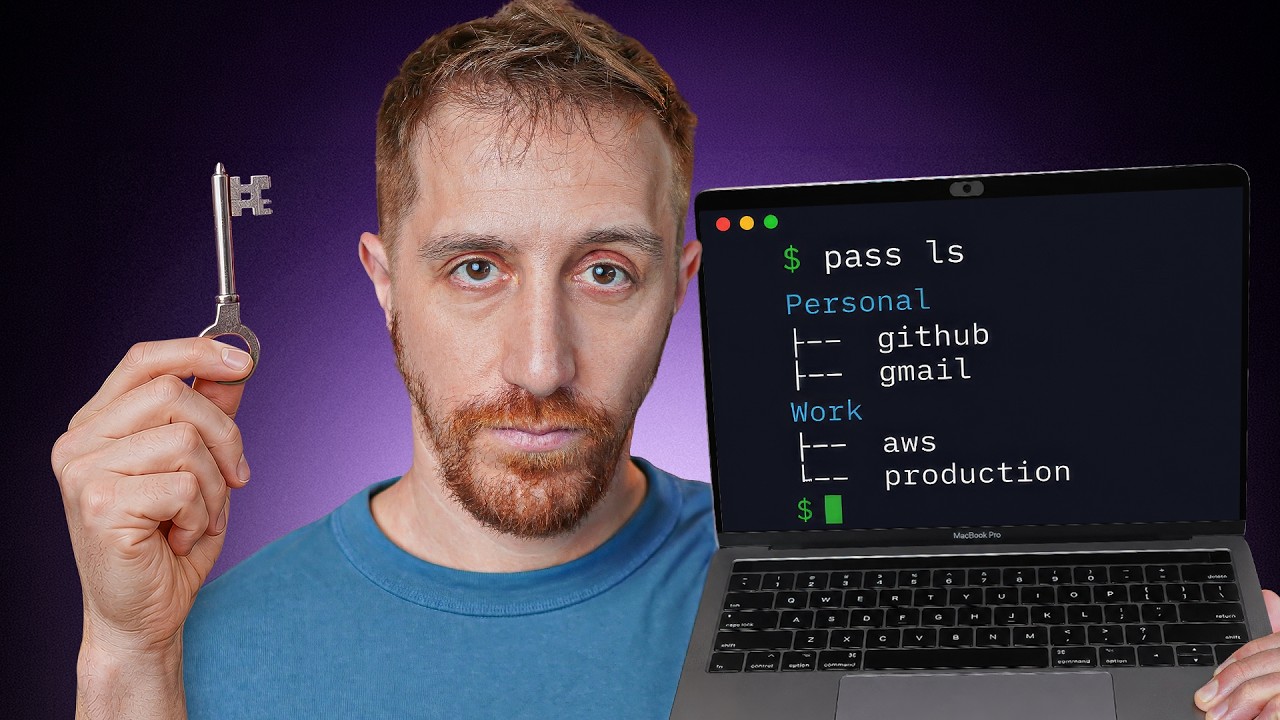
1 What is Pass?
Pass (the standard Unix password manager) is a free, open-source CLI tool that stores every password as a GPG-encrypted file on disk. It follows the Unix philosophy: does one thing and does it well.
It can replace both your personal password manager (Instagram, email) and your secrets manager (database keys, API tokens). It's created by Jason Donenfeld — the same researcher who created WireGuard.
- Every password = one GPG-encrypted file
- Directory-based organization (like a filesystem)
- Git-tracked changes out of the box
- Extensions for OTP, migration from other managers, and more
- Android, iOS, and desktop apps available
2 PGP vs GPG — Clearing the Confusion
A subtle detail many people miss:
- PGP — "Pretty Good Privacy", the original standard from the 1990s. Now the open standard is called OpenPGP. The commercial product is owned by Broadcom.
- GPG — "GnuPG" (GNU Privacy Guard). Implements the same OpenPGP standard but is completely free and open-source.
Pass uses GPG (the free implementation), not PGP (the commercial product).
3 The Creator — Jason Donenfeld
Jason Donenfeld (aka zx2c4) is a security researcher most famous for creating WireGuard — the fast, modern VPN protocol used by Tailscale and others. He hosts Pass on his own Git server.
4 GPG Key Setup
The only prerequisite for Pass is GPG. Setup:
GPG stores keys in ~/.gnupg/. During key generation, it needs entropy (randomness) from keyboard/mouse input — this makes the key unpredictable.
5 Signing & Encryption Basics
Before diving into Pass, a quick GPG demonstration:
This same cryptographic concept underpins Telegram, WhatsApp, Signal — signing messages for authenticity using public/private key pairs.
6 Pass in Action — Core Commands
pass -c copies the secret and automatically clears it after 45 seconds. Perfect for pasting into login forms without leaving secrets lingering.7 Git Integration — Built-in Version Control
Every Pass operation (insert, edit, delete, move) creates a git commit automatically. The pass git subcommand passes any git command through:
The file structure is clean: directories and .gpg files. You can explore it with ls or any file browser — the files are encrypted, so even if someone sees the tree, they can't read the values.
8 Extensions & Migration
Pass itself is minimal, but the extension ecosystem covers everything:
- pass-import — migrate from 1Password, LastPass, KeePass, Apple Keychain, Chrome, and more
- pass-otp — one-time password (TOTP) support
- pass-update — bulk update operations
9 Desktop & Mobile Access
Raycast (Mac)
The Raycast extension is the standout desktop experience. Open Raycast → see your entire store → hit the secret → it pastes into whatever app is focused. "Who needs anything else?"
Mobile (iOS/Android)
The Pass app requires:
- Push your
~/.password-storeto a private GitHub repo - Configure the app with repo path, branch, and GitHub token
- Your secrets sync to mobile
10 Per-Repo Secrets for AI Agents — The Killer Use Case
This is the feature that makes Pass uniquely powerful for AI-assisted development. Instead of .env files with plaintext secrets (risk of git push), you can create a per-repository password store:
Automating with mise
Instead of manually exporting the env var every time, use mise (formerly rtx) — the tool for local environment management:
Now every time you cd into the project, pass automatically points to the project's local store. Your main store is untouched. AI coding agents can safely access secrets via pass show db-password without ever seeing plaintext in .env files.
pass show <key> — the secret is decrypted only at the moment of use, never stored in plaintext on disk. No risk of agents accidentally committing secrets to git.🎯 Key Takeaways
🔑 Key Takeaways
- Pass stores every password as a GPG-encrypted file — one file per secret, organized in directories
- Created by the WireGuard creator — Jason Donenfeld, a respected security researcher
- Git-tracked by default — every insert, edit, delete is automatically committed
- Clipboard auto-clear —
pass -ccopies a secret and wipes it from clipboard after 45 seconds - Extensions cover OTP, migration, and more — import from 1Password, LastPass, Apple Keychain, Chrome
- Raycast integration — seamless Mac desktop access without leaving your workflow
- Mobile sync via git — push store to private GitHub repo, clone on iOS/Android app
- Per-repo password stores — use
PASSWORD_STORE_DIRenv var to create project-local secret stores - mise automates the env var —
.mise.tomlsets the store path per-project automatically - AI agent-safe secrets — agents access secrets via
pass show, never touching plaintext .env files - Migration isn't frictionless — "it's not as easy as you think" but it's doable with some work
🔗 Resources & Links
- Pass — The Standard Unix Password Manager — official site with documentation and extension list