🎬 Why T3 Code exists 0:00
Theo opens with the part of the story almost nobody tells about their own product: T3 Code was born out of frustration, not ambition. At the start of 2026 he and Julius (a co-maintainer) were impressed by OpenAI's Codex desktop app — "a different way to build" — and then watched performance degrade with no way in. They asked for the source so they could fix it themselves; OpenAI declined to open-source it. Anthropic's Claude Code desktop app, meanwhile, was not good enough to be the fallback.
So the three of them — Julius, Maria, and Theo, part-time — built an open-source alternative. And then Theo says the thing that most product videos would cut:
What it had from day one was aggregation: your Codex subscription, Claude subscription, Grok subscription, Cursor subscription, all in one window. Convenient, but worse than the first-party apps. Around July 2026 that changed — Julius pushed the project far past where Theo expected it to go, Theo started shipping UI and UX changes, and they deliberately built what the labs were not interested in building: a different sidebar model, real remote control, and subscription handling that treats several providers as one workspace.
📈 The numbers, and the turn 2:05
The growth claim in the video: about to hit 550,000 users and 140,000 weekly actives, with a sharp ramp starting when the project stopped being a me-too client. The video description rounds that up to "broken over 700,000 users" — a figure that appears nowhere in the narration, and which is company-reported either way. Treat all three numbers as the team's own telemetry, not audited usage.
What is checkable is the repository, and it has moved since recording:
| Metric | In the video | At publication time (checked) |
|---|---|---|
| GitHub stars | 27,000 | 31,511 |
| Contributors | 516 | 472 GitHub accounts (737 including anonymous commit authors) |
| Latest release | "stable by the time you see this" | v0.1.5, published 29 Oct 2026 13:08 UTC |
| Forks / open issues | not stated | 8,422 forks · 4,107 open issues |
| Licence | open source | MIT — verified in the repository |
| First commit | "start of 2026" | repository created 8 February 2026 |
Two notes on that table. The star count is up ~17% on what the video says, which is the normal drift between recording and publishing. The contributor count is the interesting one: the video says 516, while the GitHub API paginates to 472 accounts at publish time. The difference is almost certainly how "contributor" is counted (anonymous email-only commits inflate it to 737). It is also worth knowing that the README still says the team is "mostly not accepting contributions yet" — which sits oddly with either number, and probably reflects how fast the project outgrew its own policy.
🧩 What it actually is: a control surface, not a harness 4:27
Theo admits he is bad at pitching his own product, and lands on the explanation that actually works: "an open source alternative to the Codex app that supports all your subs." The repository's own README is more precise: T3 Code is an "agent harness control surface". It controls agents that are already on your machine.
The documentation's FAQ makes the distinction with a metaphor worth stealing. A harness is what turns an LLM into an agent — it gives the model tools, runs them, hands back results (Claude Code is an interface plus Anthropic's Agent SDK; Codex is an app plus the Codex App Server). T3 Code is not a harness and does not work without one: "Chef = LLM. Kitchen = harness. T3 Code = the restaurant that lets you bring whatever kitchen you want."
| T3 Code is | T3 Code is not |
|---|---|
| An MIT-licensed desktop, web and mobile client for agents you already run | A model provider. There is no way to pay them for AI access — that is T3 Chat, a different product |
| Bring-your-own-subscription: Claude, Codex, Cursor, Grok, OpenCode, Antigravity, Pi, Muse | A harness. It has no agent loop of its own |
| A remote control plane — your agents run on your machines, and you drive them from a phone | A cloud service. Prompts go to your provider, not to their servers |
| Forkable end to end, including the connection infrastructure | A local-model runner. The FAQ is blunt: locally runnable models "are not capable of meaningful engineering work" |
It is free, and they say so with unusual emphasis: "If you thought you could [pay us], you're misremembering — that was T3 Chat, not T3 Code." T3 Connect, the tunneling service, is also free for up to three machines; more requires linking a paid T3 Chat plan (10 machines with Pro, 100 with Premier).
🔌 Every harness in one window 5:00
This is pillar one, and the list has grown. Built in as first-class providers: Codex, Claude, Cursor, Grok Build, OpenCode, Google Antigravity, Pi, and Muse Code. Beyond those, T3 Code carries the whole ACP Registry — the Agent Client Protocol's catalogue of agents — so anything speaking ACP can be added: AMP, Cline, Copilot and many more. You can also register a local ACP command by hand, executable plus literal arguments, with no registry entry at all.
The practical consequence is the one Theo demonstrates at 6:10: a single prompt asking for a codebase review with four different models spins up four subagents, each in its own harness and each using the subscription already installed on the machine. Nothing was configured beyond having the CLIs installed and logged in — with one exception he calls out: Gemini/Antigravity needs a sign-in click in Settings.
Two things stand out as engineering rather than marketing. First, harness switching mid-thread (27:23): the context is extracted from the old harness and handed to the new one, so you can plan with Claude and let Codex do the edits. The orchestration docs describe this as a first-class "context handoff artifact" rather than a hidden prompt hack. Second, providers are not normalised into looking identical — the architecture keeps provider-native lifecycle fidelity and adapts weaker providers into the same model, which is why switching does not quietly lose capabilities.
🕸 Orchestration: agents driving agents 7:39
Pillar one is convenience. The thing Theo is actually excited about is what happens when agents can see each other. T3 Code ships an MCP server that exposes its own threads, projects and subagents as tools, so a running agent can: spin up subagents in any harness, create a new thread in a different project, list projects, link threads to each other by ID, hand context to another thread, and search for work it did elsewhere.
The demo at 7:50 is the clearest illustration: he tells one thread to repeat the same review request in a different repository as a separate thread — and then tells the two threads to talk to each other. Because the same MCP is reachable from outside, an agent in Grok Bot, ChatGPT or anything else MCP-capable can drive a T3 Code instance completely. He mentions someone who has run 10,000 threads without touching the app, doing it all through an iMessage integration.
| Orchestration primitive | What it does |
|---|---|
| Subagents | Delegate work to another harness/model from inside a thread, inheriting the parent's project |
| Thread-to-thread links | Drag a thread into another (or paste its ID) so an agent can read, reference and message it |
| Provider handoff | Move a live conversation to a different harness with explicit context transfer |
| External MCP clients | Drive T3 Code from ChatGPT, Grok Bot, or any MCP-capable app |
| Webhooks (undocumented) | Trigger a thread from an external event — a PR opening, a Stripe event — with optional 24-hour replay |
The design point worth keeping: "This isn't a prescribed workflow we're giving you." There is no opinionated pipeline, just a flexible MCP and the primitives underneath it. That is a real philosophical difference from the first-party apps, which are steadily adding their own agent-of-agents layers.
📱 The machine fleet, from anywhere 10:06
Pillar two is remote control, and Theo is explicit that it changed how he works: he no longer starts threads in a terminal or over SSH, he starts them by picking a machine. T3 Code's architecture makes that trivial because — unlike apps that fire commands into your terminals or tunnel over an Electron-style RPC — everything goes through its own websocket server. That one decision is what makes the rest possible.
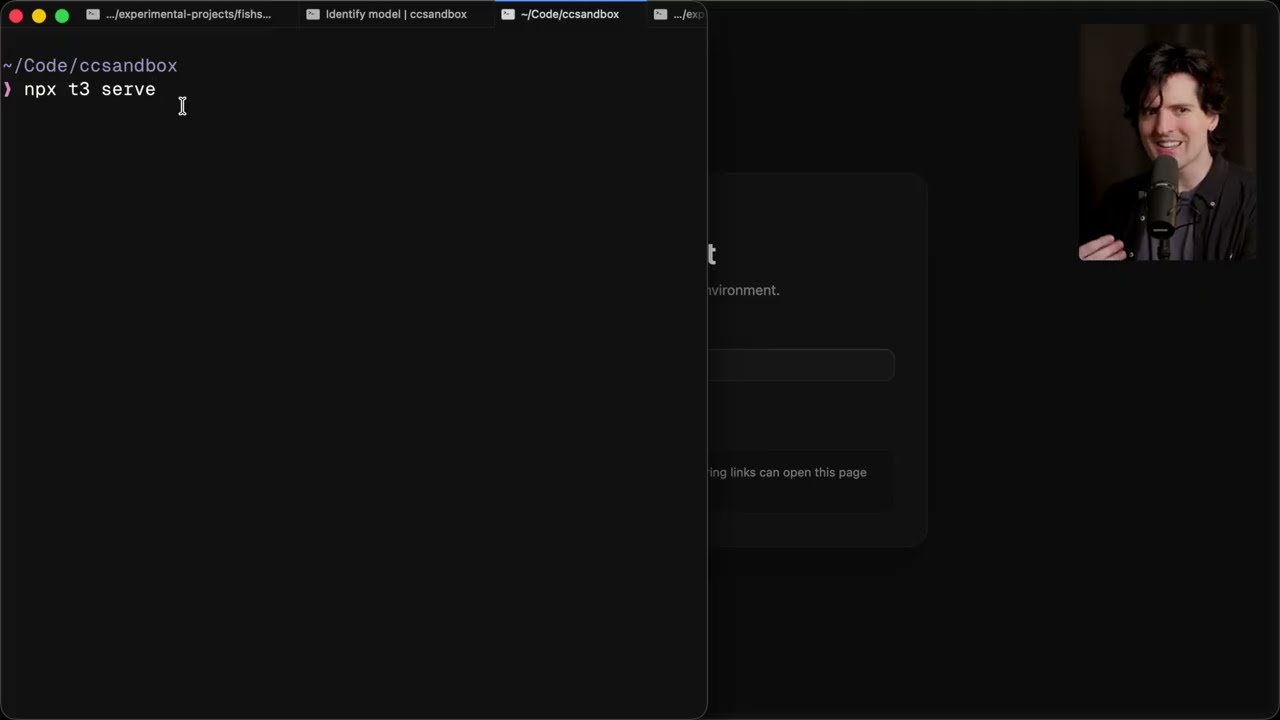
The entry points: npx t3 serve (or t3 serve once installed) hosts a minimal web app on any box; app.t3.codes is the browser client that connects to those instances; T3 Connect — t3 connect — registers a machine to your account over a Cloudflare tunnel so you can quit SSH and forget about it. Tailscale and plain LAN pairing are supported as alternatives, and one machine can have several routes at once.
| Capability | What it means in practice |
|---|---|
| Per-thread machine selection | Each thread runs on a chosen box — laptop, VPS, home server, mini PC |
| Load balancing | With several machines, new work is routed to whichever has CPU/memory headroom |
| Device hub | iOS and Android simulators run inside T3 Code — remotely, including full 3D interaction with the simulated device |
| Dedicated machines | Pin Macs for iOS work so Linux boxes can SSH in to build the app |
| Remote browser | A headless machine's browser is piped into your session so you can sign in and interact |
| Editor over SSH | "Open in VS Code" opens the remote checkout on the machine that owns it |
| Port a project | Clone a repo (optionally with git-ignored env files) onto another machine in one click |
| Update everything | One button updates app and providers across every connected machine |
He is candid about the friction: he hates running a VPN on his phone, which is why T3 Connect exists, and he admits T3 Connect occasionally drops (the docs tell you to check Settings → Environments and name a failing route, and suggest Tailscale as the fallback). The three-machine free limit is the main structural constraint — "if you want to have 17 computers, you better know how Tailscale works."
📥 The sidebar is an inbox, and the goal is to close threads 14:39
Pillar three is the one he pushed hardest for and expected people to hate: built to get work done, which in practice means aggressive hiding. His critique of the ChatGPT/Codex app is concrete — you cannot tell what is recent, what needs attention, or where an important project went, because a new temporary project pushes everything down. He says he gave up and uses search.
The replacement is an opinionated inbox with one rule: "Every time you open a thread, the goal should be to close it." Closing means merged, answered, or no longer needed.
- Settle, don't archive (16:38) — finished work drops to a shelf below; ⌘Z brings it back. Settling also closes idle terminals in the thread's worktree while leaving dev servers running.
- Snooze — push a thread to later ("until tomorrow", "after stream") and it returns on its own.
- Working section (18:46) — threads that are actively running collapse out of sight, so the visible list is only what needs you. Pinned threads are exempt.
- Send in background (19:16) — Enter sends and takes you to the thread; ⌘Enter fires it into the background and leaves you on an empty composer to describe the next task.
- Auto-settle — threads settle after 3 days idle by default (he raised his to 7 to force himself to deal with the pile), and a merged PR settles the thread automatically, with per-thread overrides.
- Batch actions — shift-click multiple threads to settle, snooze, or regenerate their titles in bulk, and choose which model/harness writes those titles, commit messages and PR descriptions.
⚙️ The long tail of small fixes 21:56
The last third of the video is a rapid-fire list. It is long because most of it is the kind of thing that only gets built by someone who uses the tool daily — and several items are things he says nobody else has.
| Feature | Why it matters | Time |
|---|---|---|
| In-app PR viewer + monitoring | Review, merge and watch PRs without leaving; links PRs to threads and auto-settles on merge. Claims ~1/100th the GitHub API rate-limit usage of agent-scripted polling | 22:52 |
| Usage tab | Where your tokens went, per account and provider; reads pooled limits from an external proxy; can schedule a follow-up to fire when a rate limit resets | 23:08 |
| HTML renders | Agents can emit interactive HTML/JS visualisations that run inside the app, not just markdown | 22:38 |
| Data diet | Hopping between threads uses ~100× less data than the Codex app by his measurement — usable on airplane Wi-Fi and 3G | 23:57 |
| Drafts and stash | Several in-flight prompts stored at the top; ⌘S stashes a prompt (or an image) to move it to another project or machine | 25:23 |
| Annotations | Select text or a browser-preview element, click "site", and send the annotation with your next prompt | 28:51 |
| Themes and keybindings | Separate light/dark themes, VS Code theme import, absurdly configurable keybindings scoped per project or per environment | 29:03 |
| Git providers | GitHub, GitLab, Forgejo, Gitea, Bitbucket, Azure DevOps, GitCafe — each via its own CLI | 30:17 |
| Snapshots | Press both Shift keys anywhere to capture the screen plus accessibility text into a new draft | 35:30 |
npx t3 triage | When the app itself breaks, this starts Claude Code or Codex with the logs and state of the machine, and can file a well-formed issue. He says it resolves over 80% of user problems | 33:41 |
Two details deserve more than a table row. File attachments (34:33): an image is not just passed to the model as vision input, it is also written to disk where the agent can reach it — so "add this screenshot to the PR" actually works. He claims other tools show the model the picture but never give it the bytes. And triage as a product surface: shipping a command that uses an agent to debug your own app, then lets it file the issue with full context, is an unusual way to convert support load into engineering input.
🚧 The honest negatives 36:48
He wrote the list down and goes through it in ninety seconds, which is more than most founders manage in a launch cycle:
- You bring your own compute. There is no hosted tier to overpay for — which also means there is no hosted tier.
- Three machines free on T3 Connect. Beyond that you need Tailscale, self-hosting, or a paid T3 Chat plan.
- No built-in computer use yet. You get it if your harness provides it (Codex does; the Codex app's MCP can be handed to Claude as a workaround), but first-party support is "near future".
- Windows on ARM. Supported, hated, and it breaks their builds. Almost half of events come from Linux users (their telemetry), and Linux is genuinely first-class — Omarchy ships T3 Code in its Install → AI menu.
- It will eat your evenings. He half-jokes that it ruined his sleep schedule and that the mobile app made it worse, then notes he had a conversation with his ex about it. The token warning is sharper: T3 Code is no less efficient per thread than the first-party apps, but you will run so many more threads that your subscription drains faster.
🧭 Verdict: who this is for
A 42-minute tour by the founder of a sponsored video is a sales surface, even when the founder is unusually self-critical. So here is the same content as a decision, checked against the repository's documentation rather than the narration.
| If you… | Then… | Because |
|---|---|---|
| Already pay for two or more agent subscriptions | Install it | One window, one inbox, and each harness keeps using its own subscription and models |
| Run agents on a box that is not the laptop you type on | Install it | The remote/mobile story is the strongest part: per-thread machine choice, load balancing, T3 Connect, mobile apps |
| Want agents coordinating with each other | Try it | The MCP orchestration layer is real and open — subagents, thread links, external clients |
| Want a single opinionated agent experience | Skip it | You still need at least one harness installed and logged in; T3 Code is a control surface, not an agent |
| Need local models, or a Windows-on-ARM-only machine | Skip it | Local models are a documented non-goal; Windows ARM is supported but is the maintainers' least-loved platform |
| Want zero maintenance and no moving parts | Skip it | You supply compute, provider CLIs, and — past three devices — the networking |
The strategic read, which the video makes explicitly at 39:04: everyone else is folding code into a bigger product — ChatGPT pushing "dots and spaces and plugins", Claude Code repositioning toward work in general — while T3 Code stays pointed at developers. "Built by engineers for engineers" is a marketing line, but the feature list backs it: PR monitoring, rate-limit budgets, worktrees, git providers beyond GitHub, terminal over a websocket. That is a tool for people who spend their day in repositories.
✅ Claims checked
Everything below was checked against the repository, its docs/ tree, the npm registry and the release feed on the day of publication — not against the transcript.
| Claim in the video | Verdict | Evidence |
|---|---|---|
| Open source, MIT, free; you bring your own subscription | Verified | Repository licence MIT; FAQ: "There's no way to pay us to use T3 Code" |
| Supports Codex, Claude, Cursor, Grok, OpenCode, Antigravity, Pi, Muse Code | Verified | README plus per-provider docs in docs/user/providers-*.md |
| Full ACP registry available, plus manual local ACP commands | Verified | docs/user/providers-acp.md |
npx t3 serve, t3 connect, npx t3 triage | Verified | docs/user/remote-access.md, docs/user/triage.md; npm t3 publishes latest 0.1.5 and a nightly tag |
| T3 Connect free for three machines | Verified | FAQ + remote-access.md (Pro 10 / Premier 100 via T3 Chat) |
| Threads settle after 3 days idle by default; merged PRs auto-settle | Verified | docs/user/thread-sidebar.md |
| Both Shift keys capture a snapshot | Verified | docs/user/snap-shot.md (macOS/Windows default) |
| GitHub, GitLab, Forgejo, Gitea, Bitbucket, Azure DevOps, GitCafe | Verified | docs/user/source-control.md |
| Built into Omarchy | Verified, with a caveat | Omarchy's manual lists T3 Code under Install → AI (an install option, not a core package) |
| 27,000 stars / 516 contributors | Moved | Now 31,511 stars; API paginates to 472 accounts (737 with anonymous authors) |
| "About to hit 550,000 users, 140,000 weekly actives"; description says "over 700,000 users" | Company-reported | No independent source; the two figures in the same video do not match |
| "Almost half of events come from Linux users" | Company-reported | Internal telemetry |
| Thread webhooks (PR opened, Stripe events, 24h replay) | Demonstrated, undocumented | Shown in the app at 31:16; no webhook documentation exists in docs/ yet |
| ~100× less data than the Codex app when hopping threads; ~1/100th the GitHub rate-limit usage | Speaker-measured | His own numbers, not reproducible from the repo |
| Triage resolves "over 80%" of user issues | Speaker-reported | No published data |
Transcript notes. The auto-captions mangle the usual cast — "Codeex" for Codex, "Cloud Code" for Claude Code, "Grock"/"Grok Bot" for Grok Build, "Appy"/"Appify" for Apify, "Omari" for Omarchy, "Klein" for Cline, "Muse Wonderful Full" for Muse's model name, "GBT61 Soul" for GPT-6.1 Sol, "DDUP" for the account-handling work he mentions. All corrected here against the repository and provider docs. The sponsor segment's URLs are deliberately excluded.
🔑 Key takeaways
- It is a control surface, not a harness. T3 Code has no agent loop of its own: it drives Claude Code, Codex, Cursor, Grok Build, OpenCode, Antigravity, Pi, Muse Code — and anything on the ACP registry — using the subscriptions you already pay for.
- The architecture decision that unlocks everything: all communication goes through its own websocket server rather than poking terminals or an Electron-style RPC. That is why picking a machine per thread, driving it from a phone, and exposing it over MCP all work.
- The sidebar is the product's opinion. Settle, snooze, a collapsed "working" section, background send with ⌘Enter, auto-settle on merge — all of it exists to make running many parallel agents legible instead of overwhelming.
- Orchestration is deliberately unprescribed. Subagents, thread-to-thread links, mid-thread harness handoff with real context transfer, and an MCP server any external agent can drive. No fixed pipeline.
- Remote is the strongest pillar.
npx t3 serveon any box, T3 Connect for zero-config access, Tailscale/LAN as alternatives, load balancing across machines, iOS/Android simulators piped into your session. - The negatives are structural, not cosmetic. You supply compute, provider CLIs and (past three devices) the networking; there are no local models by design; Windows ARM is genuinely painful for the maintainers.
- Its own rate-limit honesty is worth copying. The FAQ admits Agent SDK usage drains Claude's 5-hour limits faster than Claude Code does, and the video warns that more parallel threads means faster subscription burn.
- Verify growth claims. 550k/700k users are company numbers that do not even agree with each other; the checkable signals — 31.5k stars, 472 contributors, v0.1.5 — tell a real but more modest story.
- Small features carry the retention. Attachments written to disk so agents can actually use the bytes, PR monitoring at a fraction of the GitHub rate limit,
t3 triageturning support into a prompt, one-click "update the app and the providers on all nine machines". - The positioning is the bet. Everyone else is folding coding into a broader work product; T3 Code stays a tool for people whose job is the repository. Whether that is a niche or the durable middle is what the next year tests.
🔗 Resources & links
Project
- pingdotgg/t3code — MIT, source, issues and discussions (31,511 stars; 472 contributors at publication)
- t3.codes — desktop downloads (stable + nightly)
- app.t3.codes — web client for your environments
- Mobile: iOS · Android
- README — install paths for macOS (Homebrew), Windows (winget/scoop), Debian, Arch (AUR), Nix, plus the CLI one-liner
Documentation worth reading before you install
- FAQ — what it is not, pricing, the Agent SDK limit caveat, local-model stance, worktree cleanup
- Remote access — T3 Connect, LAN pairing, multiple routes per machine
- Thread sidebar — settle, snooze, working section, auto-settle rules
- ACP providers — registry agents and local ACP commands
- Source control — GitHub, GitLab, Forgejo/Gitea, Bitbucket, Azure DevOps, GitCafe
- Orchestration V2 design docs — subagents, thread lineage, provider handoff, the orchestrator MCP
- Triage and Usage
Referenced in passing
- ACP Registry — the agent catalogue T3 Code pulls from
- CLIProxyAPI — the external proxy the docs recommend for pooling multiple accounts
- Omarchy manual — where T3 Code appears as an AI install option
docs/ tree, the GitHub API (stars, contributors, release dates, licence) and the npm registry. Proprietary usage figures are labelled company-reported. The video is sponsored; the sponsor's links are excluded per our convention.