Tuios: The Terminal Window Manager That Knows What Your Agents Are Doing
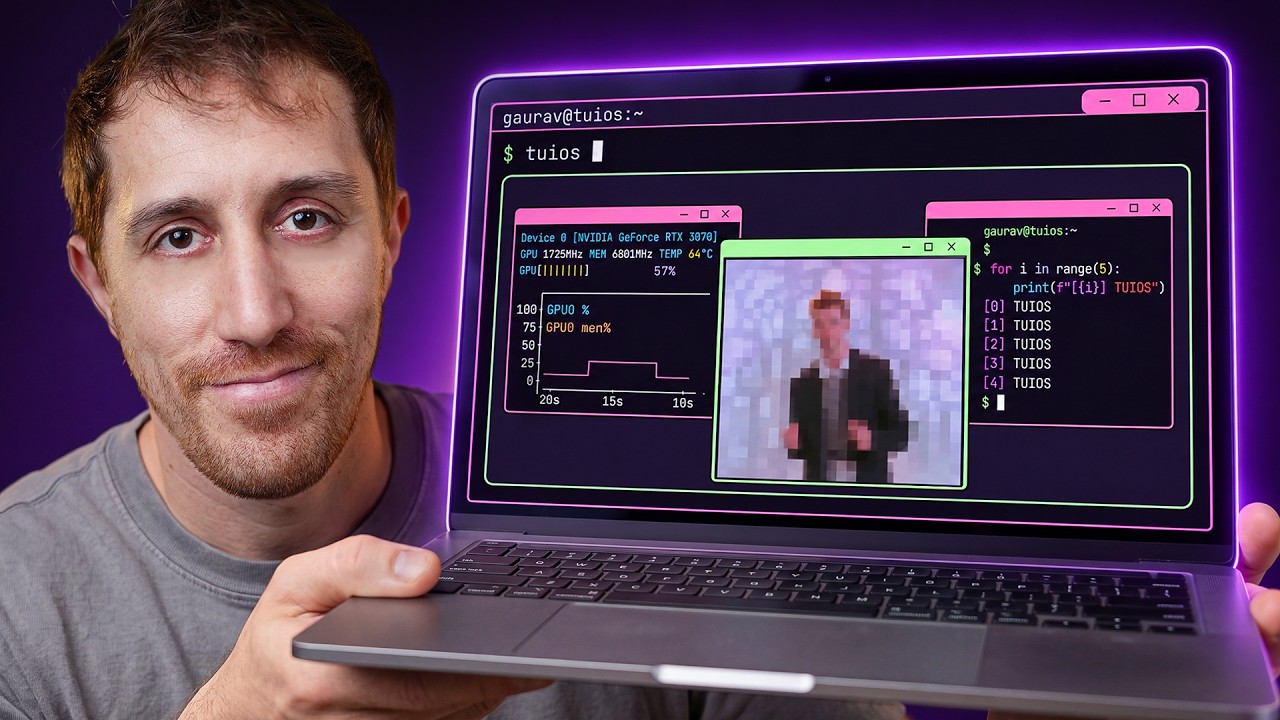
1.A Terminal OS, Not Just a Multiplexer0:00
Tuios — pronounced "tui-OS" — is the tool this video is about, and the hook is its GitHub tagline: "a terminal window manager that knows what your agents are doing." DevOps Toolbox frames it as the thing you reach for after you've cycled through tmux, Herdr, Ghostty and Zellij: not just another multiplexer, but a tiling window manager for the terminal with genuinely nice defaults baked in.
It's built by a developer from the UAE, Gaurav Gosain, in Go (MIT license, ~3.8K stars at the time of writing). The pitch: floating draggable panes, Vim-like navigation, workspaces, a baked-in tiling manager, and even tape scripting. The video's own summary calls it "a terminal UI operating system, if you will."
2.The 83% Question: Why Another Multiplexer?1:49
The reviewer answers the obvious objection up front. He's not leaving tmux — "not for Zellij, not even for Herdr, which is currently running on my home lab." But the home lab is exactly where a tool like this earns its keep: instead of porting a complicated tmux config, you get "something light, beautiful, and modern in seconds on any machine anywhere."
He also drops context that frames the moment: Mitchell Hashimoto (HashiCorp founder, Ghostty author) announced a new terminal company — Superlogical — with claims of "non-AI, handwritten code" and demos full of curved edges, fuzzy pickers and auto-tiling. The reviewer's point: the future Hashimoto is selling isn't available yet, but Tuios already delivers a big chunk of that aesthetic today.
| Tool | Language | Stars | Positioning |
|---|---|---|---|
| Tuios | Go | ~3.8K | Tiling window manager + multiplexer, visuals-first |
| tmux | C | ~49K | The session-management standard |
| Zellij | Rust | ~35K | Batteries-included terminal workspace |
| Ghostty | Zig | ~61K | Fast cross-platform terminal emulator |
3.The Walkthrough: Draggable Panes and Tiling2:57
The demo starts with brew install tuios, then the first window, then a tour of the gestures. It's Vim-flavored throughout: h sends a pane to the left half, ? opens a help UI, and i drops into insert mode — with the pane border highlighting so you can see which window actually has keyboard focus. x kills a window, f full-screens it, z zooms like tmux.
Where it diverges from every other multiplexer is the window-manager layer. 1/2/3/4 place a pane in a screen quarter; m minimizes a pane (green label at the bottom, Shift-M restores all); and panes can be dragged and dropped with the mouse, snapping into tiles when tiling mode is on. The reviewer is careful to note the transitions are animated — a small thing, but the smoothness is the point.
4.LazyVim-Style Prefix Helper + Fuzzy Palette6:38
The "cheat code," as the video calls it: Tuios reuses tmux's Ctrl-B prefix, but instead of silently waiting for your next keystroke it pops a prefix helper list — much like LazyVim's which-key. Hit t for window commands and you drop into a nested menu; hit t again from the same menu and you toggle tiling mode on, snapping overflowing panes into a clean split.
There's also a fuzzy-searchable command palette on Ctrl-P, which is how the reviewer finds features by accident rather than by reading docs. Toggling tiling on is the moment the video admits the result "looks beautiful — room to breathe, the focus is obvious."
5.Sessions: Where It's Not Baked Yet7:45
Sessions are where the reviewer's hopes were highest and the reality most mixed. Sessions are the thing he loves about tmux — the ability to containerize work into named environments and switch between them. Tuios has them, but the rough edges show immediately: a running session reports status: detached while you're literally inside it, and the attach command creates a new session rather than attaching to the old one.
Detach exists (it's prefix-D, same as tmux), and after detaching you can list and switch. But the mental model is muddier than tmux's, and the reviewer is explicit: "sessions aren't fully baked yet, if you ask me." The rest is there — copy mode, a debug log (which he notes is "mostly useful for an AI agent fixing your Tuios"), and a kill-session command.
tmux a as a reflex — Tuios will frustrate you right now. If you mostly want a pretty split-screen for one active workspace, the sessions gap won't matter.6.Web Control, Layouts, and TOML Config9:20
Three more features round out the tour. First, a separate tuios-web binary runs a daemon you drive over HTTP — you can create, resize, place and zoom panes through a web interface, which the reviewer flags as genuinely interesting for remote control and collaboration. Second, you can save a layout and reload it later (even through the web view), restoring the exact pane arrangement. Third, config lives in a ~/.config/tuios TOML file — border, buttons, clock, and a status bar with CPU and memory usage.
He ends the tour noting Tuios is fully mouse-compatible: panes and their buttons are clickable, minimizable, draggable, and killable — "yet another thing you've never seen in your terminal." He also mentions, without demoing, a tape scripting feature and a hidden work-tree option in the docs, saving them for a follow-up.
htop.7.The Verdict: A Multiplexer for Your Agents Box11:01
The bottom line, in the reviewer's own words: "Tuios has it all when it comes to visuals, the motions, the mouse control, the beautiful defaults. There are even sessions, although not fully baked yet." His recommendation is specific — it's a fantastic multiplexer for your remote host, your temporary cloud instance, your agents box — and he pre-empts the Herdr comparison: Herdr is for agent automation and monitoring; Tuios is for visuals and multiplexing. "Agent automation and monitoring aren't really part of it, and that's on you."
Key Takeaways
- Tuios is a terminal window manager, not just a multiplexer — it tiles, floats, drags and collapses panes like a desktop WM.
- It's Go + MIT, ~3.8K stars, by UAE dev Gaurav Gosain — the repo literally describes it as knowing "what your agents are doing."
- Discoverability is built in: Ctrl-B prefix helper (LazyVim-style), a fuzzy Ctrl-P command palette, and a
?help UI. - Fully mouse-compatible — click, minimize, drag, drop into tiles — with smooth animations you don't get in tmux.
- Sessions are the weak spot: "detached" status while you're inside, and attach creates a new session. Not baked yet.
- The
tuios-webdaemon adds HTTP remote control — a genuinely interesting step toward driving terminals programmatically. - Layouts are saveable and reloadable, config is a simple TOML with CPU/memory status bar.
- Verdict: a beautiful, instantly-set-up multiplexer for remote hosts, cloud instances, and agent boxes — not a tmux replacement for your daily driver, and not an agent orchestrator (that's Herdr's lane).
Timestamp Index
- 0:00 Intro — a terminal OS, not just a multiplexer
- 1:49 Why another multiplexer? Hashimoto's Superlogical
- 2:57 Walkthrough — panes, splits, insert mode, minimize
- 6:38 Ctrl-B prefix helper + Ctrl-P fuzzy palette
- 7:45 Sessions — the rough edges
- 9:20 Web control, layouts, TOML config
- 11:01 Verdict — a multiplexer for your agents box