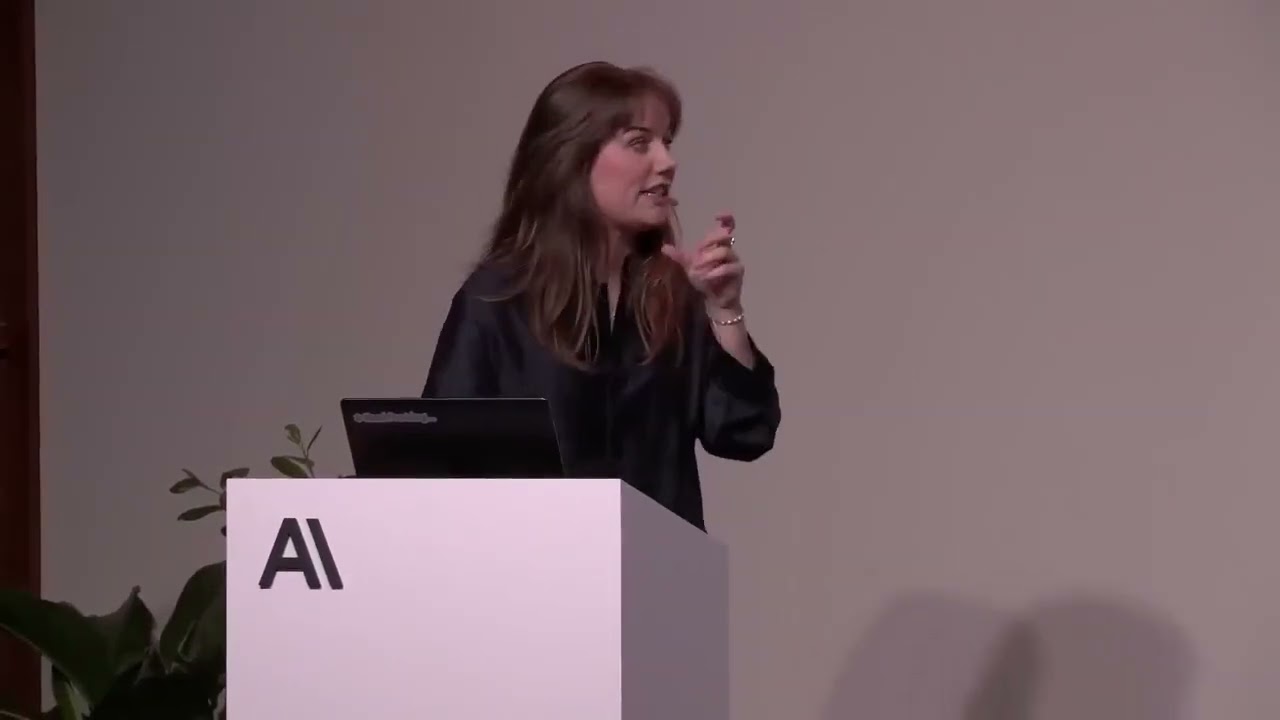
🎯 Two Scenarios & Why Evals Come First 0:00
The opening session reframes prompting as a debugging discipline, not a writing exercise. "We are rarely writing a prompt from scratch — we're often debugging an existing prompt." Margot frames the whole playbook around two scenarios every engineer hits: (1) maintaining a production prompt that's being migrated to a new model or architecture and has stopped working as well; and (2) building a brand-new agentic use case from zero to one.
The non-negotiable starting point for both is evaluations — "we need evaluations to provide that rigor, to understand whether a change to our prompt is actually correlating to an improvement." When you migrate models and performance drops, there are exactly two causes: either the new model is capable but behaving differently (fixable with prompting), or the new model is genuinely less capable (no amount of prompting will fix it). You can't tell which is which without an eval suite.
📋 The Meridian Mobile Test Suite 2:45
The worked example is a customer support bot for Meridian Mobile, a fictional telco — "a miniaturized example" representative of real prompts (no clear owner, multiple contributors, patches for old models mixed in, covering policy, tone, and process). The eval suite has just five test cases, but they're deliberately chosen to cover three key case types every suite needs:
| Case type | Purpose | Meridian example |
|---|---|---|
| Control case | Should always pass; unambiguous | "What's the data limit on the basic plan?" |
| Edge case | Where the model failed before; instructions prevent regression | Proration calculation (switching plans mid-month) |
| Handoff / refusal | Model knows the limits of its capabilities | Escalate billing errors to a human; don't withhold accessible info |
The first eval run is a sobering baseline: only the control case passes, and the other four areas perform "pretty poorly." The rest of the session is systematically fixing those failure modes, one at a time.
🧹 General Hygiene: Structure & Role 6:15
Before targeting specific failures, apply "general prompting 101" hygiene. The sample prompt is a realistic mess: it tells the bot it's a human (untrue), contains text copied from a website (a stray "hero image" reference and a cookies clause), and lumps reasoning, role, policy, and tone into one giant undifferentiated paragraph.
The cleanup is structural: add XML tags to separate role, general guidelines, policy, and tone of voice, and rewrite the role description honestly. Just this cleanup — no behavioral changes — measurably improves the prepaid-plan scenario. The rule of thumb Margot returns to constantly:
📄 Output Contracts & Stop Sequences 11:00
The second hygiene step is an output contract — defining the format the model must return. For a conversational support bot this is low-stakes, but "if you're dealing with more complex output structures like nested JSONs," it becomes critical. The demo adds an XML output format to the prompt, then reinforces it at the harness level with a stop sequence that detects the closing XML tag and stops generation there.
The lesson is that the prompt isn't always the most reliable place to enforce consistency — the harness can do it more deterministically. For genuinely complex schemas, the recommendation is structured outputs, which enforce the format programmatically rather than hoping the model respects an instruction. This step doesn't visibly move the eval score (it wasn't the failure), but it's a best practice you should apply regardless.
🚫 Failure Mode 1: Withholding Information 13:24
The first targeted fix is the "hotspot" case: a customer asks how much hotspot data they have on an unlimited plan. The customer data clearly contains the answer (5 GB), but the model deflects — "since you're on a legacy plan, go check this yourself." Digging into the prompt reveals the culprit: an old instruction, "never give a customer the wrong plan details — instead point them to the URL," which reads exactly like a patch introduced for a previous, weaker model.
🔧 Failure Mode 2: Instructions Don't Add Capability 17:05
The proration case is the clearest single lesson of the whole session. The prompt already says "critical: always calculate prorated amounts correctly" — and the model still does sloppy mental math. The problem: "telling the model to do a good job isn't particularly helpful when we don't give the model the capability to actually do a good job."
The fix is to give the model a tool. Three steps: tell the model in the prompt to use a calculate_proration tool whenever it does calculations, define the tool schema in the API (what it does and when to use it), and implement the tool (the actual math). The eval flips to passing.
⚖️ Failure Mode 3: State Both Sides of the Trade-Off 20:00
The final failure is billing-error escalation. The model is supposed to escalate to a human, but instead it tries to diagnose the problem itself. The prompt says "avoid escalating unless absolutely necessary, as it costs ~$8 and counts against our fast-resolution metric" — which only gives the model one side of the story (the cost of escalating), so it over-fits to never escalating.
The fix is to give it both sides: escalating costs $8, but getting it wrong costs a refund and customer trust. The deeper point is about how models are evolving:
🏗️ Building From Scratch: The Scheduling Agent 23:00
The second scenario builds a new agent from zero: one that creates a week-long retail staff schedule for eight employees given availability and hard constraints. Because the rules are hard and checkable, the grader is a Python function that programmatically counts constraint violations — no LLM judge needed. This is the cleanest case for comparing approaches, because the eval is deterministic.
The hill-climb across model and prompt choices is the most instructive arc in the session:
| Approach | Result | Trade-off |
|---|---|---|
| Sonnet 4.6 + simple prompt | All cases fail | Baseline; burns tokens, doesn't check its work |
| Opus 4.7 + same prompt | Still fails, but far fewer violations | More reasoning = better, but not shippable |
| Opus 4.7 + adaptive thinking | Reliably passes | ~3× the tokens and latency |
| Sonnet 4.6 + better prompt ("check your work") | 2/5 pass; hits output limit | Cheaper model can't finish in the token budget |
| Generate-evaluate-repair loop | All pass, fewer tokens | Three simple prompts instead of one big one |
The headline finding: a bigger model with adaptive thinking works, but a structured agentic loop on a smaller model beats it on cost and latency while still passing everything.
🔁 The Generate-Evaluate-Repair Loop 29:29
The winning architecture splits one monster prompt into three simple prompts running independently: a generator that drafts the schedule, an evaluator that reports specific violations (with evidence for every rule — an LLM checker, not a programmatic one), and a repairer that makes targeted fixes from the violation list.
The key benefit beyond efficiency is flexibility: because the evaluator is a prompt, you can inject soft constraints at runtime — "Harry doesn't like working with Sally, try to separate them" or "we need a third shift on Wednesday" — without touching the Python grader every time. The closing synthesis of the whole prompting playbook: general hygiene gives immediate uplift, evals make every change measurable, and isolating steps into separate prompt systems beats "one prompt to address everything."
🧠 CLAUDE.md, Permissions & Context 33:17
The Claude Code session opens with a framing that recurs all day: Claude Code is an agent — it has tools and lightweight instructions but "doesn't really have memory." The primary way to share state across sessions and teammates is the CLAUDE.md file, which is plopped into context whenever Claude starts in a directory. You can put it in a project (checked in, shared), in your home directory (always-on), and it holds things like how to run tests, the project layout, and style guides.
Three more mechanics round out the basics. Permission management: reads are auto-allowed, but writes and bash commands trigger a confirm UI — and you can speed this up with auto-accept mode (Shift-Tab) or by always-approving specific commands. Integration: prefer well-documented CLI tools (like gh) over MCP servers when both exist. Context management: when the 200k-token window fills up, you have /clear (start over, CLAUDE.md survives) or /compact (insert a "summarize everything for the next developer" message that seeds the next session).
⚡ Efficient Workflows & Advanced Techniques 38:00
The workflow advice is a version of "smart vibe coding": instead of asking Claude to "fix this bug," ask it to search, diagnose, and give you a plan first so you can verify before it acts. Watch the to-do list it builds and hit escape the moment it goes off-path. Use TDD, small changes with tests passing each step, TypeScript/lint checks, and commit regularly so you can roll back.
The session closes with what's new: /model and /config to check and switch models, thinking between tool calls (the models now think mid-task, visible as lighter gray text), and VS Code/JetBrains integrations. The one habit he insists on: check the Claude Code changelog once a week, "because even I can't keep up with it."
🏭 The StockPilot Problem 48:41
This workshop simulates the most common failure pattern Anthropic sees: an agent that worked great, then grew through repeated "add one more capability" requests until it degraded. The example is StockPilot, an inventory-management agent for a midsize retailer that flags low stock, forecasts demand, picks suppliers, files POs, and writes weekly reports. None of its capabilities are complex on their own — the problem is that they were bolted on without modernizing the architecture.
The "before" state is the anti-pattern in full: a single orchestrator with a ~400-line system prompt, 12 tools, and 3 sub-agents (forecasting, report writing, and one more) wrapped as tools with isolated context windows. The eval suite — 12 tasks across 5 grader types, split into regression (R, single-turn) and failure-mode (F, multi-turn) tasks, graded both deterministically (turn count, latency, tokens) and with an LLM judge (tone, style, quality) — comes back at 83%, then 62% on the live run. In manufacturing, "17% failure is a really expensive failure percentage."
📦 Skills: Progressive Disclosure 1:09:00
The first fix attacks the 400-line system prompt directly. The definition Will likes: "skills are packaged, composable information that Claude can pull into context whenever it realizes it needs that information to complete a task." The distinction is clean — and it's the whole point:
Applied to StockPilot, the 400-line prompt becomes ~50 lines, with forecasting, reporting, and supplier-selection logic moved into skills that activate on demand. This is the same "progressive disclosure" idea the agent world has converged on — it keeps context lean and the model focused.
🧰 Primitive Tools Over Custom Tools 1:13:00
The second fix is a philosophy about tools that recurs throughout Anthropic's talks: "when we build agents, we lean into the same primitives we as humans have access to." When you show up to work you can navigate files, search the web, and write/execute code — so Claude Code gives Claude those exact primitives, and you should start there and remove tools rather than build bespoke ones for everything.
For StockPilot, most of the 12 custom tools (one per data-retrieval task, one per analysis task) get replaced by bash, read, and write. The canonical example: instead of uploading a whole CSV into context, give Claude a bash tool to write a Python script, run it, and reason over the results. The measured effect is dramatic — over 200k tokens per task dropping sharply, with cost and execution time following. And on Claude Managed Agents, these primitives are included by default, so you get them without writing them.
🤝 Sub-Agents: Callable Agents & When to Use Them 1:23:00
The third decision is when to keep a sub-agent. Will's heuristic is two cases: (1) throw a lot of Claude at a problem — parallelize deep research or codebase exploration across many minds; and (2) a fresh mind — you don't want the same instance that writes code to review it, so a separate context-free reviewer is ideal.
For StockPilot, the forecasting sub-agent is kept (forecasting should stay isolated from the customer-facing context), but the others are scrapped and replaced by primitive tools. Critically, instead of exposing the sub-agent as a tool (the old way), they use Claude Managed Agents' native "callable agents" — which adds observability and metrics for sub-agents as accurate as the main orchestrator, solving the two classic problems: orchestrator↔sub-agent communication breakdowns and hard-to-collect logs. The closing insight: as frontier models get smarter, "you just don't need as many sub-agents" — customers are increasingly consuming capability into the main agent.
📈 The Result: From 62% to 92% 1:29:00
The before/after is the cleanest summary of the whole decomposition workshop:
| Dimension | Before | After |
|---|---|---|
| System prompt | ~400 lines | ~15 lines |
| Tools | 12 (incl. 3 sub-agent wrappers) | 3 (bash, read, write) + callable forecasting agent |
| Business logic | Stuffed into the prompt | Packaged as skills (progressive disclosure) |
| Infrastructure | Hand-rolled messages-API loop | Claude Managed Agents (offload scaling/security) |
| Eval score | 62% (83% baseline) | ~92% |
| Tokens / cost / time | 200k+ tokens per task | Sharply down (code execution) |
The takeaway he leaves the room with: start with a single agent loop equipped with simple primitives, use skills for progressive disclosure, and lean on hill climbing with evals — updating your evals as your product capability expands, "so that you can actually make sure your agent is accomplishing the thing that you set out to accomplish."
🖥️ HTML Files & the Bitter Lesson 1:33:17
Arno, an architect on the applied-AI team, opens the "How We Claude Code" session with the thesis he says is reshaping how the team works: as models get more capable, "you should resist constraining them." He grounds it in Richard Sutton's Bitter Lesson — hard-coding human knowledge up front loses to pouring in more data and compute — and extends it to prompting: "the model is probably better at extracting requirements from you than you are at defining your requirements."
The concrete change follows from a colleague's blog post, "The Unreasonable Effectiveness of HTML Files". Markdown was "the lingua franca of the AI-native SDLC," but long markdown specs — over ~200 lines — no one actually reads. The move is to HTML files, which are far more information-dense and ergonomic: you can visually explore a spec, screenshot it, and give Claude far richer feedback than a wall of text.
🗣️ Let Claude Interview You & Plan Mode 1:39:00
The practical technique is to let Claude interview you. Bad prompting is "just make it better" — a vague demand. Good prompting gives Claude the domains to probe (audience, constraints, secondary audiences) and explicitly instructs it to use the AskUserQuestion tool, which triggers an interactive Q&A where Claude extracts requirements turn by turn. "You know what you want when you see it, but Claude is likely better at extracting it than you are at specifying it."
The session also emphasizes the mode and effort settings: use auto mode (it makes everything easier), set the effort parameter (his recommendation is extra-high), and use plan mode when you want Claude to propose what it will do before writing code — giving you a checkpoint to change direction or feed in design standards (e.g. via a Figma MCP server). The demo runs a bill-splitting app through the interview → spec → four generated HTML design directions (brutalist, "Tokyo fintech", etc.) so the human can pick an aesthetic instead of describing one.
✅ Verification Built Into the Artifact 1:46:00
The most forward-looking part of the session is making verification native to the artifact itself, so an agent can drive it. The demo is a React to-do app built with Storybook fixtures, a testing library, and data attributes, structured as schemas + fixtures (known states) + invariants (properties that must always hold) + probes. The key move: the component publishes its state to the DOM separately from React internals — so an agent reads a DOM "data contract" rather than scraping, and can run verification independently of app state.
Verification runs on three surfaces that map to each other:
| Surface | How | Purpose |
|---|---|---|
| Human-readable | Dashboard with schemas/invariants you run individually | Understand what's verified |
| Agent-driven | Playwright MCP; Claude runs the verification from the browser | Claude diagnoses failures itself |
| Headless | bun verify in CI | The same steps run unattended |
The demo deliberately plants a failing invariant (3 + 4 ≠ 10) so both the human dashboard and the agent catch it — then breaks a DOM contract without breaking the app to show the agent can "verify the contract, not just the tests." The end state is recording verification as evidence (clips stored on S3, shared with colleagues) — "the Cloud Code team records basically all their front-end changes like this" — so verification is generated by agents with fewer human touchpoints each cycle.
☁️ Claude on Google Cloud, Five Personas 2:03:30
Ivan Ardini (Google Cloud developer advocate) runs the same idea through a full product lifecycle, wearing five hats — PM, UI/UX, software engineer, security engineer, and growth/data analyst — to build and deploy a live feedback app end-to-end. Setup is the point: Claude Code on Google Cloud uses application default credentials (no API key to rotate), pays per token (no message cap), and can reserve provisioned throughput for production.
| Persona | What Claude does | Key tooling |
|---|---|---|
| PM | Turns a napkin sketch into a wireframe | CLAUDE.md, vision (image → prototype) |
| UI/UX | Builds production pages from the wireframe | Plan mode + Figma design docs |
| Software engineer | Designs + implements the cloud-native backend | Developer Knowledge API + MCP server, Google Cloud skills, parallel sub-agents |
| Security engineer | Runs a security review, fixes issues, deploys | Pre-built security-review skill, service-account scoping |
| Growth/data | Analyzes feedback, builds dashboards | BigQuery MCP, Looker MCP toolbox |
The stack is Cloud Run (serverless) + Firestore + BigQuery + Looker, and the headline is that the engineer doesn't need to know GCP: the developer-knowledge MCP server serves fresh docs so Claude can pick the right architecture, Google Cloud skills cover the individual building blocks, and three parallel sub-agents (API, ingestion, dashboard) build the components like a sprint team. The app is live at the end, collecting real feedback from the room.
⏰ Routines: Proactive Agents 2:29:24
Maya frames the problem sharply: "coding agents shouldn't wait for you to press enter." Today Claude Code is a powerful tool; the goal is a teammate that notices when something breaks and acts. Building proactive agents today means solving three painful problems — where to run them (hosting/persistence/auth), when to trigger them (cron/endpoints), and how to keep a human in the loop when you can't see what a headless session is doing.
Routines is the answer: an automation where you define a prompt, the repos and connectors it can use, and a trigger — Claude Code handles the rest. Three design principles: routines run on managed infrastructure (nothing depends on your laptop), they trigger on schedules, GitHub events, or your own webhooks, and every session is interactive and steerable from web/CLI/desktop as if you'd launched it yourself.
Every routine is really three decisions, and the internal example makes them concrete — a docs engineer drowning under a 200% increase in weekly PRs sets up a routine that reviews merged changes against the docs repo weekly and opens a PR. The framework:
| Decision | Question | Example |
|---|---|---|
| Trigger | When should it run? | Schedule (weekly) or event (issue opened, PR merged, deploy posted) |
| Context | What does it need? | Source + docs repos, Drive connector, Slack connector — "context is the ceiling of success" |
| Steerability | How do you keep it honest? | Agent-on-agent review (one routine creates, another critiques), live steering, verify outputs |
Suggested use cases — a deploy verifier (post-deploy health check → go/no-go rollback), an on-call investigator, and a PM backlog prioritizer — all reduce to the same pattern. The closing line: "proactive agents beat reactive agents."
🧠 Memory Stores & Dreaming: Agents That Remember 2:50:56
Kevin's session addresses the isolation problem: agents are stateless across sessions — tell one session something, and the next has no idea. The demo proves it (write-then-recall test returns "I don't have access to that"), then introduces memory stores: a persistent, file-system-like store attached to sessions, giving agents read/write access across them. The design choice matters — it's mounted as a file system so the model can use bash, grep, and file reads the way it already works.
But memory stores "grow unbounded, disorganized, and stale" — which is where dreaming comes in. A dream is an asynchronous job: a multi-agent harness (one sub-agent per input session, an orchestrator on top) that reads your transcripts and the memory store, then fact-checks, enriches (dates, identifiers), organizes, consolidates, and deduplicates — producing an index file so future agents can grep a compact index instead of the whole store. It's non-destructive: it clones the input store and writes to an output store you can review and adopt (or retire the old one).
🔄 The Shift: Bottlenecks Have Moved 3:19:00
The closing talk is a team-leadership retrospective on how the Claude Code team rewrote its norms as the bottleneck moved. The thesis, repeated like a mantra: "what served you prior may not serve you any longer." For years, engineering bandwidth was the expensive thing — hence waterfall, then agile, then design docs before every code change. Now coding throughput is no longer the bottleneck, and the expensive things have moved to verification, review, cross-functional partners, and security.
| Norm | Old behavior | New behavior |
|---|---|---|
| Planning | Six-month roadmaps, design docs | "JIT planning" — prototype, discuss in PRs, less design docs |
| Technical debates | Whiteboard + argue | "Code wins" — generate the 3 options as PRs and debate real impact |
| Code review | Human reviews everything | Claude does style/lint/tests/bug-catching; human keeps legal, security, product taste |
| Team makeup | Roles siloed | Roles blurring — PMs ship code, engineers do content design |
| Org shape | 10 ICs : 1 manager, deep nesting | Flat, managers start as ICs, heavy dogfooding |
| Knowledge sharing | Docs drift from code | Codebase is the source of truth; Claude answers from it |
On rollout, the split is: mandate the must-dos (every team member uses Claude Code, "Claudify everything you can," explicit permission to kill processes) but leave pods room to adapt (triage, standups, on-call, which workflows to automate first). The three metrics he watches: onboarding ramp time down, PR cycle time down, Claude-assisted commits up — with the caveat that throughput alone is the wrong end goal; quality and reliability matter more than "% of code AI-generated." The closing story — canceling a 50-person weekly review after one "why are we having this?" — is the whole lesson in miniature: pick your noisiest workflow and ask if it still serves you.
💡 Key Takeaways
- Evals come before everything. Hill climbing — run, target one failure mode, fix, rerun — is the only way to know a prompt change is an improvement.
- Structure is semantics. "If you can't tell guidelines from policy from data, the model can't either." XML tags and honest role descriptions aren't cosmetic.
- Instructions don't add capability. Telling the model to "calculate correctly" is useless; give it a tool to do the calculation.
- State both sides of every trade-off. Smarter models make better trade-offs when you give them the full cost/benefit, not a hard-coded rule.
- Remove redundant patches. Defensive instructions written for older models get over-fitted; version-control them so you can backtrack.
- Prefer a generate-evaluate-repair loop on a smaller model over one giant prompt — and inject soft constraints at runtime.
- Skills are progressive disclosure. System prompt = always-needed; skills = sometimes-needed. A 400-line prompt becomes 15.
- Start with human-like primitives, not custom tools. Code execution over "upload the CSV into context" — and don't run to MCP first.
- Sub-agents have two jobs: parallelize a big problem, or provide a fresh reviewing mind. Use callable agents for observability.
- Verification belongs in the artifact. Publish state to the DOM, define schemas/fixtures/invariants/probes, and let the agent verify and record.
- Proactive beats reactive; persistent beats isolated. Routines turn Claude into a teammate; memory stores + dreaming give it continuity.
- Bottlenecks have moved. When coding stops being the expensive part, verification and review become it — rewrite the team norms, not just the code.
🔗 Resources & Links
This is a re-upload of Anthropic's Code with Claude London conference sessions. The description contains no external links; references mentioned on stage that are worth tracking down:
- 📰 "The Unreasonable Effectiveness of HTML Files" — the Anthropic blog post (by "TK") that motivated the HTML-over-markdown workflow
- 📄 "The Bitter Lesson" — Richard Sutton's essay, cited as the intellectual foundation for "resist constraining the models"
- 🧰 Claude Code — the
anthropics/claude-codeGitHub repo (changelog + issue tracker referenced on stage) - 📚 Claude engineering blog — Anthropic's engineering-blog posts on harnesses and long-running agents
Source video: youtube.com/watch?v=QRlkSPF87jQ — re-uploaded by the A.D. Philip channel.