Overview
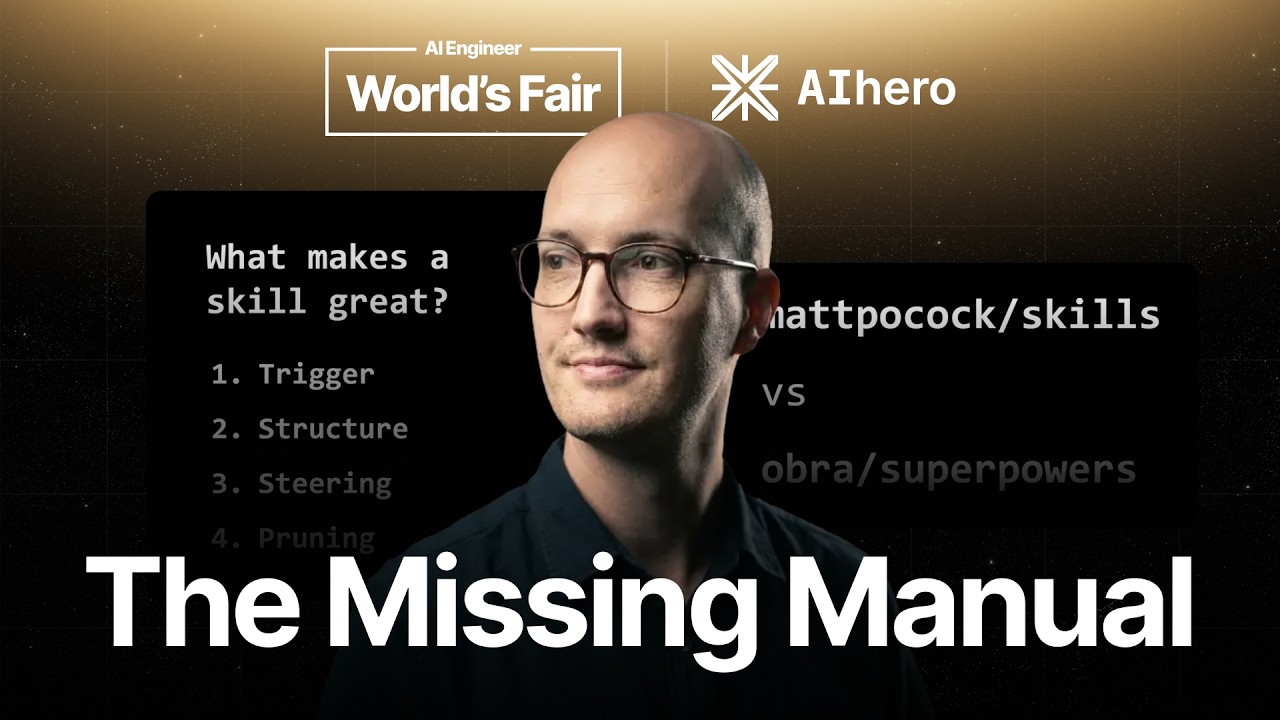
Matt Pocock — creator of one of the most popular open-source skill repositories — presents a structured framework for escaping "skill hell." The talk introduces a four-part checklist (Trigger → Structure → Steering → Pruning) that gives developers and organizations a shared rubric for evaluating and building high-quality agent skills. Every technique is immediately actionable via Matt's new writing-great-skills skill in his public repo.
1 Skill Hell — The Problem
Matt opens with a brief history of developer "hells" — tutorial hell (cyclic learning without real output), framework hell (JavaScript frameworks launching every ten minutes), and now skill hell: an overwhelming supply of freely available skills with no way to distinguish good from bad.
Skill hell manifests at two levels:
- Individual developers — they download dozens of skills, try everything at once, but can't piece them together into a coherent workflow. The results never match the skill's promise.
- Organizations — they have operating procedures they want to convert into agent-executable skills, but have no understanding of what makes a skill effective. Without that, the entire bounty of agent automation stays out of reach.
Matt acknowledges his own role: his mattpocock/skills repo is one of the most popular engineering skill sets, which gives him both responsibility and motivation to help users escape skill hell.
2 The Skill Checklist Framework
The core thesis: what's missing is a shared rubric for evaluating skills. Without it, developers can't look at a skill and systematically identify what's good and what's bad. Matt introduces a four-part checklist:
- Trigger — how the skill is invoked, and the design decisions around invocation mode
- Structure — the internal composition and layout of the skill
- Steering — techniques for getting the agent to actually do what the skill intends
- Pruning — making the skill as small and focused as possible by removing dead weight
All four areas are encoded into a new skill called writing-great-skills in Matt's repo, so developers can immediately apply the checklist to their own skills or audit community-authored ones.
3 Trigger — User-Invoked vs Model-Invoked
Every skill has a trigger — the mechanism by which it's invoked. Matt identifies two fundamental invocation modes:
User-Invoked Skills
The user explicitly tells the agent to load the skill (e.g., via a slash command or direct instruction). The skill's description is not visible to the model — it only appears to the human user. The agent has no autonomous ability to discover or invoke it.
Model-Invoked Skills
The skill's description is placed in the agent's context as a context pointer. The model reads the description, decides the skill is relevant, and autonomously loads the full SKILL.md file. This makes the skill discoverable by the agent itself.
Matt uses his own codebase-design skill as an example of a model-invocable skill (description visible to the agent), and grill-me as a user-only skill (with disable_model_invocation: true, so the description only shows to the user).
4 Context Load vs Cognitive Load
The choice between invocation modes is a genuine engineering trade-off, not just a preference:
- Model-invoked skills increase context load — each skill adds a description to the agent's context window, costing tokens on every request and adding "another thing for the agent to think about." 100 model-invoked skills means 100 descriptions competing for attention in every prompt.
- User-invoked skills increase cognitive load — the human pilot needs to remember which skills exist, when to use them, and how to invoke them. The more user-invoked skills you have, the more skill you need as a pilot.
Model-invoked skills also carry a hidden cost: unpredictability. The model may choose not to follow a context pointer even when the skill is a perfect match. This forces developers into building evaluations (evals) to verify skills fire at the right time — a testing burden Matt considers "really nasty."
5 Matt Pocock Skills vs Superpowers
Matt uses the comparison between his own skills and the popular Superpowers skill set to illustrate the trade-off in practice:
- Superpowers is primarily model-invoked — it gives the agent superpowers by making skills autonomously discoverable. Higher context load on the agent, lower cognitive load on the user.
- Matt Pocock Skills are primarily user-invoked — Matt prefers full control. Lower context load on the agent, but higher cognitive load on the pilot who must deeply understand each skill to get maximum value.
Neither approach is objectively better. The key insight is that both have real costs, and you should make the trade-off deliberately rather than defaulting to "more flexible = better."
6 Structure — Steps and Reference
Matt decomposes the internal structure of a skill into two fundamental units:
- Steps — the step-by-step procedure the agent walks through. This is the "do this, then this" action sequence.
- Reference — supporting information that helps the agent execute the steps. Templates, definitions, examples, constraints.
Skills can be all-steps (simple procedures with no supporting material), all-reference (knowledge dumps with no procedure), or a mix of both. Thinking in these two units makes skill design much more tractable.
Example: the to-PRD Skill
Matt walks through his to-PRD (Product Requirements Document) skill as a concrete example:
- Step 1: Find relevant context in the current codebase
- Step 2: Confirm test seams with the user (human-in-the-loop checkpoint)
- Step 3: Write the PRD
Reference material supporting these steps:
- A definition of "what is a test seam" (for Step 2)
- A PRD markdown template (for Step 3)
7 Minimizing SKILL.md
Tip #3: Make the main SKILL.md as small as possible. Benefits of smaller skills:
- Easier to maintain — fewer words means fewer things to keep current
- Easier to audit — reviewers can quickly assess what a skill does
- Cheaper per invocation — every word shaved is a token saved across every request that loads the skill
The key technique: think about the skill's branches — the different ways the skill can be used. If reference material is only needed for one branch, it's a candidate for removal from the main SKILL.md.
Branch Analysis: to-PRD vs domain-modeling
to-PRD has one branch — it always creates a PRD, always needs the test seam definition and the PRD template. All reference stays in SKILL.md because it's needed every time.
domain-modeling has two or three branches — it might update a local glossary (context.md), create architectural decision records (ADRs), or do neither. The ADR template and context template are only needed on their respective branches, so they don't belong in the main SKILL.md.
8 Context Pointers & External References
When reference material belongs to only one branch, you move it into a separate file and leave a context pointer in the main SKILL.md. The pointer is just a short instruction: "if you need to update context.md, read templates/context-template.md."
Matt calls these external references — they're bundled with the skill (in the same folder) but only loaded by the agent when it enters that particular branch. This keeps the main SKILL.md lean while making the full reference material available on demand.
This is the same architectural principle as lazy loading in software: load only what you need, when you need it.
9 Steering — Leading Words
Steering is Matt's term for techniques that get the agent to actually do what the skill intends. The core technique: leading words (or "leitmotif" in literary theory terms).
Leading words are specific terms that pack dense meaning into a small token footprint. When placed in the skill text, the agent repeats them in its reasoning traces and output, which shapes its behavior toward what the leading word encodes.
The Mechanism
- You put a leading word in the skill text
- The agent echoes it in its thinking/reasoning tokens
- By re-emphasizing the word, the agent's behavior shifts toward the concept the word represents
- You can verify it's working by watching the reasoning traces for your leading word
Example: "Vertical Slice"
Problem: agents tend to code layer by layer (all database, then all schemas, then all endpoints, then all frontend) instead of building small end-to-end slices for fast feedback.
Naive fix: "Don't code layer by layer. Make a small slice first." — verbose, not very effective.
Leading word fix: use "vertical slice" — a well-established software development concept. The agent's training data includes extensive context on what vertical slicing means, so this two-word phrase triggers a rich behavioral prior. Repeat it consistently throughout the skill.
10 Increasing Leg Work Per Step
A second steering lever: when the agent doesn't put enough effort into a particular step, hide the future goal by splitting the skill into separate, sequential skills.
The Plan Mode Problem
Matt has tested "plan mode" across multiple implementations and found a consistent failure: the skill has two steps — (1) ask clarifying questions, (2) create a plan. The agent sees that its ultimate goal is creating the plan, so it rushes through clarifying questions with minimal effort and eagerly generates the plan.
The Fix: Skill Splitting
Matt's solution: split plan mode into two separate skills:
- grill-with-docs — only the clarifying-questions phase. The agent sees nothing about plan creation, so it invests fully in thorough questioning.
- to-PRD — invoked separately after grilling is complete. Now the agent focuses entirely on plan generation with all the clarifying context already gathered.
By hiding the future steps, the agent treats the current phase as the complete task, dramatically increasing thoroughness.
11 Pruning — Sediment, Crud, and No-Ops
The final checklist item: pruning skills down to their minimum effective size. Matt identifies three categories of bloat:
1. Duplication (DRY Violations)
Ensure every piece of reference material has a single source of truth. Don't repeat definitions, templates, or step descriptions across multiple locations — even across reference files. Duplication silently increases maintenance burden and can cause inconsistencies when one copy is updated but not others.
2. Sediment
When multiple contributors add to a shared skill file, they often add their own material without feeling "brave enough" to delete or modify what others wrote. The result: layers of accumulated content, often irrelevant or poorly structured. Fix sediment by:
- Analyzing the structure first — does the added content belong to all branches or just one?
- Moving branch-specific content behind context pointers
- Deleting content that's totally irrelevant or stale
3. No-Ops
Instructions that appear to do something but don't actually change the agent's behavior. These are especially common when agents write or edit skills themselves.
The test: what would happen if you deleted this paragraph? If the answer is "the agent would probably do the same thing anyway," it's a no-op. For example, telling an agent to "write a long, detailed commit message" is likely a no-op — the agent's default behavior already produces decent commit messages.
12 The Complete Checklist
Matt's full framework, summarized as a sequential checklist for evaluating or building any skill:
- Trigger — Is the skill user-invoked or model-invoked? Are you managing context load vs cognitive load correctly? Is the skill firing at the right times?
- Structure — Is the skill composed of clear steps and reference material? Are branch-specific references behind context pointers? Is the main SKILL.md as small as possible?
- Steering — Are you using leading words to encode desired behavior? Do those words appear in the agent's reasoning traces? Should any steps be split into separate skills to increase leg work?
- Pruning — Is there duplication? Sediment from multiple contributors? No-ops that don't actually change behavior? Apply the deletion test to every section.
All of this is encoded in the writing-great-skills skill, which developers can use to audit existing skills or write new ones from scratch.
🎯 Key Takeaways
🔑 Key Takeaways
- Skill hell is real — More skills ≠ better outcomes. Without a shared quality rubric, developers and orgs can't distinguish good skills from bad ones.
- Use the 4-part checklist — Trigger → Structure → Steering → Pruning. Apply it sequentially to any skill you write, audit, or download.
- Decide invocation mode deliberately — Model-invoked skills add context load (tokens + agent attention); user-invoked skills add cognitive load (human memory + expertise). Neither is strictly better.
- Model-invoked skills introduce unpredictability — The agent may ignore a perfect context pointer, forcing you to build evals. User-invoked skills eliminate this entire failure class.
- Decompose skills into steps + reference — These are the two fundamental units. Steps are procedures; reference is supporting material. Thinking in these units makes design tractable.
- Minimize SKILL.md via branch analysis — If reference material is only needed for one branch, move it behind a context pointer to an external file. Keep only always-needed content in the main file.
- Use leading words to steer agent behavior — Dense, well-known terms (like "vertical slice") pack meaning that the agent's training data reinforces. Watch reasoning traces to verify they're working.
- Split skills to increase leg work — When an agent rushes through Step 1 to reach Step 2, extract Step 1 into its own skill. Hiding the future goal forces full investment in the current phase.
- Apply the deletion test for no-ops — If removing a paragraph doesn't change agent behavior, it's consuming tokens for nothing. Delete it.
- Watch for sediment in collaborative skills — Multiple contributors accumulate layers of unrestructured content. Periodically restructure using branch analysis and external references.
🔗 Resources & Links
- writing-great-skills Skill — The skill that encodes Matt's entire checklist framework, ready to use in your agent
- mattpocock/skills — Matt's full open-source skills repository for AI coding agents