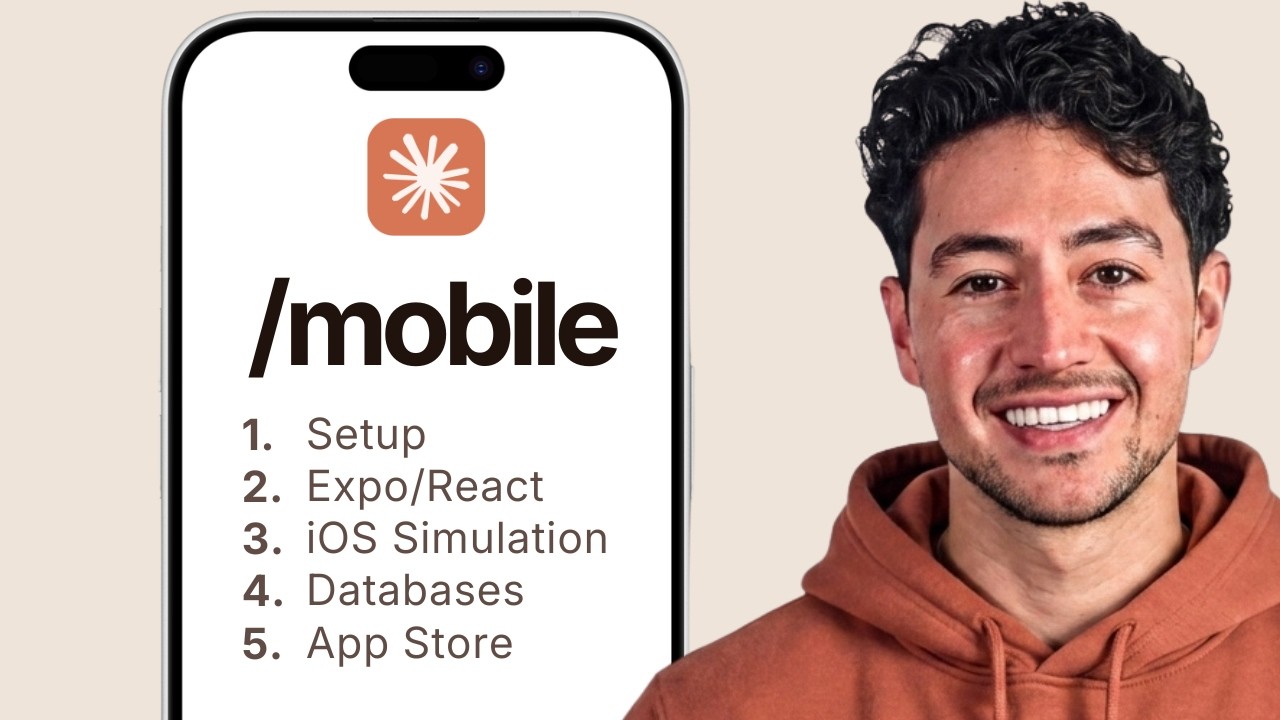
Nick kicks off the course with a live demo that immediately demonstrates the power of Claude Code for mobile development. In under 5 minutes, he builds a fully functional habit tracker app running on his iPhone via Expo Go.
- Onboarding flow — clean multi-step user welcome sequence generated entirely by Claude Code
- Habit creation — form with title, frequency, reminders, and category selection
- Daily tracking — tap-to-complete interface with satisfying animations
- Progress visualization — streak counters, completion charts, and weekly overview
- Polished animations — smooth transitions and micro-interactions that feel native
The key insight: you don't need to know Swift, Kotlin, or even React Native to build real mobile apps. Claude Code handles the implementation details — you just describe what you want.
Live Demo Expo Go Habit Tracker
Before writing any code, Nick explains why React Native + Expo is the ideal stack for AI-assisted mobile development, and why it wins over native Swift/Kotlin.
- Cross-platform from one codebase — write once, deploy to iOS and Android simultaneously
- React Native — JavaScript/TypeScript framework that renders truly native components (not webviews)
- Expo — managed workflow that abstracts away Xcode and Android Studio complexity
- Why not native? — two separate codebases, longer dev cycles, harder for AI to reason about platform-specific APIs
- Claude Code advantage — React/JS ecosystem has massive training data, making Claude Code extremely effective at generating mobile UI code
The architecture overview covers component trees, navigation stacks, state management patterns, and how data flows in a typical Expo app.
React Native Expo Architecture
Step-by-step walkthrough to get your development environment ready from scratch. Nick covers every tool needed to start building.
- Node.js — install via nvm, recommended version for Expo compatibility
- Expo CLI —
npx create-expo-appto scaffold the project with TypeScript template - Claude Code — install and configure with API key, set up project context via
CLAUDE.md - Expo Go app — install on phone for instant preview via QR code scanning
- VS Code setup — recommended extensions for React Native development
- First project creation — scaffold, run, and confirm hot-reload is working on device
Important tip: Nick recommends always creating a CLAUDE.md file at the project root that describes your tech stack, file structure conventions, and preferred libraries — this dramatically improves Claude Code's output quality.
Hands-on Node.js Expo CLI Claude Code
The first full app build of the course. A complete habit tracker using only local storage — no backend, no accounts, just a polished app that works offline.
- AsyncStorage — React Native's key-value storage for persisting habit data on-device
- Data modeling — designing the habit schema (name, frequency, streaks, history)
- Screen navigation — tab-based layout with Home, Add Habit, and Stats screens
- CRUD operations — create, read, update, delete habits with confirmation dialogs
- Streak tracking — logic for calculating consecutive completion days
- UI polish — custom components, color themes, completion animations
- No backend needed — entire app runs locally, perfect for MVP validation
This section demonstrates how to iteratively build with Claude Code: start with a basic prompt, review output, refine with follow-up prompts. Nick shows his exact prompts and the back-and-forth with Claude Code.
App Build AsyncStorage Offline-First App #1
A dedicated section on how to write effective prompts specifically for mobile UI development with Claude Code. This is the difference between getting generic output and production-quality code.
- Component-based thinking — break the UI into components before prompting (header, list item, modal, etc.)
- Specificity matters — "add a button" vs. "add a rounded blue CTA button with haptic feedback at the bottom of the screen"
- Reference-driven prompts — describe features by referencing well-known apps ("like the Instagram stories tray")
- Iterative refinement — start broad, then narrow down with follow-up prompts for animations, spacing, colors
- Error handling prompts — always ask Claude Code to add loading states, error boundaries, and empty states
- Platform-aware prompts — specify iOS/Android differences when needed (safe areas, navigation patterns)
Nick shares his personal prompt templates and explains why most beginners get mediocre results — they under-specify the visual design and skip interaction details.
Prompt Engineering Best Practices Mobile UI
The second app build levels up significantly by adding a real backend with Supabase. This transforms the habit tracker into a cloud-synced, AI-enhanced application.
- Supabase setup — creating a project, configuring database tables, setting up Row Level Security (RLS)
- Database schema — users, habits, completions, and analytics tables with proper relationships
- Real-time sync — habits sync across devices via Supabase real-time subscriptions
- AI integration — connecting to AI APIs for smart habit suggestions and motivational insights
- Data migration — moving from AsyncStorage to Supabase without losing existing user data
- API layer — clean service abstraction for all database operations
This section shows how Claude Code handles multi-file changes — updating the data layer, UI components, and navigation simultaneously when switching from local to cloud storage.
App Build Supabase AI-Powered App #2
Deep dive into implementing proper authentication — one of the trickiest parts of mobile development, made dramatically easier with Claude Code + Supabase Auth.
- Supabase Auth — email/password authentication with built-in email verification
- Sign up flow — registration form with validation, terms acceptance, and welcome onboarding
- Login flow — persistent sessions with secure token storage via
expo-secure-store - Session management — auto-refresh tokens, session expiry handling, background token renewal
- Auth context — React context provider wrapping the entire app for global auth state
- Protected routes — navigation guards that redirect unauthenticated users to login
- Password reset — deep-link-based reset flow that works across mobile and web
Security Supabase Auth Session Mgmt
Comprehensive coverage of connecting mobile apps to external APIs — REST endpoints, data fetching patterns, and robust error handling.
- Fetch API & Axios — when to use each, configuring base URLs and interceptors
- Data fetching patterns — SWR-like caching, optimistic updates, pull-to-refresh
- Error handling — network errors, timeout handling, retry logic with exponential backoff
- Loading states — skeleton screens, spinners, and shimmer effects for better UX
- Offline support — queue mutations when offline, sync when connectivity returns
- Rate limiting — respecting API limits, implementing client-side throttling
- Type safety — TypeScript interfaces for API responses, runtime validation
Nick demonstrates how to prompt Claude Code to generate a complete API service layer with proper TypeScript types, error handling, and caching — all from a single well-crafted prompt.
REST APIs Error Handling Offline Support
The capstone project: a fully production-ready Pomodoro timer app that combines every technique from the course into one polished application.
- Timer engine — precise countdown with background execution and notification alerts
- Work/break cycles — configurable Pomodoro durations with long break intervals
- Push notifications — Expo Notifications for timer completion alerts even when app is backgrounded
- Analytics dashboard — daily/weekly/monthly focus time charts with trend analysis
- Supabase integration — cloud sync of all sessions, leaderboards, and social features
- Custom themes — multiple color schemes and timer face designs
- Haptic feedback — tactile responses on timer start, pause, and completion
- Accessibility — VoiceOver/TalkBack support, dynamic text sizing
This app is built to be App Store-ready, including proper app icons, splash screens, and metadata. Nick shows the complete journey from npx create-expo-app to a downloadable IPA/APK.
App Build Production Notifications App #3
The moment of truth — taking your app from development to live on the App Store and Google Play. Nick walks through the entire submission process.
- EAS Build — Expo Application Services for cloud-based iOS and Android builds
- App signing — managing certificates (iOS) and keystores (Android) via EAS
- App Store Connect — creating the listing, screenshots, descriptions, keywords
- Google Play Console — store listing, content rating questionnaire, pricing
- Review guidelines — common rejection reasons and how to avoid them
- OTA updates — using EAS Update for instant JavaScript updates without resubmission
- TestFlight / Internal Testing — beta distribution before public launch
Pro tip: Nick suggests using Claude Code to generate your App Store description and keyword list — it's surprisingly good at ASO (App Store Optimization).
Deployment EAS Build App Store Google Play
Battle-tested advice for keeping your app fast, stable, and maintainable in production. Nick shares lessons from his own apps generating $300K/month.
- Performance profiling — React Native performance monitor, identifying unnecessary re-renders
- List optimization —
FlatListtuning, virtualization,getItemLayoutfor fixed-height items - Image optimization — caching strategies, progressive loading, proper resizing
- Bundle size — tree-shaking, lazy loading screens, analyzing bundle with
expo-updates - Crash reporting — Sentry integration for real-time error tracking
- Common pitfalls — memory leaks from subscriptions, unhandled promise rejections, keyboard avoiding view issues
- Debugging — React DevTools, Flipper, network inspector, Expo debugging tools
Performance Debugging Optimization
Nick summarizes the entire course and lays out a roadmap for continued learning and building with Claude Code.
- Course recap — 3 complete apps built (Habit Tracker, AI Tracker, Pomodoro Timer), covering local storage to full production
- What to build next — app ideas that leverage the skills learned: social apps, marketplace apps, productivity tools
- Monetization — in-app purchases, subscriptions via RevenueCat, ad integration
- Resources — Expo docs, React Native community, Claude Code best practices
- Nick's business model — how he built a $300K/month business using Claude Code to rapidly prototype and ship mobile apps
- Community — Discord, GitHub repos, and where to get help
Summary Next Steps Resources
✅ Key Takeaways
- No prior mobile experience needed — Claude Code bridges the knowledge gap between "I have an idea" and a working app on your phone
- React Native + Expo is the optimal stack — one codebase, both platforms, massive ecosystem that Claude Code excels at generating
- Start with local storage, add backend later — AsyncStorage for MVPs, Supabase when you need auth and sync
- Prompt specificity is everything — component-level prompts with visual details produce dramatically better results than vague requests
- CLAUDE.md is your secret weapon — project context files make Claude Code output consistent and project-aware
- Authentication doesn't have to be hard — Supabase Auth + Claude Code generates complete auth flows in minutes
- Ship to the App Store with EAS — Expo Application Services handles the complex build and signing process
- OTA updates save time — push JavaScript updates instantly without going through app review again
- Production readiness requires polish — error handling, loading states, offline support, and accessibility make the difference
- $300K/month is achievable — Nick built a real business rapidly shipping mobile apps with Claude Code, proving the approach works at scale