Overview
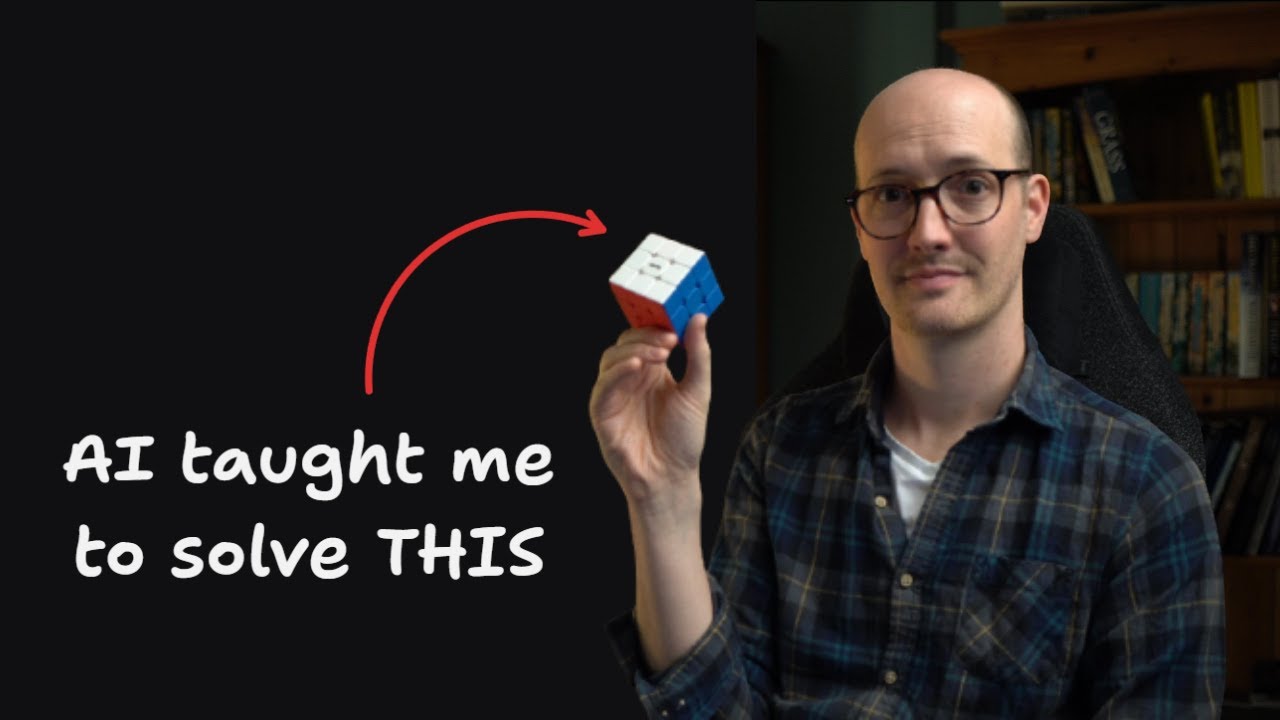
Matt Pocock — a developer educator with 10 years of teaching experience (6 as a voice coach, 4 teaching developers) — introduces his /teach skill: a stateful AI skill that transforms a coding agent into a personalized tutor. The skill creates structured HTML lessons, tracks learning progress across sessions, adapts to the learner's zone of proximal development, and builds reference materials like glossaries and cheat sheets. Matt demonstrates it by learning to solve a Rubik's cube, and explores broader implications for developer onboarding and the unique position developers hold as "AI first movers."
1 Teaching Meets AI
Matt opens with his background: 10 years of teaching experience — 6 years as a professional voice coach and 4 years teaching developers. This isn't a developer dabbling in education; it's an educator who understands learning theory applying it to AI tooling.
The core idea: "Wouldn't it be great if I could take everything I know about teaching and put it inside a skill so that anyone could learn anything?" During a long bus ride to London, he wrote the /teach skill and tested it by learning to solve a Rubik's cube — something he'd always wanted to learn but never had the motivation to tackle through traditional resources.
2 Stateful vs Stateless Skills
Matt introduces a fundamental skill design concept that's critical for anyone building AI agent skills:
- Stateless skills — don't retain any state from previous runs. No memory, no saved files. Each invocation starts fresh. Example:
/grill-me— it just quizzes you about a topic until you're ready to implement. - Stateful skills — save things to the local file system or MCP servers. They keep notes and pick up where they left off. Example:
/grill-with-docs— saves ADRs (Architectural Decision Records) and glossaries to the repo, getting better over time.
Matt initially considered making /teach stateless — just find resources and output a lesson. But he realized that all the good teaching he does is stateful: a real teacher remembers where you are, knows what you've learned, knows what comes next, and draws on a library of resources from previous teaching sessions.
3 Installation & Setup
The installation process is straightforward:
- Go to Matt's skills repo (
mattpocock/skillson GitHub) - Run the
skills.shinstaller from the Quick Start section - Choose the
teachskill during installation - Navigate to an empty directory (this becomes your learning workspace)
- Run
/teachinside your coding agent (e.g., Claude Code) with what you want to learn
Matt's example: he created a "Rubik's cube" directory and ran /teach me how to solve a Rubik's cube. Over his learning journey, the skill populated the directory with multiple files — mission statements, resources, lessons, glossaries, cheat sheets, and learning records.
4 Mission & Resources
The first thing the skill creates is a mission statement. Matt believes that for teaching to be effective, you need to understand why a student wants to learn something. The mission for his Rubik's cube journey:
Next, the skill searches the web for high-quality, high-trust primary source resources. These become the foundation for generating lessons. The resource list is created on the first pass and continuously updated as the learning journey progresses — the agent discovers and adds new resources as needed.
5 Interactive HTML Lessons
Lessons are stored in a lessons/ folder as individually numbered HTML files. Matt made a deliberate choice here: HTML over Markdown.
"HTML is just so much richer than markdown. It allows it to be so much more expressive, so much more interactive."
Each lesson includes:
- Diagrams — visual representations of concepts (e.g., Rubik's cube anatomy)
- Simple explainers — just what you need to know at that moment, nothing more
- Call-outs — highlighted warnings and tips
- Quizzes — feedback loops to test understanding
- Skill exercises — encouraging actual practice, not just knowledge consumption
- Interactive elements — tappable step-by-step guided walkthroughs (e.g., tap through each move of a Rubik's cube algorithm with a "guided mode" toggle)
Matt's first lesson covered "Anatomy, Notation, and the White Cross" — giving notation systems, common traps, and a first hands-on skill to practice.
The skill also distinguishes between knowledge (what you need to know) and skills (what you need to practice) — and the lessons are explicitly designed to develop both.
6 Reference Materials
Beyond lessons, the skill generates several types of reference material:
- Glossary — domain-specific jargon is collected as you learn. For the Rubik's cube: anatomy terms, notation, solving grip, "the daisy," etc. This is especially valuable for coding language learning where terminology is dense. It also makes future lessons more concise since they can reference glossary terms instead of re-explaining.
- Cheat sheets / Solve cards — a single-page reference for the complete process. Matt's solve card had the entire Rubik's cube solution in one place.
- Community pointers — the skill finds communities where you can ask questions, because "you can develop knowledge and skills here, but the only way you're going to develop wisdom is actually interacting with a community, testing your ideas in the real world."
- Learning records — simple records the agent creates when you report progress, allowing it to track how you're doing and tailor the next lesson accordingly.
- Notes.md — internal note-taking for the agent itself. Preferences, watch-outs, and anything the agent needs to remember about the learner.
7 Session Continuity
Because the skill is stateful, each session picks up exactly where you left off. Matt demonstrates this by starting a new session:
"Teach — I can basically complete the Rubik's cube now except for the corner cycle which I've still not quite got into memory."
What happens next is revealing about the architecture:
- The agent starts with an empty context (new session)
- It reads the teaching workspace — solve cards, learning records, previous lessons
- It produces a diagnosis: "The concept is solid for the corner cycle, but it hasn't reached muscle memory"
- It looks at existing lessons to match the house style
- It creates a targeted lesson specifically for the learner's current struggle
Because everything is saved to the filesystem, you can clear the conversation and every time you run /teach again, it has all the context it needs.
8 Zone of Proximal Development
The pedagogical backbone of the skill is Vygotsky's Zone of Proximal Development (ZPD) — a key teaching concept that Matt describes himself as "obsessed with."
The ZPD is the sweet spot where a learner is perfectly challenged but not intimidated. Every lesson must be:
- Concise — no overwhelming information dumps
- Compact — focused on one concept or skill at a time
- Exactly framed at the learner's current level
Too easy = boredom. Too hard = frustration. The skill constantly calibrates by reading learning records, prior lessons, and the learner's self-reported progress.
In the corner cycle lesson, the agent applied ZPD by breaking the algorithm into a memorable mental model: "One four-move phrase played twice" — and created an interactive tap-through of each move with a guided mode toggle. Matt was running Opus 4.8 with medium effort for this.
9 Skill Architecture
Matt walks through the skill definition itself, which he describes as "really quite simple, although it is one of the longer skills I've put together." The key architectural elements:
Core Instruction
"The user has asked you to teach them something. This is a stateful request. They intend to learn the topic over multiple sessions."
Teaching Workspace Shape
The skill defines the expected file structure — mission, resources, lessons directory, glossary, cheat sheets, learning records, and notes.
Philosophy Section
Matt defines three categories of learning the AI should think in terms of:
- Knowledge — from high-quality, high-trust resources. The factual foundation.
- Skills — highly relevant, interactive lessons that develop actual abilities. Different from knowledge — you can know how a bike works without being able to ride one.
- Wisdom — comes from interacting with other learners and practitioners. When the learner asks a question requiring wisdom, the default posture is to "attempt to answer but ultimately delegate to a community."
Supporting Documents
The skill includes templates for learning record format, mission format, and resources format — ensuring consistent structure across all learning journeys.
10 Beyond Coding — Use Cases
Matt outlines two major categories of use cases:
Engineering & Onboarding
The skill could transform developer onboarding. Traditional documentation has two problems: keeping it up to date is painful, and the documentation is probably outside the new hire's zone of proximal development. A new team member might already know the stack but need the problem domain, or know the domain but not TypeScript.
With /teach, you start them in their own workspace pointed at the codebase, and they independently learn the concepts — producing a productive employee in record time.
Personal Learning
Matt's own plans: side projects, having fun, learning things he wouldn't have tackled before. Beyond the Rubik's cube, he mentions digging out chess material to learn openings, and teaching himself vocal harmonies — a skill he's always wanted but never developed.
11 Developers as AI First Movers
Matt closes with a broader philosophical observation about developers in the AI era:
"We the developer community are the first people to really experience what AI can do on something that it's really good at."
His reasoning:
- AI is currently better at writing code than almost anything else
- Developers have the unique advantage of being the first to test AI on a domain where it genuinely excels
- This makes developers first movers — they can take ideas developed in coding contexts and bring them to the wider world
- The
/teachskill is the first phase of that vision: taking skill design concepts from coding agents and applying them to universal learning
✦ Key Takeaways
🔑 Key Takeaways
- Stateful skills retain context across sessions — the teach skill saves missions, lessons, learning records, glossaries, and notes to the filesystem, enabling a persistent learning relationship.
- Zone of Proximal Development drives lesson design — every lesson is calibrated to challenge the learner without overwhelming them, using ZPD as the core pedagogical framework.
- HTML beats Markdown for teaching — lessons are individual HTML files, enabling interactive elements like tap-through guides, quizzes, diagrams, and styled call-outs that Markdown cannot offer.
- Three categories of learning: knowledge, skills, wisdom — knowledge from primary sources, skills from interactive practice, wisdom from community engagement. The skill explicitly delegates wisdom-level questions to human communities.
- Mission-first learning — the skill starts by understanding why the learner wants to learn, creating a focused mission statement that guides all subsequent lesson design.
- Web-sourced resources form the foundation — the agent searches for high-trust primary sources on the first pass and continuously updates its resource library as the journey progresses.
- Learning records enable personalization — simple progress records let the agent tailor future lessons to the learner's reported struggles and achievements.
- Glossaries make future lessons more concise — domain jargon is collected into a glossary, so later lessons can reference terms without re-explaining them.
- The skill has engineering applications — developer onboarding could be transformed by personalized, ZPD-aware learning paths that adapt to each new hire's existing knowledge.
- Developers are AI first movers — because AI excels at code, developers are the first profession to deeply experience AI's capabilities and can export these patterns to other domains.
🔗 Resources & Links
- mattpocock/skills — Matt Pocock's skills repository containing the /teach skill and others (grill-me, grill-with-docs, etc.)
- Teach Skill Details — Learn more about the /teach skill on AI Hero