📋 Overview
Matt Pocock demonstrates a dead-simple trick to make Claude Code (and any AI coding agent) dramatically more concise: a single line in your global claude.md config file. Instead of getting mini-essays when you ask a debug question, you get terse, scannable, actionable summaries. Same understanding under the hood — better output format.
- Creator
- Matt Pocock
- Duration
- 1:30 (Short)
- Core Idea
- One config line → concise agent output
- Applies To
- Claude Code, Codex, any agent
😤 The Problem: Agent Verbosity ▶ 0:00
AI coding agents like Claude Code default to verbose, essay-like output. You ask a simple question — "why is this build failing?" — and get paragraphs back. The information is correct, but it's buried in unnecessary prose, filler transitions, and over-explained context you already know.
Matt Pocock identifies this as a real workflow friction point. When you're deep in a debugging session, iterating rapidly, you don't want to read a mini-article for every response. You want the answer — fast, scannable, done.
- Correct answers wrapped in too many words
- Every response reads like a tutorial you didn't ask for
- Slows down rapid iteration cycles during debugging
🔧 The One-Line Fix ▶ 0:20
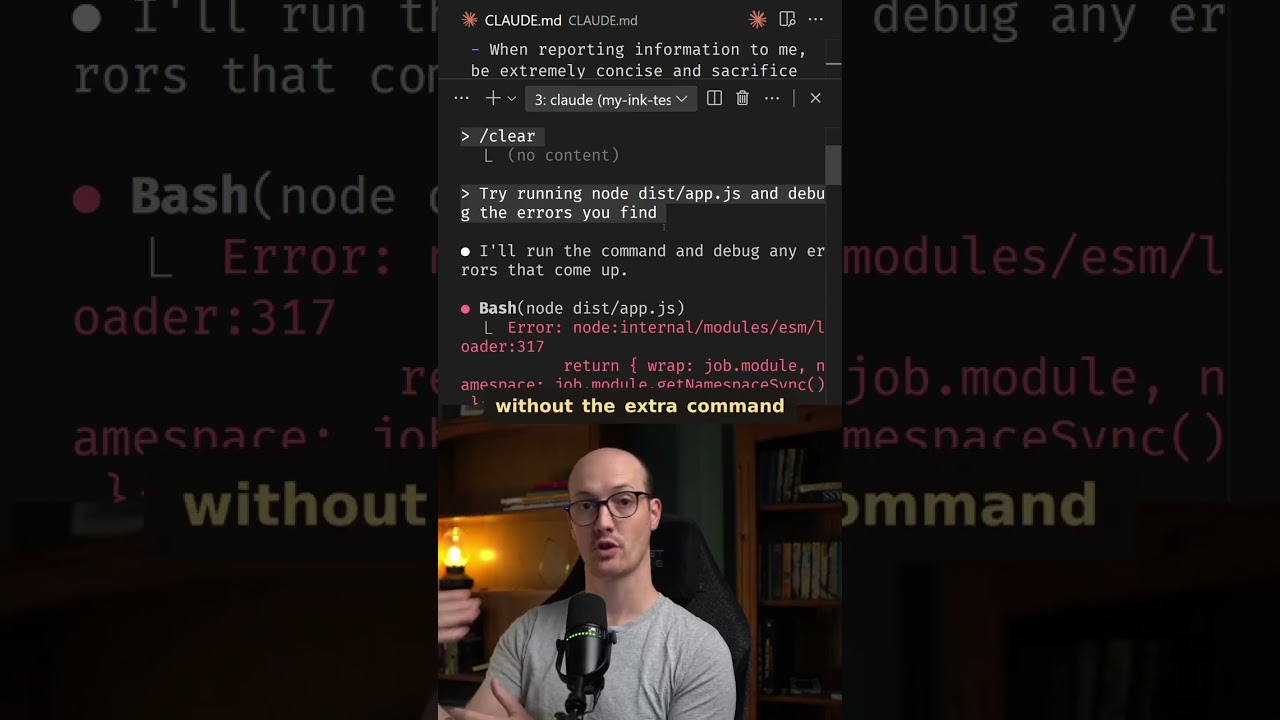
The solution is a single instruction added to your global claude.md (or CLAUDE.md) file. This file is read by Claude Code at the start of every session, so you set it once and never repeat yourself:
When reporting information to me, be extremely concise
and sacrifice grammar for the sake of concision.
That's it. One line. It lives in your global config so it applies to every project, every session. Matt had previously been adding this to individual prompts and realized — why not make it permanent?
Where to put it
- Global:
~/.claude/claude.md— applies to all projects - Per-project:
CLAUDE.mdin project root — scoped to one repo - The global file is ideal for personal preferences like output style
⚖️ Before vs After: A Real Debug Test ▶ 0:35
Matt runs the same ESM/CJS mismatch error through Claude Code twice — once with the concise instruction, once without. The difference is stark:
❌ Without concise instruction
Paragraphs of explanation. Full sentences with transitions. A "mini article" summarizing what happened:
"I investigated the error and found that the issue stems from an ESM/CJS module mismatch. The root cause appears to be a compatibility issue between React 19 and ink 4.1.0. I've made the following changes to resolve this..."
Still correct — just slower to scan.
✅ With concise instruction
Terse headers. Bullet points. Just the facts:
ESM/CJS mismatch. Checking build output + config.
Root cause found: React 19 incompatibility with ink 4.1.0
- A couple of headings
- A short list
- Done — information delivered faster
The final summary difference is the most dramatic. The verbose version produces a "fair chunk of stuff" — the concise version is just a few words, a couple of headings, a little list.
🧠 Why This Works ▶ 1:05
A critical insight: the LLM still has the same understanding under the hood. You lose nothing by requesting concise output. The model has done the same analysis, examined the same files, reached the same conclusions — it's just presenting the results differently.
- Same depth — the model's internal reasoning is unchanged
- Follow-up ready — ask more questions if you need detail
- Scan-optimized — first response is terse and actionable
- Iteration-friendly — especially valuable during rapid debug cycles
The key phrase is "sacrifice grammar for the sake of concision." This gives the model explicit permission to drop articles, use fragments, and prioritize information density over prose quality. Without that permission, the model defaults to polished, complete sentences — which is exactly what makes output feel like an essay.
🎯 Key Takeaways
- 📝Add
"Be extremely concise. Sacrifice grammar for the sake of concision."to your globalclaude.mdfile for permanently concise output. - 🔄The LLM's understanding is unchanged — you can always follow up with questions for more detail. Concise output is a presentation change, not a depth change.
- 📊Concise output uses headers, bullet points, and fragments instead of paragraphs — dramatically faster to scan during debugging sessions.
- 🌐This isn't Claude-specific. Any agent that reads a config or system prompt file — Codex, Cursor, Windsurf — can benefit from the same instruction.
- ⚡The magic phrase is "sacrifice grammar" — it gives the model explicit permission to use terse fragments instead of defaulting to polished prose.