📦 What It Actually Is
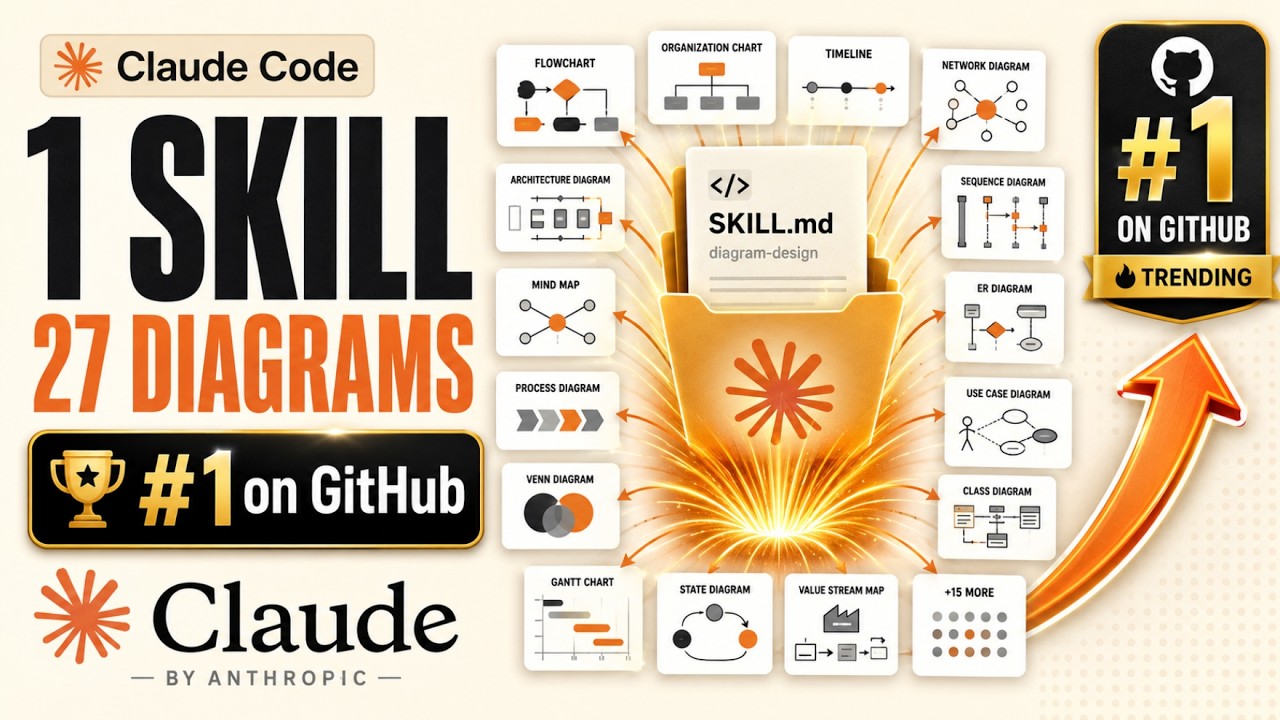
The day after Signal Coders audited the official skills repository, GitHub's #1 trending repository — above every agent framework and model release — was a single skill written by one person. 1,600 stars in a day. It draws diagrams — 27 kinds of them. 0:00
The job: turn a request for a diagram into a standalone HTML file with inline vector graphics. Architecture diagrams, flowcharts, sequence diagrams, state machines, timelines, swim lanes, quadrants, org charts, funnels, gant charts, scatter plots — and about 15 more. It also imports existing diagram files from popular drawing tools and "diagram-as-text" sources, then redraws them at your chosen output format, canvas size, and level of detail. 1:54
The whole thing is MIT-licensed, and it ships with a security policy and a third-party license file — for a diagram skill. 2:58
✂️ The Rule It Breaks — and Why It's Right
The official guidance: name + description together should be around 100 words — the permanent tax. Signal Coders measured this one's description: 144 words. It doesn't just exceed the guidance; it exceeds it while listing all 27 type names, the import file extensions, output formats, canvas sizes, and more. 3:05
"My first reaction was that this is the classic amateur mistake, stuffing everything into the trigger. My second reaction, after thinking about the mechanics, is that it's correct and the guidance is the thing that's incomplete." 3:47
📐 The Rule It Nails — Three Numbers
The deepest principle from the official spec — three levels with "scripts can execute without loading" — is the one almost no community skill respects. Signal Coders measured this one's three levels: 4:59
| Level | Size | When it loads |
|---|---|---|
| Instruction file | 32 KB | When the skill fires |
| Reference library | 484 KB (37 documents) | On demand — only when you pick a diagram type |
| Examples | 1.5 MB (finished HTML, 3 variants each) | Never — a human-browsable gallery |
The file states the rule in plain language: "Type-specific conventions live in the references folder and are loaded only when you pick a type." And in the drawing flow: "always load the relevant type file before drawing." The examples exist so a human can browse and the model has something to point at. 5:26
🚧 The Gate That Refuses to Draw
The thing nobody else is doing: Section zero of the file, before any diagram instructions, is a gate. Verbatim: "Before generating your first diagram in a new project, verify the style guide has been customized." The model checks colors against the shipped defaults — a paper tone, an ink tone, a rust accent — and if unchanged, stops and asks the user. 6:44
The prompt offers five options: pull the palette from your website, extract it from another installed skill, extract from a local design-system folder, paste tokens by hand, or explicitly proceed with the default. Two details elevate this from nice to genuinely well-engineered: 7:08
- One-line heuristic, no state. "If the accent color differs from the shipped rust value, assume the user already customized and skip the gate forever after. No state file, no database, no configuration. The artifact remembers by being different from the default."
- It explains itself. The file states the failure mode: "Don't silently ship default-skin diagrams into a branded project." "That sentence is the whole professional posture of this repository. The author isn't worried the diagrams will be ugly. They're worried about the specific, real, embarrassing outcome where you paste a diagram into a company deck and it's wearing somebody else's colors." 7:43
👁️ The Taste Gate — A Checklist That Tells the Model Not to Work
Section 9, "the pre-output checklist," runs before producing any diagram. Three items stand out — read verbatim: 8:26
Second, the "remove test": Can I remove any node? Can I merge any two nodes — "do they always travel together?" Can I remove any arrow — is the relationship obvious from layout? Can I remove any label — does color or shape already signal it? "That is a professional designer's actual editing process written down as machine-executable instructions. Four specific subtractive questions, each with its own test. This is what taste looks like when you decompose it far enough for a model to run it." 8:48
Third, a signal rule: "The accent color may be used on two elements at most. If you've used more, which ones actually deserve focal status?" Plus a complexity budget — if past it, split into an overview + detail diagram rather than cramming. 9:25
🔧 Scripts & The Accessibility Surprise
The official doctrine: put precision in code, not prose. Nine Python scripts here — and the biggest one's subject is the surprise. A 514-line checker on the generated output, and what it enforces most is accessibility. Its error strings, verbatim: 10:16
"A diagram is a picture. To a screen reader, it's a blank rectangle — unless someone did this work. And the thing enforcing it isn't a policy or a code review. It's a script that runs on the output. So a model that gets sloppy simply fails the check." Other scripts: a 588-line icon builder, and a 61-line utility that repairs mangled text encoding — "that last one exists because somebody hit that bug at 3 in the morning and decided never again. Foot guns documented as tools." 11:09
📥 The Import Path & The Fidelity Ledger
The import feature points at existing diagram files from popular drawing tools or diagram-as-text sources, and redraws them — not as a conversion, but a re-render at your chosen settings. "Every company has a folder of diagrams somebody made in a drawing tool four years ago. Accurate, ugly, and unusable in a deck. This turns that folder into an input. The migration story is the adoption story." 11:41
"Three times now this file has stopped to consider the specific way its own output could quietly embarrass the person using it. That's not a feature list. That's a temperament. And it's rarer in software than talent." 12:42
💸 Who Pays?
Standing rule: when something this good is free, find the invoice. Signal Coders read the whole repository looking for it — "and as far as I can see, there isn't one." MIT license, no hosted service, no paid tier, no sponsor links, no affiliate codes, no telemetry. 13:03
The second-order answer — the strategic story of the day: "When one person's single skill can outrank every framework on GitHub, the value in this ecosystem has moved. Not to the model — that's swappable. Not to the framework. This beat all of them without being one. To codified expertise — someone's actual taste decomposed into checklists a model can run. That's a new category of artifact, and today it's the most valuable thing on the page." 14:00
✅ Key Takeaways
- The craft is now legible enough for an individual to execute it at a professional standard — and be rewarded within a day. One person, one folder, #1 on GitHub above every framework and model release. No framework, no company, no model of their own.
- The description budget is one entry per capability, not a word count. This skill breaks the 100-word guidance with 144 words — and it's right, because 27 capabilities need 27 triggers. A generic description would make 25 of 27 types invisible.
- A big skill is a small file with a big library behind it. The ratio: 32 KB loaded, 484 KB on demand, 1.5 MB never — 1:15:45. Size in the layer that only loads when relevant.
- Structure beats capitals — zero raised voices in 538 lines. Every constraint is a checklist item, a table, a gate, or a question. This independent developer is more disciplined than the official set.
- The two gates worth copying: the style gate and the taste gate. Refuse to ship default-skin diagrams into a branded project. Ask "would a table do the same job? If yes, don't draw." Add friction once, at the right moment, then never again.
- The fidelity ledger: when you redraw, account for the changes. If a machine silently drops boxes while prettifying, you now have a diagram that lies. Redraw freely, but hand back a report of what survived.
🔗 Resources & Links
- 📺 Original video — Signal Coders' full audit
- 📂 The diagram skill repository — one skill, 27 diagram types